

編輯:關於 Android 程式設計
layout_weight 是 LinearLayout 上用來「按比例瓜分剩餘空間」的屬性,也是新手最容易搞錯的地方。關鍵在於它與 layout_width 的搭配——同樣的 weight 值,配 0dip 和配 match_parent 會得到完全不同的結果。以下用兩組對照範例說明。
<?xml version="1.0" encoding="utf-8"?>
<LinearLayout xmlns:android="https://schemas.android.com/apk/res/android"
    android:layout_width="match_parent"
    android:layout_height="match_parent"
    android:orientation="horizontal" >

    <fragment
        android:id="@+id/titles"
        android:layout_width="0dip"
        android:layout_height="match_parent"
        android:layout_weight="1"
        class="com.a2bgeek.fragmentdemo.TitlesFragment" />

    <FrameLayout
        android:id="@+id/details"
        android:layout_width="0dip"
        android:layout_height="match_parent"
        android:layout_weight="2" >
    </FrameLayout>

</LinearLayout>
因為每個子元素的基準寬度都是 0,剩餘空間等於整個螢幕寬度,於是 1:2 的比例直接兌現為「左三分之一、右三分之二」。這是最乾淨、也最推薦的寫法。
<?xml version="1.0" encoding="utf-8"?>
<LinearLayout xmlns:android="https://schemas.android.com/apk/res/android"
    android:layout_width="match_parent"
    android:layout_height="match_parent"
    android:orientation="horizontal" >

    <fragment
        android:id="@+id/titles"
        android:layout_width="match_parent"
        android:layout_height="match_parent"
        android:layout_weight="1"
        class="com.a2bgeek.fragmentdemo.TitlesFragment" />

    <FrameLayout
        android:id="@+id/details"
        android:layout_width="match_parent"
        android:layout_height="match_parent"
        android:layout_weight="2" >
    </FrameLayout>

</LinearLayout>
結果與情況一不同。原因是 LinearLayout 的配置分兩階段:先依 layout_width 配置(此時兩個子元素都各要了整個螢幕寬),剩下的空間是負值;接著才把「剩餘空間 × weight 比例」加回去。由於剩餘空間為負,weight 反而變成一種懲罰——weight 越大被扣得越多,比例呈現與直覺相反的結果。
想做等分或比例分配時,請把受影響方向的 layout_width(水平排列)或 layout_height(垂直排列)設為 0dip,再搭配 weight。寫成 0dip 而非 0dp 是舊有習慣,兩者在效果上完全等價,現代專案寫 0dp 即可。
另外要留意一個特例:Fragment 在 wrap_content 下的行為與一般 View 不同,它會佔满全部可用空間。因此若你在 fragment 標籤上使用 wrap_content,可能會得到出乎意料的佔位結果,比例配置同樣應以 0dp 搭配 weight 處理。
最後記得,weight 只在 LinearLayout 中有效,且同一__). 維度上所有子元素的 weight 總和不必為 1——系統會自動正規化,寫 1:2 與寫 30:60 效果相同。
 Android 網路編程:AsyncTask + HttpClient 批次上傳並監聽進度(二)
Android 網路編程之使用 HttpClient 批次上傳檔案(二):AsyncTask + HttpClient 並實作上傳進度監聽 我曾於《Android 網路
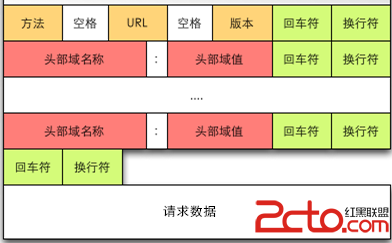 Android 網絡編程入門(一):HTTP 協議原理透解
前言 這是該系列的首篇。身為移動開發者,開發的應用難免要訪問網絡。如今已有大量開源庫讓我們輕鬆完成網絡請求,但我們仍需理解網絡訪問背後的原理,這是優秀開發者的必備素養。這
 風格 style 與主題 theme(一):釐清兩者關係與用法
第 1 節 概述 主題(theme)與風格(style)是兩個相當接近的概念,人們常把它們混著稱呼。它們都定義在 XML 檔中,也都使用 <style> 標籤
 Android 基礎入門:ExpandableListView 可折疊列表的基本用法
本節介紹的 Adapter 類控件是 ExpandableListView——可折疊列表。它是 ListView 的子類,在其基礎上把列表項分成「組」,每組再包含多個「子

