

編輯:關於 Android 程式設計
在〈Android 開機廣播的使用〉一文中已經談過開機自啟的做法,但升到 Android 4.0 之後會出現一個很令人困惑的現象:同一支 App,有時候能收到 android.intent.action.BOOT_COMPLETED,有時候完全沒反應。
仔細比對會發現規律:如果 App 安裝完成後從來沒有被手動打開過一次,開機時它就收不到 RECEIVE_BOOT_COMPLETED 廣播。這不是 bug,而是 Android 3.1 就已經公告的行為變更。
Android 3.1 的版本更新說明中,有一節名為 Launch controls on stopped applications:
Starting from Android 3.1, the system's package manager keeps track of applications that are in a stopped state and provides a means of controlling their launch from background processes and other applications.
Note that an application's stopped state is not the same as an Activity's stopped state. The system manages those two stopped states separately.
The platform defines two new intent flags that let a sender specify whether the Intent should be allowed to activate components in stopped applications.
FLAG_INCLUDE_STOPPED_PACKAGES — Include intent filters of stopped applications in the list of potential targets to resolve against.
FLAG_EXCLUDE_STOPPED_PACKAGES — Exclude intent filters of stopped applications from the list of potential targets.When neither or both of these flags is defined in an intent, the default behavior is to include filters of stopped applications in the list of potential targets.
Note that the system adds FLAG_EXCLUDE_STOPPED_PACKAGES to all broadcast intents. It does this to prevent broadcasts from background services from inadvertently or unnecessarily launching components of stopped applications. A background service or application can override this behavior by adding the FLAG_INCLUDE_STOPPED_PACKAGES flag to broadcast intents that should be allowed to activate stopped applications.
Applications are in a stopped state when they are first installed but are not yet launched and when they are manually stopped by the user (in Manage Applications).
FLAG_INCLUDE_STOPPED_PACKAGES:把處於 stopped state 的 App 的 intent-filter 也納入解析候選。FLAG_EXCLUDE_STOPPED_PACKAGES:把這些 App 排除在候選之外。FLAG_INCLUDE_STOPPED_PACKAGES。FLAG_EXCLUDE_STOPPED_PACKAGES,目的是避免背景服務的廣播意外地、不必要地喚起那些已被停止的 App。若你確實需要喚醒,必須自己在發送端加上 FLAG_INCLUDE_STOPPED_PACKAGES 覆蓋這個行為。這解釋了為什麼你的開機自啟「在自己機器上可以、使用者裝完卻不行」——因為開發時你早就開過 App 了,它不在 stopped state;而使用者剛裝完還沒點開,於是廣播被系統攔下。
幾種常見因應方式:
JobScheduler / WorkManager 搭配 setRequiresDeviceIdle 這類由系統代為喚起的機制,避免依賴高風險的自啟手段。BOOT_COMPLETED 在新版 Android 上會越來越不可靠,Android 8.0 之後更對背景啟動有嚴格限制。 Android 自定義 View:實現邊框文字與閃爍發光文字
本文圍繞對現有控件進行擴展這一主題,實現兩種效果:帶雙層邊框的文字,以及會閃光的文字。1、繪製雙層背景的 TextView創建 BorderTextView 繼承自 Te
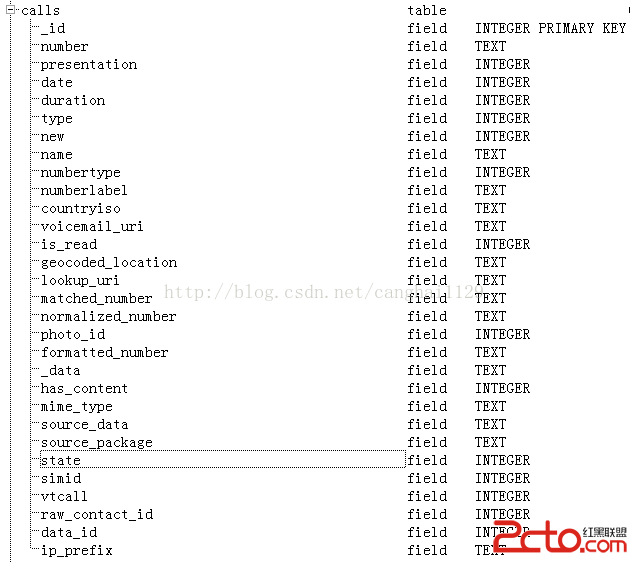 Android 4.4 Telephony 通話記錄加載流程解析
通話記錄儲存位置 在 Android 系統中,通話記錄通常儲存在 contacts2.db 的 calls 表中。系統透過 CallLogProvider 對外提供查詢能
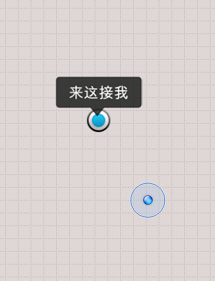 Android 百度定位導航:基於百度地圖移動獲取位置與自動定位
一、問題描述 本文要實現的效果是:使用百度地圖先自動定位到當前起始位置(以小圓點標示),並在手機移動時持續自動更新所在位置。 百度 API 不同版本在使用上略有差異,本
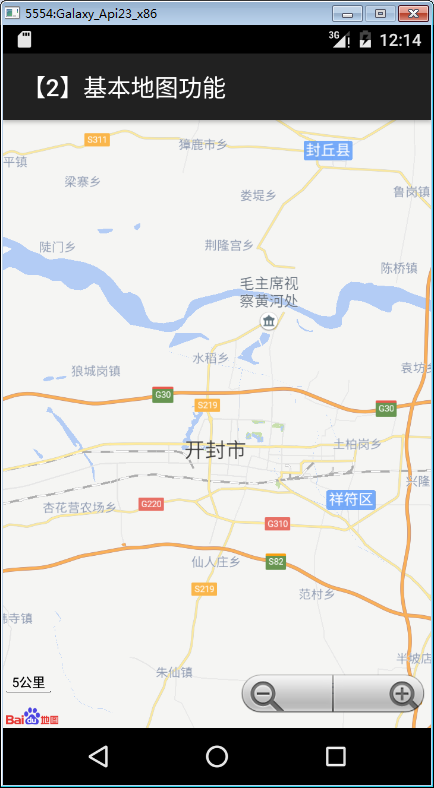 百度地圖應用骨架篇:一次建立 25 個範例的執行環境與專案結構
要一次學會 25 個地圖功能,最有效率的做法就是把它們放進同一個專案裡——這樣只需申請一把密鑰,也不必每個範例都重頭建專案。本文帶你把專案骨架搭好,從資源、SDK 初始化