

編輯:關於 Android 程式設計
當來源資料是從磁碟或網路位置(或任何非記憶體的來源)讀取時,BitmapFactory.decode* 系列方法不應在主 UI 執行緒上執行。這類資料的載入時間難以預測,取決於讀取速度、圖片大小、CPU 效能等多重因素。若其中一項任務阻塞了 UI 執行緒,系統便會將應用標記為無回應,使用者因而可能選擇關閉它(更多資訊請參閱「Designing for Responsiveness」)。
本課程將說明如何以 AsyncTask 在背景執行緒中處理 Bitmap,並處理併發(concurrency)問題。
AsyncTask 提供了一個簡便的方式:在背景執行緒中执行工作,再把結果回傳到 UI 執行緒。使用時建立一個子類別並覆寫提供的方法。以下範例以 AsyncTask 搭配 decodeSampledBitmapFromResource() 將大圖載入 ImageView:
class BitmapWorkerTask extends AsyncTask<Integer, Void, Bitmap> {
    private final WeakReference<ImageView> imageViewReference;
    private int data = 0;

    public BitmapWorkerTask(ImageView imageView) {
        // 使用 WeakReference 以確保 ImageView 能被回收
        imageViewReference = new WeakReference<ImageView>(imageView);
    }

    // 在背景解碼圖片
    @Override
    protected Bitmap doInBackground(Integer... params) {
        data = params[0];
        return decodeSampledBitmapFromResource(getResources(), data, 100, 100);
    }

    // 完成後,確認 ImageView 仍存在再設定 Bitmap
    @Override
    protected void onPostExecute(Bitmap bitmap) {
        if (imageViewReference != null && bitmap != null) {
            final ImageView imageView = imageViewReference.get();
            if (imageView != null) {
                imageView.setImageBitmap(bitmap);
            }
        }
    }
}
對 ImageView 使用 WeakReference 可確保 AsyncTask 不會阻止 ImageView 及其參照的物件被回收。任務完成時 ImageView 未必仍存在,因此必須在 onPostExecute() 中再次檢查參照——例如使用者在任務完成前離開了 Activity,或發生了設定變更。
要非同步地開始載入 Bitmap,只需建立並執行任務:
public void loadBitmap(int resId, ImageView imageView) {
    BitmapWorkerTask task = new BitmapWorkerTask(imageView);
    task.execute(resId);
}
ListView、GridView 這類常見元件在搭配上述 AsyncTask 時會衍生另一個問題:為了節省記憶體,這些元件會在使用者捲動時回收子檢視。若每個子檢視都觸發一個 AsyncTask,當任務完成時,無法保證對應的檢視未被回收給其他項目使用;此外,任務的啟動順序也不等於完成順序。
為此,可讓 ImageView 參照「最近一次」的 AsyncTask,並在任務完成時加以比對。做法如下:
建立一個 Drawable 子類別來存放回指工作任務的參照。此處使用 BitmapDrawable,以便在任務完成前於 ImageView 顯示佔位圖:
static class AsyncDrawable extends BitmapDrawable {
    private final WeakReference<BitmapWorkerTask> bitmapWorkerTaskReference;

    public AsyncDrawable(Resources res, Bitmap bitmap,
                         BitmapWorkerTask bitmapWorkerTask) {
        super(res, bitmap);
        bitmapWorkerTaskReference =
            new WeakReference<BitmapWorkerTask>(bitmapWorkerTask);
    }

    public BitmapWorkerTask getBitmapWorkerTask() {
        return bitmapWorkerTaskReference.get();
    }
}
在執行 BitmapWorkerTask 前,建立一個 AsyncDrawable 並綁定到目標 ImageView:
public void loadBitmap(int resId, ImageView imageView) {
    if (cancelPotentialWork(resId, imageView)) {
        final BitmapWorkerTask task = new BitmapWorkerTask(imageView);
        final AsyncDrawable asyncDrawable =
            new AsyncDrawable(getResources(), mPlaceHolderBitmap, task);
        imageView.setImageDrawable(asyncDrawable);
        task.execute(resId);
    }
}
上述程式碼中的 cancelPotentialWork 會檢查 ImageView 是否已有執行中的任務,若有則嘗試以 cancel() 取消舊任務;少數情況下新任務的資料與現有任務相同,此時便無須再處理。實作如下:
public static boolean cancelPotentialWork(int data, ImageView imageView) {
    final BitmapWorkerTask bitmapWorkerTask = getBitmapWorkerTask(imageView);

    if (bitmapWorkerTask != null) {
        final int bitmapData = bitmapWorkerTask.data;
        if (bitmapData != data) {
            // 取消先前的任務
            bitmapWorkerTask.cancel(true);
        } else {
            // 相同的工作已在進行中
            return false;
        }
    }
    return true;
}
輔助方法 getBitmapWorkerTask() 用來取得與特定 ImageView 關聯的任務:
private static BitmapWorkerTask getBitmapWorkerTask(ImageView imageView) {
    if (imageView != null) {
        final Drawable drawable = imageView.getDrawable();
        if (drawable instanceof AsyncDrawable) {
            final AsyncDrawable asyncDrawable = (AsyncDrawable) drawable;
            return asyncDrawable.getBitmapWorkerTask();
        }
    }
    return null;
}
最後,更新 BitmapWorkerTask 的 onPostExecute(),讓它檢查任務是否被取消,以及目前任務是否與 ImageView 關聯的任務一致:
class BitmapWorkerTask extends AsyncTask<Integer, Void, Bitmap> {
    ...

    @Override
    protected void onPostExecute(Bitmap bitmap) {
        if (isCancelled()) {
            bitmap = null;
        }

        if (imageViewReference != null && bitmap != null) {
            final ImageView imageView = imageViewReference.get();
            final BitmapWorkerTask bitmapWorkerTask =
                getBitmapWorkerTask(imageView);
            if (this == bitmapWorkerTask && imageView != null) {
                imageView.setImageBitmap(bitmap);
            }
        }
    }
}
如此一來,這套實作便能安全地應用於 ListView、GridView 以及任何會回收子檢視的元件。只要在原本設定圖片的位置改呼叫 loadBitmap 即可,例如在 GridView 的 getView() 方法中。
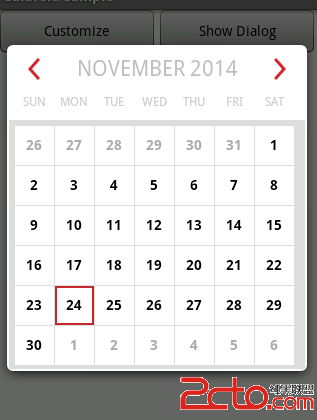 Android 日期選擇器實作:Caldroid 快速上手
效果如下圖,這裡用的是開源的 Caldroid 元件: 原專案以 Android Studio 開發,若你用 Eclipse,手動把 jar 匯入即可。 日期格式化 p
 Android SlidingDrawer 抽屜效果的實作指南
SlidingDrawer 能將內容隱藏在螢幕外,並允許使用者透過「手柄」(handle)將其滑出顯示。它可以垂直或水平滑動,由兩個 View 組成:一是可拖動的 han
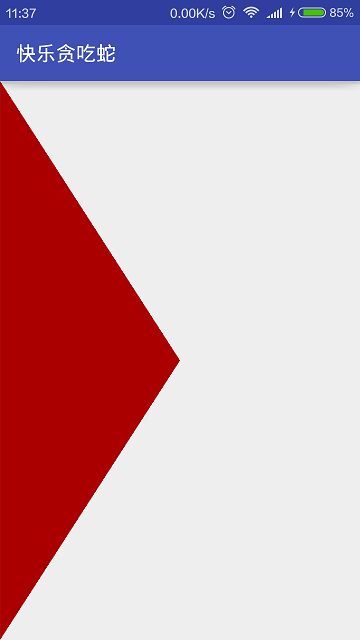 Android 貪吃蛇實戰:虛擬方向鍵三角形按鈕點擊變色
在自定義方向鍵中,除了繪製三角形之外,還需要讓按鈕在按下時產生視覺回饋。本篇以 DirectionKeys 為例,說明如何透過 onTouchEvent 與 invali
 自訂 Android 字型:解決字型偏移、卡頓與重複程式碼
換字型這件事本身很簡單,但真做進專案裡會連帶冒出三個問題:字型整體位移、大量控制項逐一設定導致卡頓、以及滿地的重複程式碼。這篇把三個問題一次解掉。 基本做法 在 asse