

編輯:關於 Android 程式設計
在 Android 應用與後端溝通的場景裡,WebService 一直是相當常見的選擇。本文會依據服務端技術的不同,示範如何組裝 SOAP 請求、發送資料並解析回傳結果,重點放在如何取得並處理「複雜型別」的回傳值。
如果後端採用的是 Java 版的 WebService,直接引入 KSOAP2 這個類庫即可,呼叫其提供的方法就能完成請求,具體用法可參考官方文件或搜尋相關範例。
然而當後端是 .NET 版的 WebService 時,KSOAP2 的表現就不那麼理想,作者花了整個下午仍未能顺利調通(也可能是使用方法有誤,歡迎交流)。因此這裡改用原生 HttpURLConnection 手工拼湊 SOAP 封包,目標是取得並解析複雜型別的回傳值。
這個版本的類別會直接把回傳的 XML 解析成 ArrayList<String>。以下為核心程式碼:
package com.bottle.stockmanage;

import java.io.IOException;
import java.io.InputStream;
import java.io.OutputStream;
import java.net.HttpURLConnection;
import java.net.URL;
import java.util.ArrayList;

public class HttpConnSoap {
    public ArrayList<String> GetWebServre(String methodName,
            ArrayList<String> Parameters, ArrayList<String> ParValues) {
        ArrayList<String> Values = new ArrayList<String>();

        // ServerUrl 指 webservice 的網址
        // 10.0.2.2 讓 Android 模擬器能訪問本機(PC)服務器,不能寫成 127.0.0.1
        // 11125 是連接埠,即掛載到 IIS 時開啟的連接埠
        // Service1.asmx 是提供服務的頁面
        String ServerUrl = "https://10.0.2.2:11125/Service1.asmx";

        String soapAction = "https://tempuri.org/" + methodName;
        String soap = "<?xml version=\"1.0\" encoding=\"utf-8\"?>"
            + "<soap:Envelope xmlns:xsi=\"https://www.w3.org/2001/XMLSchema-instance\" "
            + "xmlns:xsd=\"https://www.w3.org/2001/XMLSchema\" "
            + "xmlns:soap=\"https://schemas.xmlsoap.org/soap/envelope/\">"
            + "<soap:Body />";

        String tps, vps, ts;
        String mreakString = "<" + methodName + " xmlns=\"https://tempuri.org/\">";
        for (int i = 0; i < Parameters.size(); i++) {
            tps = Parameters.get(i).toString();     // 參數名稱需與 .NET 端一致
            vps = ParValues.get(i).toString();      // 對應的參數值
            ts = "<" + tps + ">" + vps + "</" + tps + ">";
            mreakString = mreakString + ts;
        }
        mreakString = mreakString + "</" + methodName + ">";

        String soap2 = "</soap:Envelope>";
        String requestData = soap + mreakString + soap2;

        try {
            URL url = new URL(ServerUrl);
            HttpURLConnection con = (HttpURLConnection) url.openConnection();
            byte[] bytes = requestData.getBytes("utf-8");
            con.setDoInput(true);
            con.setDoOutput(true);
            con.setUseCaches(false);
            con.setConnectTimeout(6000);            // 設定逾時時間
            con.setRequestMethod("POST");
            con.setRequestProperty("Content-Type", "text/xml;charset=utf-8");
            con.setRequestProperty("SOAPAction", soapAction);
            con.setRequestProperty("Content-Length", "" + bytes.length);

            OutputStream outStream = con.getOutputStream();
            outStream.write(bytes);
            outStream.flush();
            outStream.close();

            InputStream inStream = con.getInputStream();
            Values = inputStreamtovaluelist(inStream, methodName);
            return Values;
        } catch (Exception e) {
            e.printStackTrace();
            return null;
        }
    }
    // inputStreamtovaluelist 依方法名 + "Result" 標籤擷取值
}
以下是一段典型的 .NET WebService 回傳結果,可看出它其實是一個 List<Review>:
<?xml version="1.0" encoding="utf-8"?>
<ArrayOfReview xmlns:xsi="https://www.w3.org/2001/XMLSchema-instance"
    xmlns:xsd="https://www.w3.org/2001/XMLSchema" xmlns="https://tempuri.org/">
  <Review>
    <userID>201311521412</userID>
    <userName>wangjindong</userName>
    <reviewInfo>哇咔咔哇咔咔哇咔咔</reviewInfo>
    <reviewDate>2013-3-4 19:33:23</reviewDate>
  </Review>
  <Review>
    <userID>201311521412</userID>
    <userName>wangjindong</userName>
    <reviewInfo>abcdefghijklmn</reviewInfo>
    <reviewDate>2013/2/5 17:07:52</reviewDate>
  </Review>
</ArrayOfReview>
面對這種巢狀結構,前面那個 HttpConnSoap 就顯得力不從心,若直接取 Values 只會得到空集合。因此我們需要改造這個類別,讓它只負責「取回資料」,把「解析」的責任交給呼叫端。
package com.pivotstudio.china.util;

import java.io.InputStream;
import java.io.OutputStream;
import java.net.HttpURLConnection;
import java.net.URL;
import java.util.ArrayList;
import com.pivotstudio.china.config.AppConfig;

/**
 * 連接 webservice 的類別
 * @author Bottle
 */
public class HttpConnSoap2 {

    /**
     * 取得回傳的 InputStream,為了增強通用性,方法內不進行解析。
     * @param methodName  webservice 方法名
     * @param Parameters  webservice 方法對應的參數名
     * @param ParValues   參數對應的值
     * @return 未解析的 InputStream
     */
    public InputStream GetWebServre(String methodName,
            ArrayList<String> Parameters, ArrayList<String> ParValues) {

        String ServerUrl = AppConfig.ServerURL;
        String soapAction = "https://tempuri.org/" + methodName;

        String soap = "<?xml version=\"1.0\" encoding=\"utf-8\"?>"
            + "<soap:Envelope xmlns:xsi=\"https://www.w3.org/2001/XMLSchema-instance\" "
            + "xmlns:xsd=\"https://www.w3.org/2001/XMLSchema\" "
            + "xmlns:soap=\"https://schemas.xmlsoap.org/soap/envelope/\">"
            + "<soap:Body />";

        String tps, vps, ts;
        String mreakString = "<" + methodName + " xmlns=\"https://tempuri.org/\">";
        for (int i = 0; i < Parameters.size(); i++) {
            tps = Parameters.get(i).toString();
            vps = ParValues.get(i).toString();
            ts = "<" + tps + ">" + vps + "</" + tps + ">";
            mreakString = mreakString + ts;
        }
        mreakString = mreakString + "</" + methodName + ">";

        String soap2 = "</soap:Envelope>";
        String requestData = soap + mreakString + soap2;

        try {
            URL url = new URL(ServerUrl);
            HttpURLConnection con = (HttpURLConnection) url.openConnection();
            byte[] bytes = requestData.getBytes("utf-8"); // 指定編碼,解決中文亂碼
            con.setDoInput(true);
            con.setDoOutput(true);
            con.setUseCaches(false);
            con.setConnectTimeout(6000);
            con.setRequestMethod("POST");
            con.setRequestProperty("Content-Type", "text/xml;charset=utf-8");
            con.setRequestProperty("SOAPAction", soapAction);
            con.setRequestProperty("Content-Length", "" + bytes.length);

            OutputStream outStream = con.getOutputStream();
            outStream.write(bytes);
            outStream.flush();
            outStream.close();

            InputStream inputStream = con.getInputStream();
            return inputStream; // 原封不動地回傳,交給呼叫端解析
        } catch (Exception e) {
            e.printStackTrace();
            return null;
        }
    }
}
這個版本比原版更短,因為它不再負責解析,所有資料都保留在 InputStream 中,彈性大幅提升。
/**
 * 利用 xmlpull 解析 xml
 * @author Bottle
 */
public class XMLParase {

    /** 解析評論 xml 資訊 */
    public static ArrayList<CommentInfor> paraseCommentInfors(InputStream inputStream) {
        ArrayList<CommentInfor> list = new ArrayList<CommentInfor>();
        XmlPullParser parser = Xml.newPullParser();
        try {
            parser.setInput(inputStream, "UTF-8");
            int eventType = parser.getEventType();
            CommentInfor info = new CommentInfor();

            while (eventType != XmlPullParser.END_DOCUMENT) {
                switch (eventType) {
                    case XmlPullParser.START_DOCUMENT:
                        break;
                    case XmlPullParser.START_TAG:
                        String name = parser.getName();
                        if (name.equalsIgnoreCase("Review")) {
                            info = new CommentInfor();
                        } else if (name.equalsIgnoreCase("userID")) {
                            eventType = parser.next();
                            info.setUserID(parser.getText());
                        } else if (name.equalsIgnoreCase("userName")) {
                            eventType = parser.next();
                            info.setUserName(parser.getText());
                        } else if (name.equalsIgnoreCase("reviewInfo")) {
                            eventType = parser.next();
                            info.setReviewInfo(parser.getText());
                        } else if (name.equalsIgnoreCase("reviewDate")) {
                            eventType = parser.next();
                            info.setReviewDate(parser.getText());
                        }
                        break;
                    case XmlPullParser.END_TAG:
                        if (parser.getName().equalsIgnoreCase("Review")) {
                            list.add(info);
                            info = null;
                        }
                        break;
                }
                eventType = parser.next();
            }
            inputStream.close();
        } catch (Exception e) {
            e.printStackTrace();
        }
        return list;
    }
}
HttpConnSoap2 webservice = new HttpConnSoap2();
String methodName = "showReview";               // 方法名
ArrayList<String> paramList = new ArrayList<String>();
ArrayList<String> parValueList = new ArrayList<String>();

paramList.add("ID");                             // 參數名
parValueList.add("001");                         // 參數值

InputStream inputStream = webservice.GetWebServre(methodName, paramList, parValueList);
ArrayList<CommentInfor> resultList = XMLParase.paraseCommentInfors(inputStream);
整體思路就是:以 HttpURLConnection 拼出 SOAP 封包並發送,取得原始 InputStream 後,再用 XmlPull 依需求解析成具體的物件集合。這種「取資料」與「解析資料」分離的設計,讓同一套請求邏輯可以對應各種不同的回傳結構。
 Swift 打造 QQ 音樂播放器:播放控制、歌詞與動畫實作
音樂播放器不只是播放音檔,還需要處理進度、切歌、歌手動畫與歌詞同步。以 Swift 實作時,可以將播放邏輯、資料模型與畫面更新拆成不同層級。 播放控制 單首歌曲的播放與
 動手玩 Android L:開發者預覽版的取得與安裝步驟
Google 在週三發表了 Android 的下一個重要版本 Android L。不過目前釋出的只是預覽版本,完整的開發者預覽版稍後才會跟上,正式版則預計在今年秋天登場
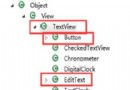 Android 學習筆記(四):常用基本控制項與視圖整理
一、文字、按鈕與輸入框 這三者關係密切,先看它們的繼承結構: TextView 是它們的共同祖先,最基礎也最常用: android:text=文本 android:t
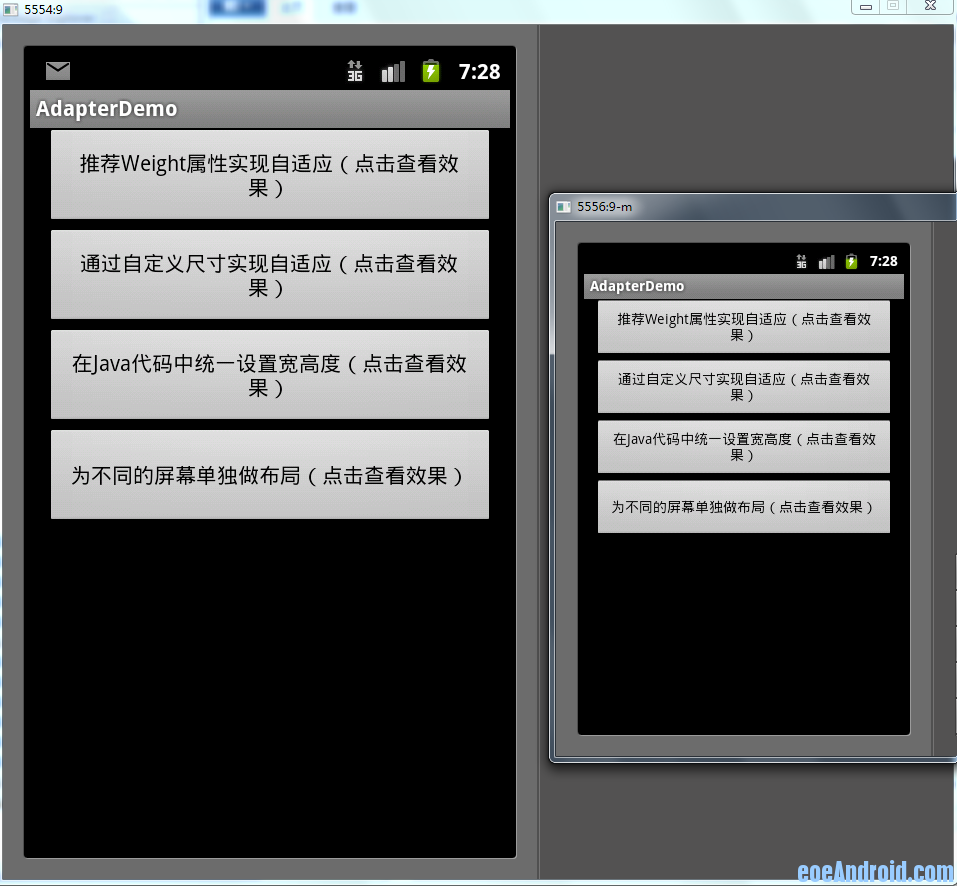 四種必備的 Android 屏幕自適應解決方案
Android 設備碎片化嚴重,屏幕尺寸五花八門,如何讓界面在不同分辨率上都呈現良好效果,是每個開發者都要面對的課題。本文整理了四種主流的自適應方案,並附上各自適用場景與