

編輯:關於 Android 程式設計
在使用 Notification 搭配 PendingIntent 延遲意圖開啟 Activity 來顯示通知詳情時,常會遇到一個惱人的問題:若有多則通知抵達,但它們的 Intent 內容都一樣、只有通知文字不同,那麼多次點開通知詳情 Activity 時,顯示的資料竟然都是第一次的內容,後續資料並未更新。
以下為典型的通知彈出程式碼:
// 彈出應用的通知,在通知欄中顯示 xx 回復的簡訊結果
private void popNotification(Context context, SmsMsg smsMsg) {
    String body = smsMsg.getBody();
    String promptContent = null;
    if (null != body && body.length() > 10) {
        promptContent = body.substring(0, 10);
    } else {
        promptContent = body;
    }
    CharSequence charDateTime =
            DateFormat.format("yyyy-MM-dd kk:mm:ss", new Date(smsMsg.getTime()));

    // 取得 NotificationManager
    NotificationManager nm =
            (NotificationManager) context.getSystemService(Context.NOTIFICATION_SERVICE);

    // 建立 Notification 物件
    Notification n = new Notification(R.drawable.ic_launcher,
            "xx簡訊提醒", System.currentTimeMillis());
    n.flags = Notification.FLAG_AUTO_CANCEL;      // 點擊後自動消失
    n.defaults |= Notification.DEFAULT_SOUND;       // 抵達時播放預設音效
    n.defaults |= Notification.DEFAULT_VIBRATE;     // 抵達時預設震動

    Intent readMsgIntent = new Intent(context, SmsReadActivity.class);
    readMsgIntent.putExtra("SmsMsg", smsMsg);       // 將簡訊帶到 Activity
    readMsgIntent.setFlags(Intent.FLAG_ACTIVITY_NEW_TASK); // 在服務中開啟 Activity 需加此標記

    PendingIntent pi = PendingIntent.getActivity(context, 300, readMsgIntent, 0);
    n.setLatestEventInfo(context, "xx簡訊提醒 " + charDateTime, promptContent, pi);

    nm.notify(10, n);
}
問題就出在這一行:
PendingIntent pi = PendingIntent.getActivity(context, 300, readMsgIntent, 0);
最後一個參數(flag)設為 0 時,即使 Intent 附带的額外資料(extras)改變了,系統仍會沿用舊的 PendingIntent,導致 Activity 拿到的永遠是第一次的資料。
將 flag 從 0 改為 PendingIntent.FLAG_UPDATE_CURRENT:
PendingIntent pi = PendingIntent.getActivity(context, 300, readMsgIntent,
        PendingIntent.FLAG_UPDATE_CURRENT); // 點擊後開啟指定的 Activity
根據官方 API 對 FLAG_UPDATE_CURRENT 的說明:
Flag for use with getActivity, getBroadcast, and getService: if the described PendingIntent already exists, then keep it but replace its extra data with what is in this new Intent. This can be used if you are creating intents where only the extras change, and don't care that any entities that received your previous PendingIntent will be able to launch it with your new extras even if they are not explicitly given to it.
簡單來說,當描述的 PendingIntent 已存在時,此旗標會保留它,但用新 Intent 中的額外資料取代舊資料。這正好適用於「只有 extras 變化」的通知情境,如此每次點開通知都能正確顯示對應的最新內容。
 Android 後台定時提醒實作:用 Service 與 AlarmManager 打造護眼小幫手
緣起:每當埋頭寫程式或打遊戲,總是很容易忘記時間,一抬頭常常已經連續盯著螢幕超過三個小時,對眼睛的傷害著實不小。於是我動手做了一個護眼定時提醒的小應用——每隔一段時間就跳
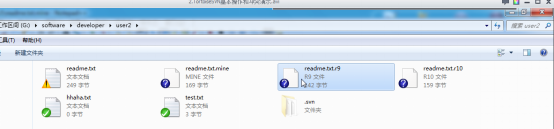 版本控制入門實戰:SVN 與 Git 的安裝、操作與衝突處理
版本控制這件事,一個人寫玩具專案時感覺不出價值,團隊協作第一天就會明白它為什麼不能少。這篇把 SVN 與 Git 兩套工具從安裝到實戰走一遍,當成課堂筆記的整理。 一、
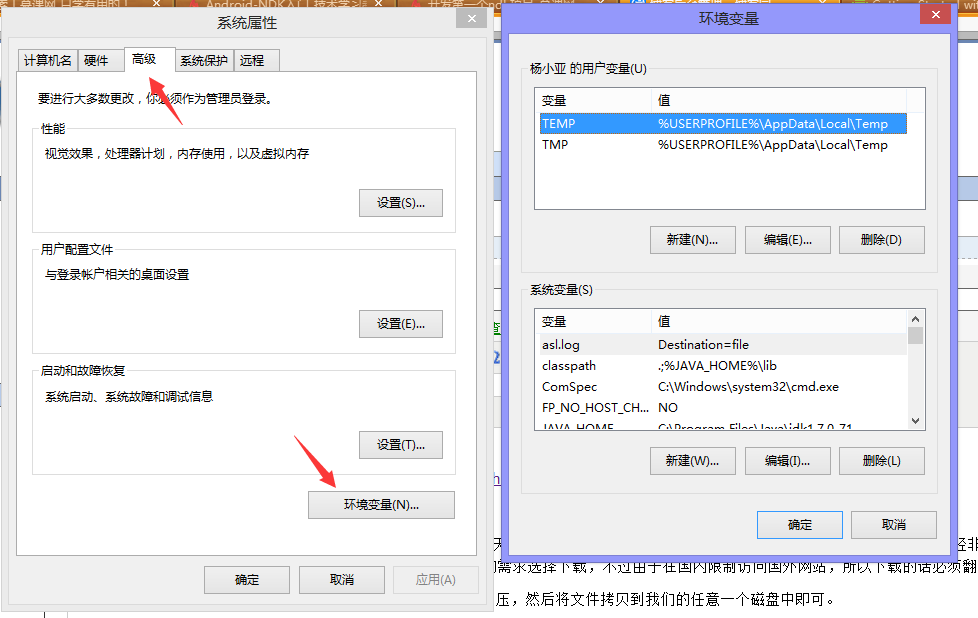 Android NDK 開發入門:環境搭建與官方範例實測
NDK 對很多開發者來說是個既好奇又陌生的名詞。近期做專案時,為了讓輸出的 .apk 不容易被反編譯解讀,查了不少資料,其中就有人提到用 NDK 來保護核心邏輯。抱著一探
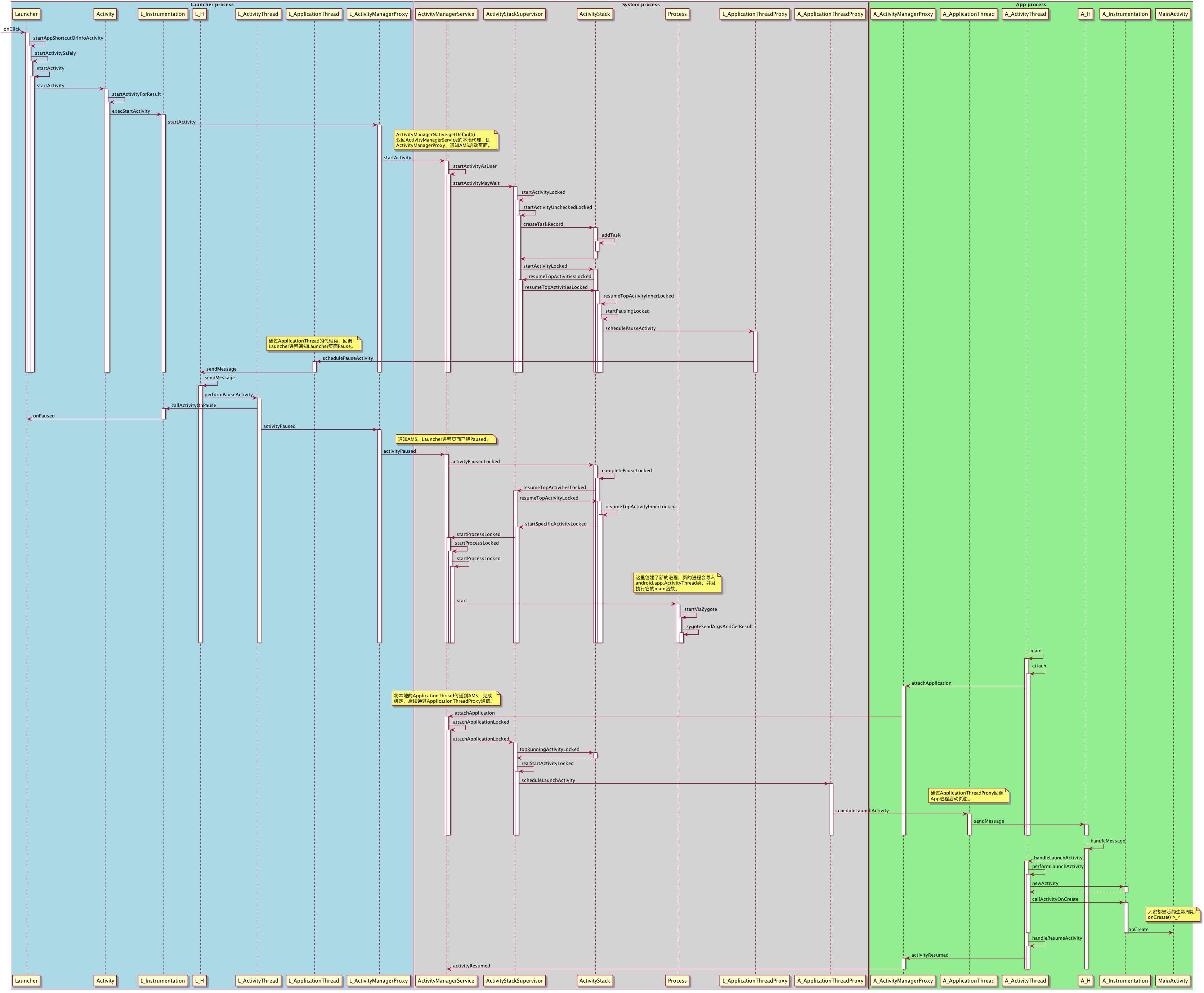 深入剖析 Android 應用的啟動全流程
前言 在正式開始之前,建議您最好先具備兩個前提條件: 1、手邊有一份已成功編譯的 Android 源碼(親自動手實踐,理