

編輯:關於 Android 程式設計
這是一個常見的布局問題:想在 Android 應用中呈現「文字搭配背景圖片」的效果,使用九宮格(nine-patch)PNG 作為背景,並用 TextView 顯示文字,但實際出來的結果卻不如預期。
有時候我們會直覺地想把圖片設為 TextView 的背景,再靠增減前後空白來微調位置。但每次換內容都要重新調整空格,顯得相當笨拙。更好的做法是用 RelativeLayout 作為容器,讓背景圖片與文字各自獨立定位。
以下用 RelativeLayout 承載九宮格背景圖,內部再放兩個 TextView,分別靠左與靠右對齊,並以 layout_centerVertical 垂直居中:
<RelativeLayout
    android:id="@+id/relativeLayout1"
    android:layout_height="50dp"
    android:layout_width="200dp"
    android:background="@drawable/rowimage" >

    <TextView
        android:id="@+id/textView1"
        android:text="TextView1"
        android:layout_height="wrap_content"
        android:layout_width="wrap_content"
        android:layout_marginLeft="10dp"
        android:layout_alignParentLeft="true"
        android:layout_centerVertical="true" />

    <TextView
        android:id="@+id/textView2"
        android:text="TextView2"
        android:layout_height="wrap_content"
        android:layout_width="wrap_content"
        android:layout_marginRight="10dp"
        android:layout_alignParentRight="true"
        android:layout_centerVertical="true" />

</RelativeLayout>
透過這種方式,背景圖片由 RelativeLayout 統一管理,文字則各自獨立定位,不必再靠增減空格硬湊。當內容變化時,布局依然穩定,維護起來也清爽許多。
 Android 中文 TTS 語音合成實作教學
Android 系統原生提供了五種語言的語音合成支援:德文、英文、西班牙文、法文與義大利文,其中並不包含中文。好消息是,Android 允許第三方提供中文 TTS 支援,
 Android 性能優化實戰(前篇):定位問題的六大神器
前言: 最近,某個項目的 CPU 與內存佔用實在令人不忍直視:手機發燙、電量跳水,用戶早已怨聲載道;頻繁的快速迭代發版,又讓各種性能問題集中爆發;再加上早期產品未曾兼顧低
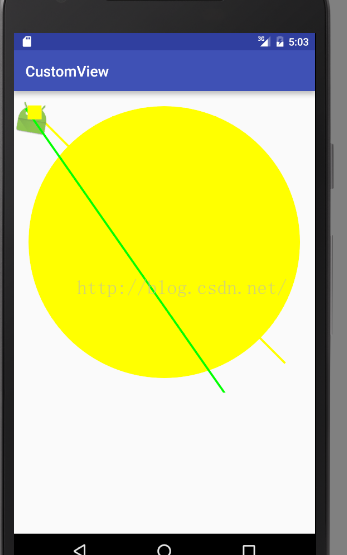 自定義 View 入門:核心思路與 Canvas 畫布全解析
一、前言 UI 作為用戶唯一能直接看到的東西,早已成為吸引用戶的關鍵。Android 提供了豐富的 widget、主題屬性與動畫,足以實現大量絢麗的控件。但在實際開發中,
 Android-Async-Http 使用筆記:異步請求、JSON 回調與二次封裝
這個庫解決了什麼 Android-Async-Http 是一個開源的 Android 網路請求函式庫,專案首頁是 https://loopj.com/android-as