

編輯:關於 Android 程式設計
在日常的 Android 開發過程中,總有一些高頻使用卻又容易忘記的程式碼片段。把它們系統性地整理下來,不僅能提升編碼效率,也能在關鍵時刻省去反覆查資料的麻煩。以下就針對幾個常見場景,示範最典型的寫法。
單選按鈕的狀態判斷非常基礎,透過 findViewById 綁定元件後,再呼叫 isChecked() 即可得知是否被選中:
rb1 = (RadioButton)findViewById(R.id.sex1);
if (rb1.isChecked())
{
    sex = "M";
} else
{
    sex = "F";
}
頁面跳轉時常需要帶上一批參數,最直觀的做法是透過 Intent 搭配 Bundle 完成。
發送方:
Intent intent = new Intent();
intent.setClass(EX03_11.this, EX03_11_1.class);

Bundle bundle = new Bundle();
bundle.putDouble("height", height);
bundle.putString("sex", sex);
intent.putExtras(bundle);

// 打開另一個 activity
startActivityForResult(intent, 0);
接收方:
intent = this.getIntent();
bundle = intent.getExtras();
String sex = bundle.getString("sex");
double height = bundle.getDouble("height");
使用 AlertDialog.Builder 可以輕鬆建立帶有標題、內容與按鈕的提示視窗:
new AlertDialog.Builder(EX03_12.this)
   .setTitle(R.string.app_about)
   .setMessage(R.string.app_about_msg)
   .setPositiveButton(R.string.str_ok,
       new DialogInterface.OnClickListener()
       {
           public void onClick(DialogInterface dialoginterface, int i)
           {
           }
       }).show();
若想讓介面呈現特殊的字體風格,可以先將字型檔放進 assets 目錄,再透過 Typeface 載入:
mText.setTypeface(Typeface.createFromAsset(getAssets(),
    "fonts/HandmadeTypewriter.ttf"));
提醒:需在 assets 目錄下建立 fonts 資料夾,並放入 HandmadeTypewriter.ttf 字型檔。
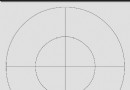 Android 自定義 View:仿雷達掃描效果
最近翻閱以前寫的代碼,翻到幾個月前做的一個仿雷達掃描效果,今天拿出來和大夥分享一下。進入分析之前,先來看看效果: 錄屏質量較差,湊活着看吧。看到這樣的效果,肯定是用自定
 Android Paint 類詳解及浮雕與陰影效果實現
Paint 類介紹 Paint 即「畫筆」,在繪製文本和圖形時,我們用它來設置圖形顏色、樣式等繪製信息。 一、圖形繪製相關方法 setARGB(int a, int r,
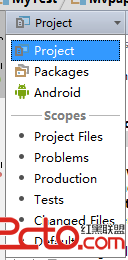 從 Eclipse 轉 Android Studio:新手最常卡住的三件事
身邊的 Android 開發者這幾年幾乎都換到 Android Studio 了,我也下載來試了一輪。老實說這個工具 2013 年就問世,當年因為怕麻煩一直沒碰,現在回頭
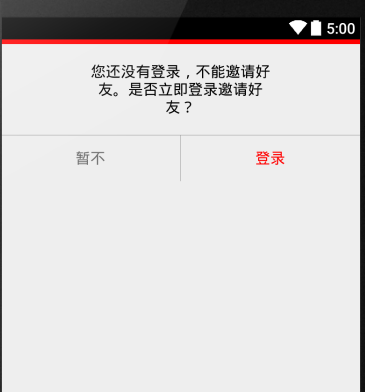 Android 自定義 Dialog 使用方法
Dialog 是 Android 中常見的互動元件,用於提示、確認、表單輸入或列表選擇。除了系統預設樣式,開發者也可以自定義布局,讓對話框更符合產品視覺。 自定義 Dia