

編輯:關於 Android 程式設計
如今任何一款名副其實的智能手機都具備音頻播放能力,Android 設備也不例外——你可以在它之上開發音樂播放器、有聲書、播客,或任何圍繞音頻的應用。本文先介紹 Android 支持的格式與編解碼器,再動手寫一個播放示例。
Android 在錄音與播放方面支持多種格式與編解碼器,常見的有 AAC、MP3、AMR、Ogg、PCM 等(具體細節可查閱官方資料)。
最省事的做法是通過 Intent 讓系統挑選合適的應用來播放。使用 ACTION_VIEW 意圖,把數據設置為音頻文件的 URI,並指定 MIME 類型即可:
Intent intent = new Intent(android.content.Intent.ACTION_VIEW);
intent.setDataAndType(audioFileUri, "audio/mp3");
startActivity(intent);
關鍵在於 MIME 類型,形如 audio/mp3,前半是大類,後半是具體格式。與此同時,音頻多媒體在系統中統一存儲於 MediaStore.Audio,裡面包含 Media、Album、Genre 等信息實體。
下面的 Activity 監聽一個按鈕的點擊事件,點擊後打開系統自帶的 Music 應用播放指定文件:
public class IntentAudioPlayer extends Activity implements OnClickListener {
    Button playButton;

    @Override
    public void onCreate(Bundle savedInstanceState) {
        super.onCreate(savedInstanceState);
        setContentView(R.layout.main);
        playButton = (Button) this.findViewById(R.id.Button01);
        playButton.setOnClickListener(this);
    }

    public void onClick(View v) {
        Intent intent = new Intent(android.content.Intent.ACTION_VIEW);
        File sdcard = Environment.getExternalStorageDirectory();
        File audioFile = new File(sdcard.getPath() + "/Music/goodmorningandroid.mp3");
        intent.setDataAndType(Uri.fromFile(audioFile), "audio/mp3");
        startActivity(intent);
    }
}
配套的布局文件只需要一個按鈕:
<LinearLayout xmlns:android="https://schemas.android.com/apk/res/android"
    android:orientation="vertical"
    android:layout_width="fill_parent"
    android:layout_height="fill_parent">
  <Button
    android:text="Play Audio"
    android:id="@+id/Button01"
    android:layout_width="wrap_content"
    android:layout_height="wrap_content"/>
</LinearLayout>
 基於 Android 與 WCF 技術的軟件開發全流程實戰
最近,同學的同學找我做了一款簡單的安卓手機軟件。這是我第一次一個人独立完成一個完整項目,所以在這裡總結一下完整的開發流程與步驟,方便後來者入門學習。 說實話,我是個新手,
 設計模式之策略模式:優雅替換算法的最佳實踐
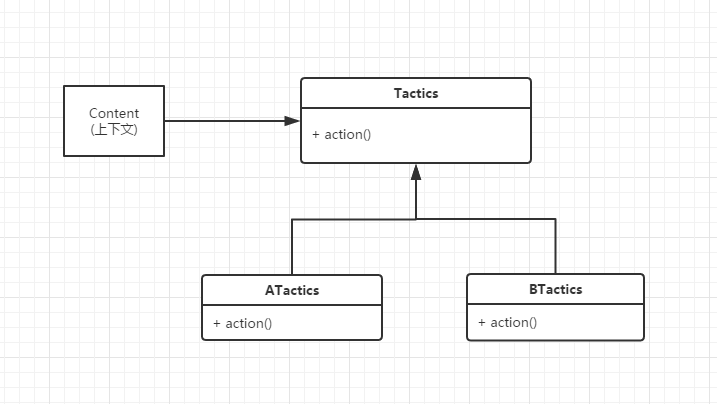
概要 設計模式是一門藝術。若你真正領會了這門藝術,會發現整個世界都變得更加優美而有序。 定義 策略模式定義了一系列的算法,並將每一個算法各自封裝起來,使它們之間可以相互
 Android 菜單解析(一):OptionsMenu 的建立、事件與相容性
Android 的菜單機制在 3.0 前後有明顯差異。3.0 推出 ActionBar 後,導航與操作呈現方式有了變化,但菜單的基本邏輯與回呼仍延續下來。本文先聚焦 Op
 GreenDao 應用解析:ORM 配置、實體生成與資料庫升級
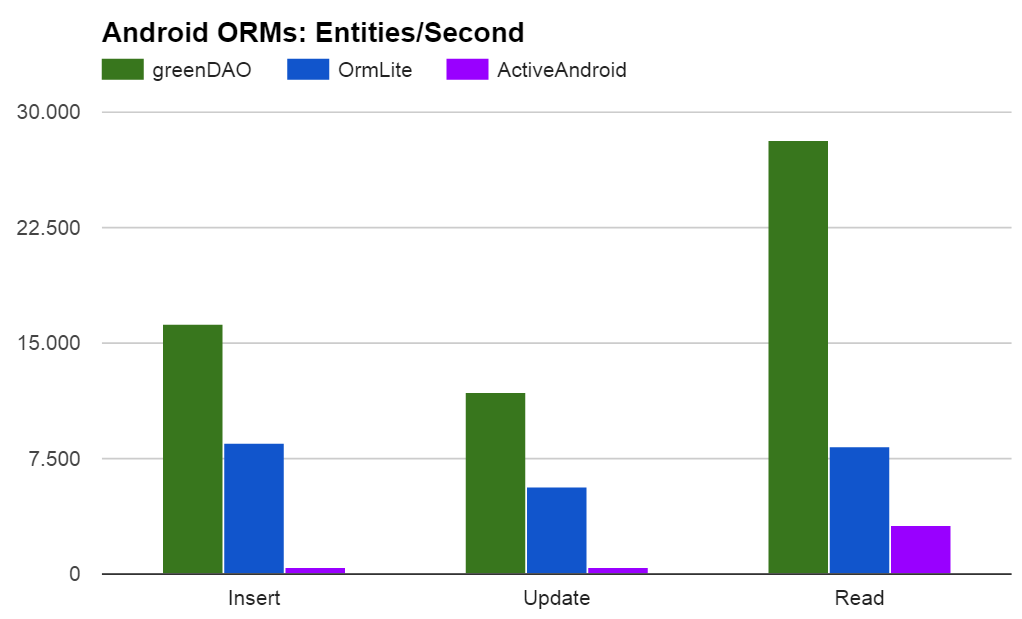
GreenDao 是一個物件關聯映射 ORM 框架,常用於 Android 本機資料庫開發。相較於手寫 SQL,它能讓開發者以物件方式操作資料,並減少重複的 CRUD 程