

編輯:關於 Android 程式設計
Gallery 預設的 fling 行為是依滑動速度決定一次滾動幾張,滑快一點就一口氣跳好幾張。若你要的是「一次一張」的相簿瀏覽體驗,覆寫 onFling() 是最乾淨的做法。
判斷滑動方向,把它換算成對應的方向鍵事件,再交給 Gallery 原本的 onKeyDown() 處理。這樣做等於把「連續滾動」改成「單步移動」,一次 fling 只走一格。
package gongzibai.co.cc;

import android.content.Context;
import android.util.AttributeSet;
import android.view.KeyEvent;
import android.view.MotionEvent;
import android.widget.Gallery;

public class DetialGallery extends Gallery {

    public DetialGallery(Context context, AttributeSet attrs) {
        super(context, attrs);
    }

    private boolean isScrollingLeft(MotionEvent e1, MotionEvent e2) {
        return e2.getX() > e1.getX();
    }

    @Override
    public boolean onFling(MotionEvent e1, MotionEvent e2,
            float velocityX, float velocityY) {
        int keyCode;
        if (isScrollingLeft(e1, e2)) {
            keyCode = KeyEvent.KEYCODE_DPAD_LEFT;
        } else {
            keyCode = KeyEvent.KEYCODE_DPAD_RIGHT;
        }
        onKeyDown(keyCode, null);
        return true;
    }
}
因為換成了自訂檢視,XML 中要用完整類別名稱:
<?xml version="1.0" encoding="utf-8"?>
<LinearLayout xmlns:android="https://schemas.android.com/apk/res/android"
    android:id="@+id/widget32"
    android:layout_width="fill_parent"
    android:layout_height="fill_parent"
    android:orientation="vertical" >

    <gongzibai.co.cc.DetialGallery
        android:id="@+id/widget1"
        android:layout_width="fill_parent"
        android:layout_height="wrap_content"
        android:gravity="center"
        android:spacing="10dp" />

</LinearLayout>
覆寫 onFling 之後,velocityX 與 velocityY 就完全沒被使用了。如果你希望「輕滑不動、用力滑才換」,可以在這裡加一層速度門檻,超過才呼叫 onKeyDown,否則回傳 false 交給原邏輯處理。
另外,Gallery 在 API 14 之後已被標記為 deprecated,官方建議改用 HorizontalScrollView 搭配 Adapter,或直接使用 RecyclerView 加水平方向的 LinearLayoutManager——後者對「一次一張」這種需求支援得更好,內建就有 snap 行為可以搭配。
 Android自定義圖片效果合集:圓角、變換與色彩處理全解析
臨近春節留守公司的人不多了,我因為沒有年假仍舊堅守崗位。閒來無事,正好想練練自定義控件的應用,順便學習圖片的各類操作與處理。於是我在网上找到了鴻洋大神關於自定義控件與圖片
 關於 ListView 的全面總結:適配器、原理與內存優化
網上關於 ListView 的介紹很多,我挑選了一些內容整合於此,僅供參考。 在 Android 開發中,ListView 是比較常用的組件。 官方 API 地址:htt
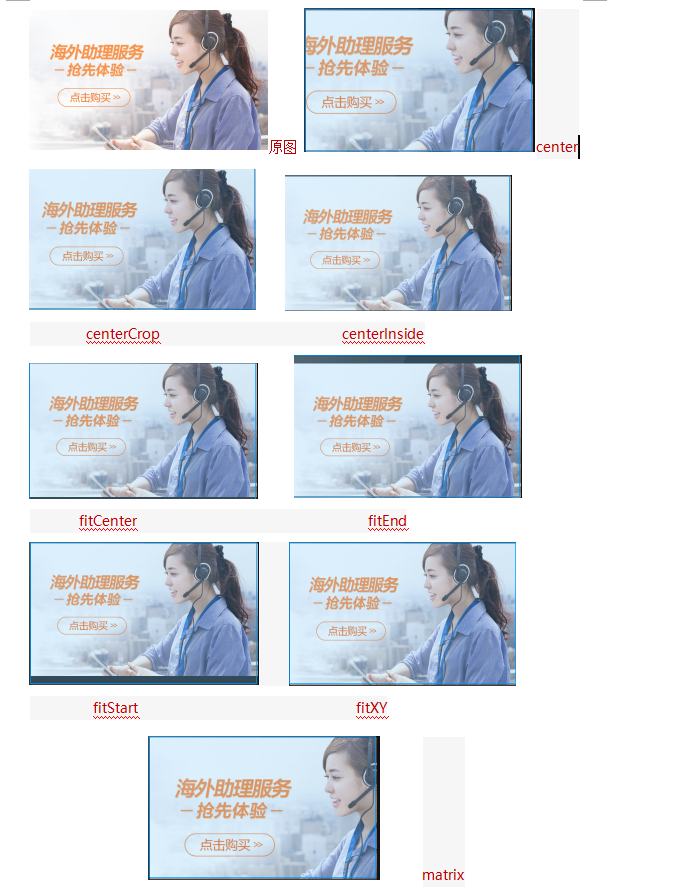 Android 自定義控件:實現圖片等比例縮放與自適應容器
在 Android 開發中,系統內建控制項有時難以直接滿足特定 UI 需求。例如圖片輪播希望圖片完整顯示且不變形,單靠 ImageView 的 scaleType 往往會
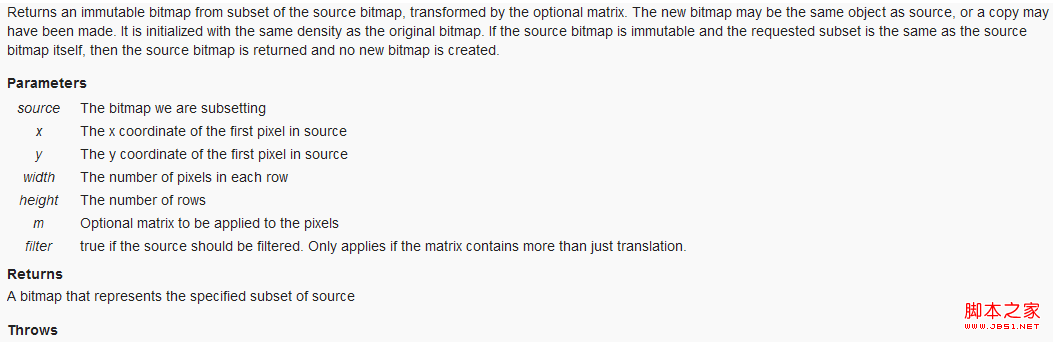 Android 依 EXIF 資訊自動校正圖片方向並顯示
用手機拍的相片丟進 ImageView 顯示,卻發現方向歪了、甚至上下顛倒。這不是顯示元件的問題,而是相片本身的「方向資訊」與「像素排列」不一致造成的。解法很直接:先讀出