

編輯:關於 Android 開發
GridView 組件用於以網格方式排列視圖,類似矩陣。當屏幕上需要展示大量元素(文字、圖片或其他內容)時,就可以使用它。下面我們通過代碼實現一個圖文並排的網格效果(為了截圖方便,把 Toast 事件提示設置在屏幕頂部):

GridView 布局文件 gridview.xml:
<?xml version="1.0" encoding="utf-8"?> <LinearLayout xmlns:android="https://schemas.android.com/apk/res/android" android:orientation="vertical" android:layout_width="match_parent" android:layout_height="match_parent"> <GridView android:id="@+id/gv" android:layout_width="match_parent" android:layout_height="match_parent" android:numColumns="3" android:columnWidth="90dp" android:stretchMode="columnWidth" android:verticalSpacing="10dp" android:horizontalSpacing="10dp"> </GridView> </LinearLayout>
GridView 關鍵屬性解析:
android:numColumns="3":列數設為 3
android:columnWidth="90dp":每列寬度,即 Item 寬度
android:stretchMode="columnWidth":縮放與列寬同步
android:verticalSpacing="10dp":行之間的邊距
android:horizontalSpacing="10dp":列之間的邊距
單元格布局 item_layout.xml:
<?xml version="1.0" encoding="utf-8" ?> <LinearLayout xmlns:android="https://schemas.android.com/apk/res/android" android:layout_width="match_parent" android:layout_height="match_parent" android:gravity="center" android:orientation="vertical"> <ImageView android:id="@+id/iv" android:layout_width="wrap_content" android:layout_height="wrap_content" android:scaleType="centerCrop" android:src="@mipmap/ic_launcher" /> <TextView android:id="@+id/tv" android:layout_width="wrap_content" android:layout_height="wrap_content" android:text="功能" /> </LinearLayout>
Java 代碼實現(核心為自定義適配器):
public class GridViewDemo extends AppCompatActivity { private GridView gv; @Override protected void onCreate(@Nullable Bundle savedInstanceState) { super.onCreate(savedInstanceState); setContentView(R.layout.gridview); gv = (GridView) findViewById(R.id.gv); gv.setAdapter(new MyAdapter(this)); gv.setOnItemClickListener(new AdapterView.OnItemClickListener() { @Override public void onItemClick(AdapterView<?> parent, View view, int position, long id) { TextView tv = (TextView) view.findViewById(R.id.tv); Toast t =Toast.makeText(GridViewDemo.this,tv.getText().toString(),Toast.LENGTH_SHORT); t.setGravity(Gravity.TOP,0,0); t.show(); } }); } class MyAdapter extends BaseAdapter { Context context; int[] images = {R.mipmap.ic_launcher, R.mipmap.ic_launcher, R.mipmap.ic_launcher, R.mipmap.ic_launcher, R.mipmap.ic_launcher, R.mipmap.ic_launcher,}; String[] names = {"功能1", "功能2", "功能3", "功能4", "功能5", "功能6"}; public MyAdapter(Context context) { this.context = context; } @Override public int getCount() { return names.length; } @Override public Object getItem(int position) { return names[position]; } @Override public long getItemId(int position) { return position; } @Override public View getView(int position, View convertView, ViewGroup parent) { View v = LayoutInflater.from(context).inflate(R.layout.item_layout, null); ImageView iv = (ImageView) v.findViewById(R.id.iv); TextView tv = (TextView) v.findViewById(R.id.tv); iv.setImageResource(images[position]); tv.setText(names[position]); return v; } } }至此代碼全部完成。為了聚焦功能演示,本例未對圖片與文本樣式做精細化處理,也未複用 convertView,感興趣的讀者可以自己動手優化玩玩。
 Activity 四種啟動模式實測比較:standard、singleTop、singleTask、singleInstance
 Activity 共有四種啟動模式:st
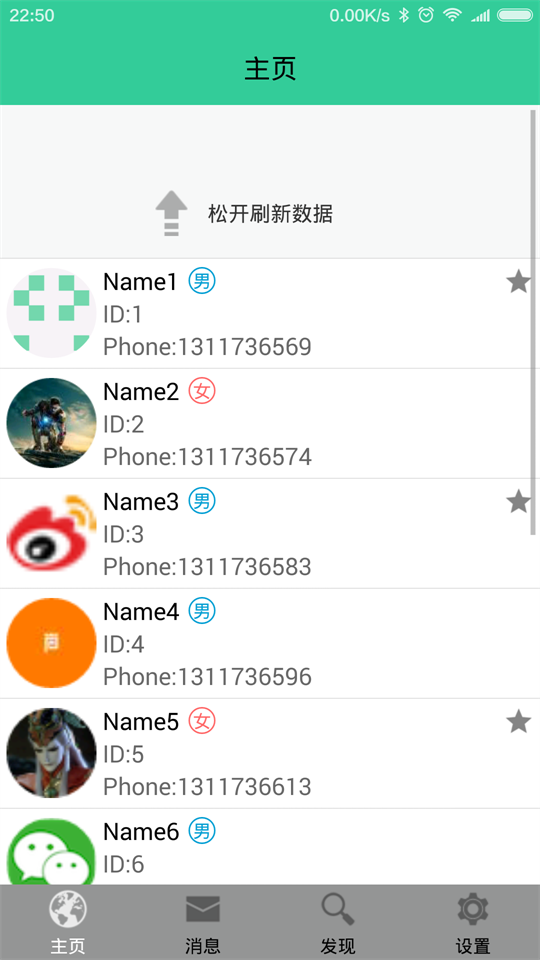 BaseHttpListActivity:快速打造 Android 網路列表頁
 在 Android 開發裡,「向伺服器取得列表、顯示、刷新、載入更多、快取」幾乎是每個 A
 漢字轉拼音:HanziToPinyin 的使用與 Locale 相容性修正
為什麼需要漢字轉拼音 本文轉載自 https://blog.csdn.net/zhangphil/article/details/47164665 。 Android 系
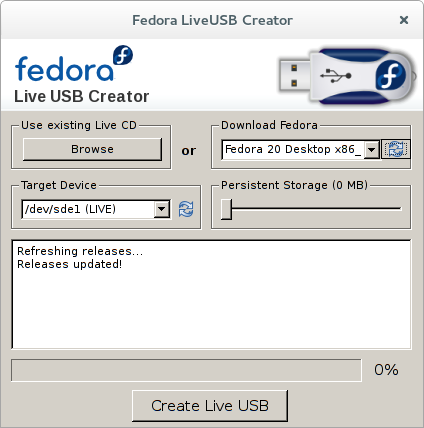 製作多版本 Fedora 系統安裝隨身碟的完整指南
 如今很少有人再用光碟安裝系統了,幾乎所有 BIOS 都支援 USB 開機,因此用隨身碟(或行動硬碟/SD 卡等行動儲存