

編輯:關於 Android 開發
轉載請標明出處:
https://www.cnblogs.com/why168888/p/5965180.html

本文出自:【Edwin博客園】
本文說明如何設定 Linux 檔案與目錄的權限,並介紹字符表示法。
1)ls -l:查看所在目錄所有檔案的權限。
2)chmod u=r file:把 file 檔案目前(使用者 user)的權限賦值為唯讀模式。
3)chmod g=wrx file:把 file 檔案目前(群組 group)的權限賦值為可讀、可寫、可執行模式。
4)chmod g-x file:把 file 檔案目前(群組 group)的權限減去可執行模式。
5)chmod o+w file:把 file 檔案目前(所有人 other)的權限加上可寫模式。
6)chmod a-x file:把 file 檔案目前(使用者 user、群組 group、所有人 other)的權限減去可執行模式。
7)chmod 777 file:把 file 檔案目前(使用者 user、群組 group、所有人 other)的權限設為可讀、可寫、可執行模式。
8)chmod -R 777 file:以遞歸方式,把 file 目錄底下所有檔案與資料夾的(使用者 user、群組 group、所有人 other)權限設為可讀、可寫、可執行模式。
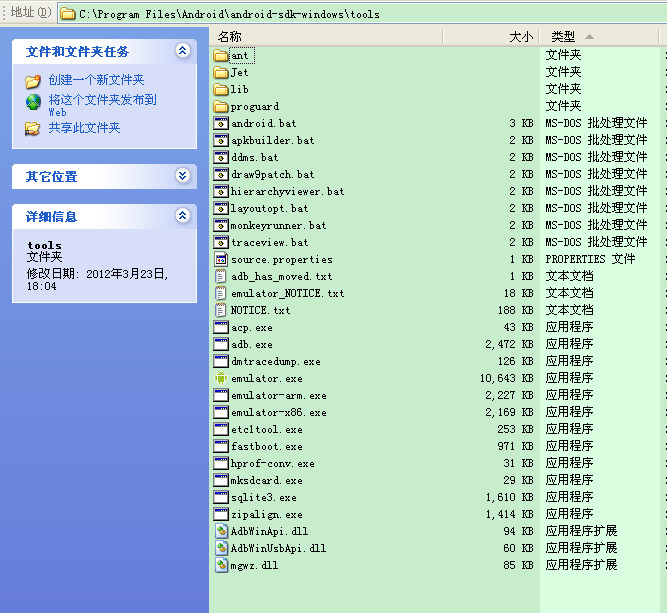 Android 開發入門:全面認識 Android SDK 與核心套件
 1. Android SDK 即 Android Software Development Kit
 Android 以相冊或相機設定使用者頭像
多數 App 在註冊或個人資料頁面,都會提供設定頭像的功能。常見做法有三種:從本地相冊挑選圖片、啟動相機拍照,或提供內建頭像供選擇。其中前兩種較為常見,也較貼近使用者習慣
 SharedPreferences 實作:在 Fragment 裡保存表單輸入內容
 SharedPreferences 是 Android 提供的輕量級鍵值存儲方案,特別
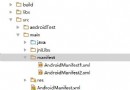 用 Gradle 構建多包 App:不同包名、圖標與名稱
 最近遇到一個需求:要做兩個功能高度相似、界面略有差異的 App。過去只能靠維護兩套代碼來應對,改一處要改兩遍,實