

編輯:關於 Android 開發
AlertDialog 有以下六種常見使用方法:
一、簡單的 AlertDialog(只顯示一段簡單的資訊)
二、帶按鈕的 AlertDialog(顯示提示資訊,讓使用者操作)
三、類似 ListView 的 AlertDialog(展示內容)
四、類似 RadioButton 的 AlertDialog(讓使用者選擇,單選)
五、類似 CheckBox 的 AlertDialog(讓使用者多選)
六、自訂 View 的 AlertDialog(當以上方式滿足不了需求時,就要自訂了)
這裡寫的就是第六種用法,效果圖如下(效果類似於 iOS 中的 MBProgressHUD):
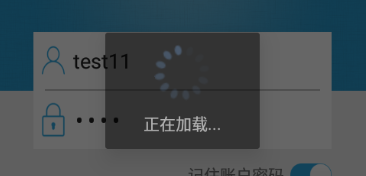
具體實現如下:
.java代碼

// 自定義彈出框,框內放入圖片,圖片設置旋轉動畫
AlertDialog alert_progress = new AlertDialog.Builder(當前activity.this).create();
alert_progress.show();
alert_progress.setCancelable(false); // 點擊背景時對話框不會消失
// alert_progress.dismiss(); // 取消對話框
Window window = alert_progress.getWindow();
window.setContentView(R.layout.alert_dialog_progress_view); //加載自定義的布局文件
WindowManager.LayoutParams wm = window.getAttributes();
wm.width = 250; // 設置對話框的寬
wm.height = 200; // 設置對話框的高
wm.alpha = 0.5f; // 對話框背景透明度
wm.dimAmount = 0.6f; // 遮罩層亮度
window.setAttributes(wm);

ImageView img = (ImageView)window.findViewById(R.id.progress_bar); // 獲取布局文件中的ImageView控件
img.setBackgroundResource(R.drawable.loading_one); // 設置圖片,也可在布局文件中設置

// 設置旋轉動畫
Animation tranfrom = new RotateAnimation(0,359,Animation.RELATIVE_TO_SELF,0.5f,Animation.RELATIVE_TO_SELF,0.5f);//359:旋轉角度(可自調),若為360會有卡頓,正數為順勢針旋轉,負數為逆時針
tranfrom.setDuration(2000); // 旋轉速度
tranfrom.setFillAfter(true);
tranfrom.setRepeatCount(-1); // -1為一直旋轉,若10,則旋轉10次設定的角度後停止
// tranfrom.cancel(); // 取消動畫
img.setAnimation(tranfrom);
布局代碼:
<?xml version="1.0" encoding="utf-8"?>
<LinearLayout xmlns:android="https://schemas.android.com/apk/res/android"
 android:orientation="vertical"
 android:layout_width="match_parent"
 android:layout_height="match_parent"
 android:background="@color/colorBlack">

 <ImageView
 android:id="@+id/progress_bar"
 android:layout_width="wrap_content"
 android:layout_height="wrap_content"
 android:layout_gravity="center"
 android:layout_marginTop="10dp"
 android:layout_marginBottom="10dp"/>

 <TextView
 android:text="正在加載..."
 android:layout_width="match_parent"
 android:layout_height="20dp"
 android:textColor="@color/colorWhite"
 android:layout_gravity="center"
 android:gravity="center"/>

</LinearLayout>
實現的關鍵在於透過 Window 設定自訂布局與對話框尺寸、透明度,並為 ImageView 添加旋轉動畫,即可做出類似 iOS MBProgressHUD 的載入提示框效果。
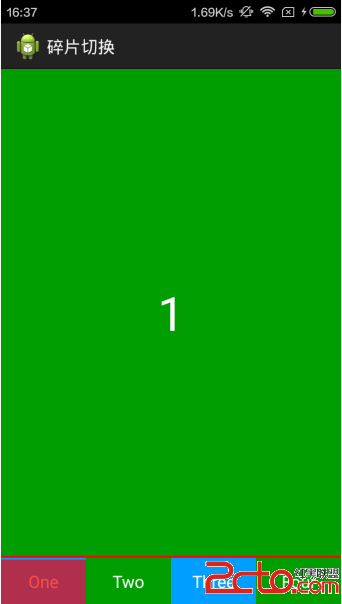 Android Fragment 生命週期:ViewPager 與容器切換的實務分析
Fragment 生命週期為何重要 在 Android 開發中,Fragment 常被用於 ViewPager 或單一容器內的多頁面切換。不同使用方式會影響 Fragme
 自製 StickHeaderListView:解決 footerView 相容問題
1、前言:前陣子使用了 GitHub 上 se.emilsjolander.sticky
 使用 RecyclerView 與 CardView 實作 Android 瀑布流
 Material Design 導入後,RecyclerView 與 CardView
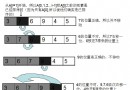 插入排序與希爾排序的原理與複雜度
插入排序 插入排序是一種簡單的排序演算法,概念類似整理撲克牌。每一輪會從未排序區域取出一個元素,將它插入到已排序區域中的正確位置。 插入排序共有 n-1 趟。第 i 趟之