

編輯:關於 Android 開發
上一篇〈Android 簡訊的備份〉談的是把訊息讀出來存到檔案;這次要處理反向操作——把一筆訊息寫回系統收件匣。
寫入簡訊資料庫同樣需要 WRITE_SMS 權限,這在近年版本的 Android 屬於高風險權限,必須在執行期向使用者明確請求,並在 Google Play 上說明用途。本範例僅供學習 ContentProvider 寫入機制之用,請勿用於未經授權的情境。
<RelativeLayout xmlns:android="https://schemas.android.com/apk/res/android"
    xmlns:tools="https://schemas.android.com/tools"
    android:layout_width="match_parent"
    android:layout_height="match_parent"
    tools:context=".MainActivity" >

    <Button android:onClick="restoreSms"
        android:layout_width="wrap_content"
        android:layout_height="wrap_content"
        android:text="還原一條短信" />
</RelativeLayout>
關鍵只有一句:ContentResolver.insert()。把要寫入的欄位放進 ContentValues,再插到 content://sms/ 這個 URI 上即可。
package com.wuyudong.smsrestore;

import android.net.Uri;
import android.os.Bundle;
import android.app.Activity;
import android.content.ContentResolver;
import android.content.ContentValues;
import android.view.View;
import android.widget.Toast;

public class MainActivity extends Activity {
    @Override
    protected void onCreate(Bundle savedInstanceState) {
        super.onCreate(savedInstanceState);
        setContentView(R.layout.activity_main);
    }

    public void restoreSms(View view) {
        Uri uri = Uri.parse("content://sms/");
        ContentResolver resolver = getContentResolver();
        ContentValues values = new ContentValues();

        values.put("address", "110");
        values.put("body", "測試內容");
        values.put("date", System.currentTimeMillis() + "");
        values.put("type", "1");   // 1 代表收件匣

        // 接受短信
        resolver.insert(uri, values);
        Toast.makeText(this, "添加成功了", 0).show();
    }
}
<uses-permission android:name="android.permission.READ_SMS"/>
<uses-permission android:name="android.permission.WRITE_SMS"/>
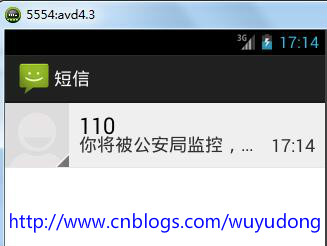
date 欄位是字串型態的毫秒時間戳。它並不會自動填入當前時間,必須自己給值,否則訊息在列表中的排序會出錯。
type 決定訊息落在哪個分類。常見值為 1(收件)、2(寄件)、3(草稿)、4(寄件匣)、5(已送)、6(失敗)。這也是為什麼備份時一定要把 type 一起存下來,還原時才能放回正確的分類。
從 Android 4.4(KitKat)開始,簡訊改由預設簡訊應用集中管理。非預設應用寫入 content://sms 的行為會受到限制,同時 WRITE_SMS 也進入了特殊權限清單。因此在現代系統上,這個做法僅適用於「使用者已將你的 App 設為預設簡訊應用」的情況,或是作為備份/還原工具並透過 Intent 引導使用者授權。
 二手交易平台的 Android 端實作:Dagger2 + MVP + Bmob 雲後端
專案概況 這是我的畢業設計專案,一個二手交易平台。技術主線是 Dagger2 搭配 MVP 分層,後端使用 Bmob 雲服務,並整合了百度地圖與友盟第三方登入。 系統架
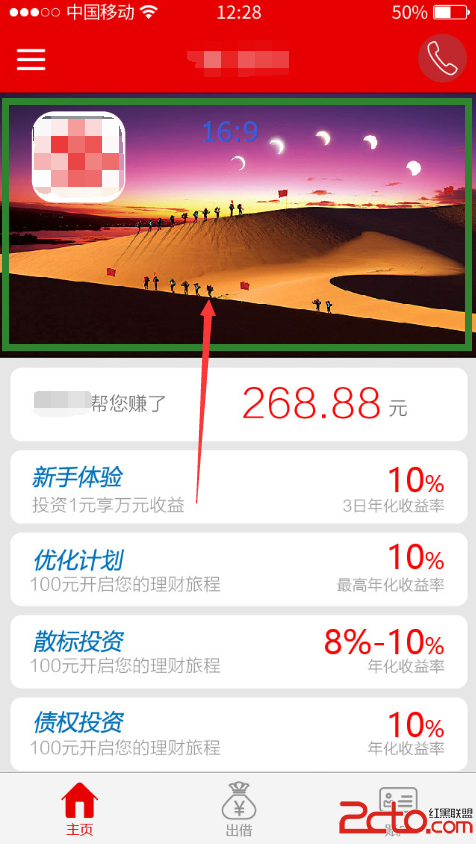 用代碼動態修改 Android View 尺寸的實戰做法
 我們平時開發時,View 的寬高與位置大多直接在 Layout 的 XML 裡寫死。那麼什麼場景下非得跑到代碼裡
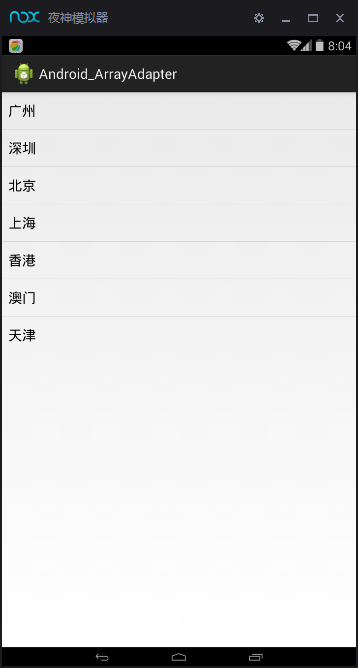 Android 三大常用適配器詳解:BaseAdapter、SimpleAdapter 與 ArrayAdapter
 一、前言 本文將帶大家梳理 Android 開發中最
 Android 對話框實務:Dialog 與 AlertDialog 的用法全解
上一節談的是 Android 的菜單,這一節換成另一個常見的介面元素——對話框。它承擔著「短暫打斷使用者、取得一個決定」的重要任務,從刪除確認到偏好設定,幾乎每個 App