

編輯:中階開發
關於 Android Fragment 的相關內容,昨天我們在《Fragment 對比 Activity - Android 碎片介紹》一文中簡單講過 Fragment 的作用與生命週期。今天 Android123 主要說明 Fragment 的管理控制、效能優化,以及與 Activity 之間的通訊。
要在你的 Activity 中管理 Fragment,需要使用一個名為 FragmentManager 的類別,透過呼叫 getFragmentManager() 方法來在你的 Activity 中將其執行個體化。FragmentManager 類別有幾個主要方法:用 findFragmentById() 取得 Activity 中有關 Fragment 的布局;還有 findFragmentByTag(),以及將 Fragment 出棧的 popBackStack(),同時可以透過 addOnBackStackChangedListener() 來管理。具體可參考 android.app.FragmentManager 類別。
一個很實用的特性是:在 Activity 中新增、刪除、替換 Fragment 時,可以使用 FragmentTransaction 類別來提升批次處理的效率,這點和 SQLite 資料庫的更新原理類似。
FragmentManager fragmentManager = getFragmentManager(); //執行個體化 FragmentManager 類別
FragmentTransaction transaction = fragmentManager.beginTransaction(); //透過 beginTransaction 方法取得一個事務處理實例
在這期間可以使用 add()、remove() 以及 replace(),最終需要套用變更時執行 commit() 即可。接著我們來寫程式碼:
transaction.replace(R.id.fragment_container, newFragment);
transaction.addToBackStack(null);
transaction.commit();
通常在 Fragment 中我們會放入平時標準的控制項或自定義控制項,基本上和 Activity 一樣。但是 Fragment 中的 View 布局其實也是放在 Activity 中的,這裡 Android 開發網提醒有兩種方法可以實現。
View listView = getActivity().findViewById(R.id.cwj); //透過 getActivity 方法可以取得一個 Activity 中的 fragment,這裡的 cwj 是一個 fragment,在 Activity 中的布局如下:
<?XML version="1.0" encoding="utf-8"?>
<LinearLayout XMLns:android="https://schemas.android.com/apk/res/android"
android:orientation="horizontal"
android:layout_width="match_parent"
android:layout_height="match_parent">
<fragment android:name="com.android123.cwj.ArticleListFragment"
android:id="@+id/cwj"
android:layout_weight="1"
android:layout_width="0dp"
android:layout_height="match_parent" />
<fragment android:name="com.android123.cwj.ArticleReaderFragment"
android:id="@+id/smart"
android:layout_weight="2"
android:layout_width="0dp"
android:layout_height="match_parent" />
</LinearLayout>
當然還有一種方式,透過 getFragmentManager 方法取得實例:ExampleFragment fragment = (ExampleFragment) getFragmentManager().findFragmentById(R.id.cwj);
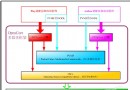 Android 多媒體框架 OpenCore 入門(一):PVPlayer、PVAuthor 與原始碼結構
本文為個人整理,重點在於快速建立 Android 早期多媒體框架 OpenCore 的整體輪廓,並說明它與 Android 其他模組的關係。 OpenCore 的定位 O
 HTML 5 本地儲存實戰:讓行動 Web 應用擺脫 4KB 的枷鎖
HTML 5 最實用的新能力之一,就是把「用戶端儲存」這件事真正標準化。過去十幾年,Web 開發者只能把資料硬塞進 4KB 的 Cookie 裡;現在,透過一組再簡單不過
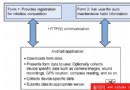 用 Android 與 XML 打造動態表單應用(上):從架構到資料模型
在行動應用開發中,若每一份表單都要重新撰寫版面,維護成本會快速上升。本文以 Android 與 XML 為核心,示範如何打造一套可動態載入表單的資料收集架構:表單定義放在
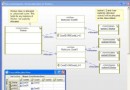 IBM Rational Rhapsody V7.5.2 新功能解析:多核、Android、C# 與系統工程
版本定位 IBM Rational Rhapsody V7.5.2 針對系統工程、嵌入式軟體開發與測試流程進行擴充,重點包含多核處理器建模、Android 應用程式可視化