編輯:關於android開發
前言:
項目APP有時候會出現Crash,然後就是彈出系統強制退出的對話框,點擊關閉APP。
有的APP進行了處理,會發現,當程序出現異常的時候,會Toast一個提示“程序出現異常,3秒後將退出程序”。3秒後即關閉程序而不再顯示強制關閉的對話框。
那麼它們是如何處理沒有try-catch 捕獲到的異常 並 進行界面友好提示優化的處理呢。
這裡我們通過一個demo學習一下。
----------------------------------------------------------------------------------------------------------------
一、創建一個類 CrashHandler 實現 UncaughtExceptionHandler 接口 , 當程序發生未捕獲異常時 由該類進行處理
public class CrashHandler implements Thread.UncaughtExceptionHandler{

    private Thread.UncaughtExceptionHandler mDefaultHandler;
    Context context;

    //CrashHandler實例
    private static CrashHandler instance;

    /** 獲取CrashHandler實例 ,單例模式 */
    public static CrashHandler getInstance() {
        if (instance == null)
            instance = new CrashHandler();
        return instance;
    }
    /**
     * 初始化
     */
    public void init(Context context) {
        this.context = context;
        //獲取系統默認的UncaughtException處理器
        mDefaultHandler = Thread.getDefaultUncaughtExceptionHandler();
        //設置該CrashHandler為程序的默認處理器
        Thread.setDefaultUncaughtExceptionHandler(this);
    }


  //實現uncaughException方法
    @Override
    public void uncaughtException(Thread thread, Throwable ex) {
        if (!solveException(ex) && mDefaultHandler != null){
            //如果用戶沒有處理則讓系統默認的異常處理器處理
            mDefaultHandler.uncaughtException(thread, ex);
        }else{
       // 等待2秒鐘後關閉程序
            try {
                Thread.sleep(2000);
            } catch (InterruptedException e) {
                e.printStackTrace();
            }
            android.os.Process.killProcess(android.os.Process.myPid());
            System.exit(1);
        }
    }

    /*
    *  錯誤處理
    * */
    private boolean solveException(Throwable e){
        if (e == null){
            return false;
        }
        new Thread() {
            @Override
            public void run() {
                Looper.prepare();
                Toast.makeText(context,"程序出現異常,2秒後退出",Toast.LENGTH_SHORT).show();
                Looper.loop();
            }
        }.start();
        return true;
    }

}
二、創建一個基礎Application的類MApplication
在onCreate()方法中進行初始化
public class MApplication extends Application{

    @Override
    public void onCreate() {
        super.onCreate();
        CrashHandler.getInstance().init(getApplicationContext());
    }

}
別忘了在AndroidManifest.xml中添加
<application
        android:allowBackup="true"
        android:icon="@mipmap/ic_launcher"
        android:label="@string/app_name"
        android:supportsRtl="true"
        android:name=".MApplication"
        android:theme="@style/AppTheme">
三、模擬一個異常
給一個沒有綁定的TextView賦值 , 空指針的異常
public class MainActivity extends Activity {

    private TextView text;
    private TextView aa;
    @Override
    protected void onCreate(Bundle savedInstanceState) {
        super.onCreate(savedInstanceState);
        setContentView(R.layout.activity_main);

        text  = (TextView) findViewById(R.id.text);
        text.setOnClickListener(new View.OnClickListener() {
            @Override
            public void onClick(View v) {
                text.setText("ni hao");
                aa.setText("nihao ");
            }
        });

    }
}
效果圖:
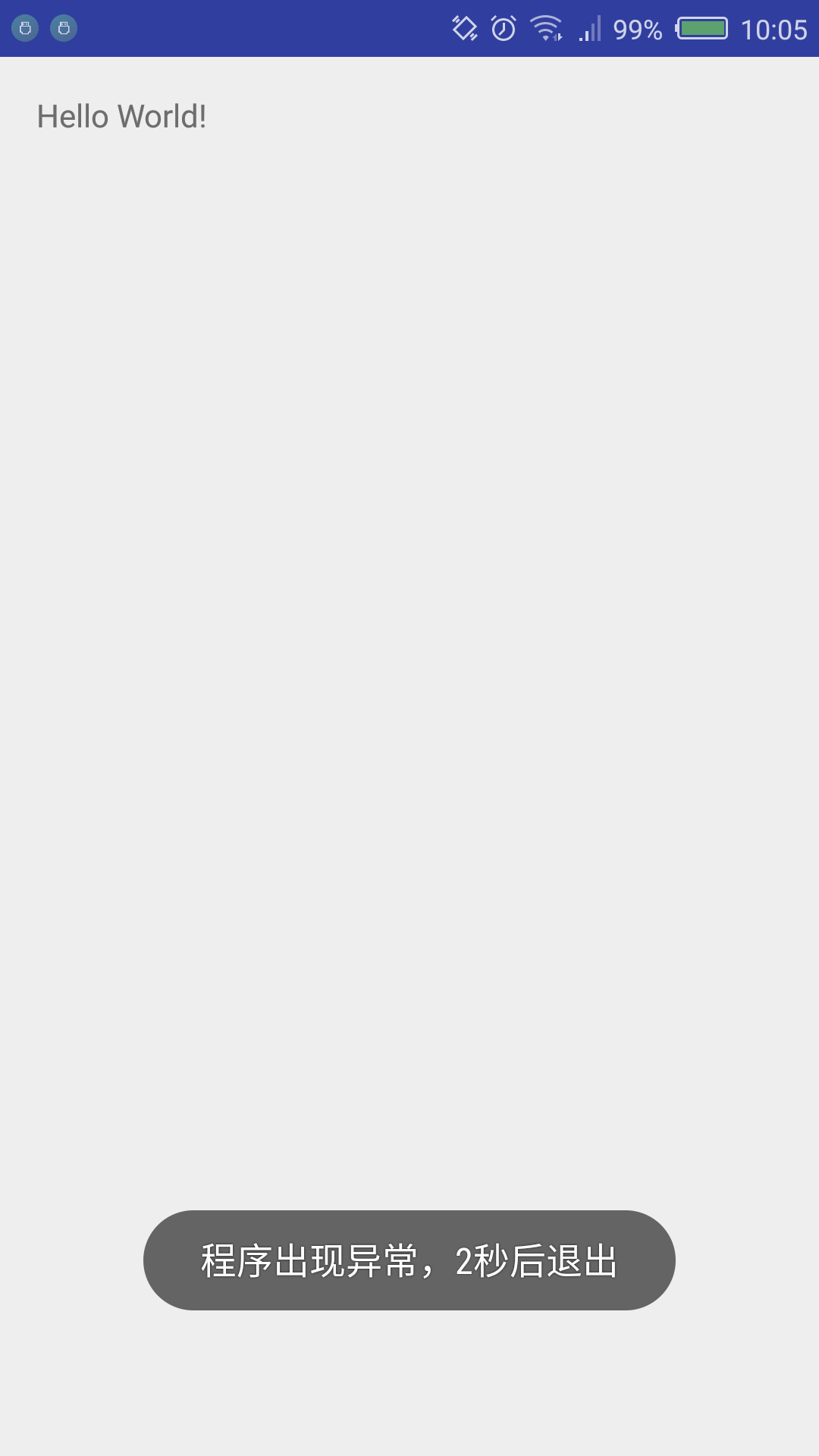
因為我們不可能給每一個方法都try-catch。所以總會有沒有捕獲到的異常出現。
進行對未捕獲異常的處理,可以提高一個用戶體驗。
開發者們 也可以 在這個處理中添加異常分析,將出現的異常設備、原因、時間等信息提交到自己的服務器上方便以後分析。
 Android之ListView&ViewPager模擬新聞界面,androidlistview
Android之ListView&ViewPager模擬新聞界面,androidlistview模擬新聞 APP 的界面 1)寫 ListView
 Android中Activity運行時屏幕方向與顯示方式詳解,androidactivity
Android中Activity運行時屏幕方向與顯示方式詳解,androidactivity現在我們的手機一般都內置有方向感應器,手機屏幕會根據所處位置自動進行橫豎屏切換
 如何避免TCP的TIME_WAIT狀態
如何避免TCP的TIME_WAIT狀態如何避免TCP的TIME_WAIT狀態——lvyilong316關於TCP連接的TIME-WAIT狀態,它是為何而生,存在的意義是什
 下拉刷新列表添加SwipeDismissListViewTouchListener實現滑動刪除某一列。,ontouchlistener
下拉刷新列表添加SwipeDismissListViewTouchListener實現滑動刪除某一列。,ontouchlistener《Android SwipeToDi