編輯:關於android開發
接著上文《Android 內容提供者簡介》進一步實現內容提供者。
每個Content Provider類都使用URI(Universal Resource Identifier,通用資源標識符)作為獨立的標識,格式如:content://com.example.app.provider/table1。其他應用程序通過不同的uri訪問不同的內容提供者,並獲取/操作裡面的數據。
例如在本項目中對應如下URI:
content://com.wuyudong.db.personprovider/insert 添加的操作
content://com.wuyudong.db.personprovider/delete 刪除的操作
content://com.wuyudong.db.personprovider/update 更新的操作
content://com.wuyudong.db.personprovider/query 查詢的操作
在PersonDBProvider.java中添加代碼:
package com.wuyudong.db;


import android.content.ContentProvider;
import android.content.ContentValues;
import android.content.UriMatcher;
import android.database.Cursor;
import android.database.sqlite.SQLiteDatabase;
import android.net.Uri;

public class PersonDBProvider extends ContentProvider {

    // 定義一個URI的匹配器用於匹配uri, 如果路徑不滿足條件 返回-1
    private static UriMatcher matcher = new UriMatcher(UriMatcher.NO_MATCH);
    private static final int INSERT = 1;
    private static final int DELETE = 2;
    private static final int UPDATE = 3;
    private static final int QUERY = 4;
    private PersonSQLiteOpenHelper helper;

    static {
        // 添加一組匹配規則 com.wuyudong.db.personprovider
        matcher.addURI("com.wuyudong.db.personprovider", "insert",
                INSERT);
        matcher.addURI("com.wuyudong.db.personprovider", "delete",
                DELETE);
        matcher.addURI("com.wuyudong.db.personprovider", "update",
                UPDATE);
        matcher.addURI("com.wuyudong.db.personprovider", "query", QUERY);
    }

    @Override
    public boolean onCreate() {

        helper = new PersonSQLiteOpenHelper(getContext());
        return false;
    }

    @Override
    public Cursor query(Uri uri, String[] projection, String selection,
            String[] selectionArgs, String sortOrder) {
        if (matcher.match(uri) == QUERY) {
            // 返回查詢的結果集
            SQLiteDatabase db = helper.getReadableDatabase();
            Cursor cursor = db.query("person", projection, selection, selectionArgs, null, null, sortOrder);
            return cursor;
        } else {
            throw new IllegalArgumentException("路徑不匹配,不能執行查詢操作");
        }
    }

    @Override
    public String getType(Uri uri) {
        // TODO Auto-generated method stub
        return null;
    }

    @Override
    public Uri insert(Uri uri, ContentValues values) {
        // TODO Auto-generated method stub
        return null;
    }

    @Override
    public int delete(Uri uri, String selection, String[] selectionArgs) {
        // TODO Auto-generated method stub
        return 0;
    }

    @Override
    public int update(Uri uri, ContentValues values, String selection,
            String[] selectionArgs) {
        // TODO Auto-generated method stub
        return 0;
    }

}
新建一個名為other的項目,布局如下:
<RelativeLayout xmlns:android="http://schemas.android.com/apk/res/android"
    xmlns:tools="http://schemas.android.com/tools"
    android:layout_width="match_parent"
    android:layout_height="match_parent"
    tools:context=".MainActivity" >

    <Button
        android:onClick="click"
        android:layout_width="wrap_content"
        android:layout_height="wrap_content"
        android:text="讀取DB的數據" />

</RelativeLayout>
<LinearLayout xmlns:android="http://schemas.android.com/apk/res/android"
xmlns:tools="http://schemas.android.com/tools"
android:layout_width="match_parent"
android:layout_height="match_parent"
android:orientation="vertical"
tools:context=".MainActivity" >
<Button
android:onClick="click"
android:layout_width="wrap_content"
android:layout_height="wrap_content"
android:text="讀取DB的數據" />
<Button
android:onClick="delete"
android:layout_width="wrap_content"
android:layout_height="wrap_content"
android:text="刪除DB的數據" />
<Button
android:onClick="update"
android:layout_width="wrap_content"
android:layout_height="wrap_content"
android:text="修改DB的數據" />
<Button
android:onClick="insert"
android:layout_width="wrap_content"
android:layout_height="wrap_content"
android:text="添加DB的數據" />
</LinearLayout>
接下來實現PersonDBProvider中的其他方法
package com.wuyudong.db;

import android.content.ContentProvider;
import android.content.ContentValues;
import android.content.UriMatcher;
import android.database.Cursor;
import android.database.sqlite.SQLiteDatabase;
import android.net.Uri;

public class PersonDBProvider extends ContentProvider {

    // 定義一個URI的匹配器用於匹配uri, 如果路徑不滿足條件 返回-1
    private static UriMatcher matcher = new UriMatcher(UriMatcher.NO_MATCH);
    private static final int INSERT = 1;
    private static final int DELETE = 2;
    private static final int UPDATE = 3;
    private static final int QUERY = 4;
    private PersonSQLiteOpenHelper helper;

    static {
        // 添加一組匹配規則 com.wuyudong.db.personprovider
        matcher.addURI("com.wuyudong.db.personprovider", "insert", INSERT);
        matcher.addURI("com.wuyudong.db.personprovider", "delete", DELETE);
        matcher.addURI("com.wuyudong.db.personprovider", "update", UPDATE);
        matcher.addURI("com.wuyudong.db.personprovider", "query", QUERY);
    }

    @Override
    public boolean onCreate() {

        helper = new PersonSQLiteOpenHelper(getContext());
        return false;
    }

    @Override
    public Cursor query(Uri uri, String[] projection, String selection,
            String[] selectionArgs, String sortOrder) {
        if (matcher.match(uri) == QUERY) {
            // 返回查詢的結果集
            SQLiteDatabase db = helper.getReadableDatabase();
            Cursor cursor = db.query("person", projection, selection,
                    selectionArgs, null, null, sortOrder);
            return cursor;
        } else {
            throw new IllegalArgumentException("路徑不匹配,不能執行查詢操作");
        }
    }

    @Override
    public String getType(Uri uri) {
        // TODO Auto-generated method stub
        return null;
    }

    @Override
    public Uri insert(Uri uri, ContentValues values) {
        if (matcher.match(uri) == INSERT) {
            // 返回查詢的結果集
            SQLiteDatabase db = helper.getWritableDatabase();
            db.insert("person", null, values);
        } else {
            throw new IllegalArgumentException("路徑不匹配,不能執行插入操作");
        }
        return null;
    }

    @Override
    public int delete(Uri uri, String selection, String[] selectionArgs) {
        if (matcher.match(uri) == DELETE) {
            // 返回查詢的結果集
            SQLiteDatabase db = helper.getWritableDatabase();
            db.delete("person", selection, selectionArgs);
        } else {
            throw new IllegalArgumentException("路徑不匹配,不能執行刪除操作");
        }
        return 0;
    }

    @Override
    public int update(Uri uri, ContentValues values, String selection,
            String[] selectionArgs) {
        if (matcher.match(uri) == UPDATE) {
            // 返回查詢的結果集
            SQLiteDatabase db = helper.getWritableDatabase();
            db.update("person", values, selection, selectionArgs);
        } else {
            throw new IllegalArgumentException("路徑不匹配,不能執行修改操作");
        }
        return 0;
    }

}
 使用AIDL調用遠程服務設置系統時間,aidl調用系統
使用AIDL調用遠程服務設置系統時間,aidl調用系統 在實際工作中,經常遇到客戶需要用代碼設置系統時間的需求,但是Android非系統應用是無法設置系統時間
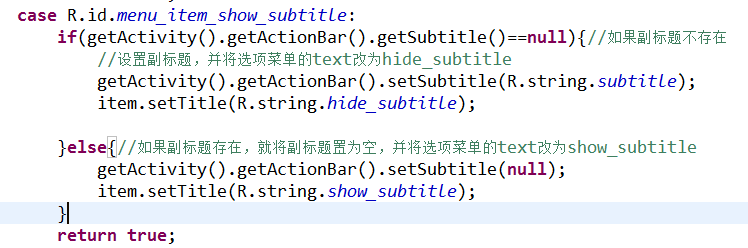 Android-操作欄之副標題,android-副標題
Android-操作欄之副標題,android-副標題 我們的目標是在操作欄右側加上一個選項菜單,點擊它就可顯示或者隱藏操作欄的副標題。 由於操作欄是在API11級
 高仿360手機衛士應用源碼,高仿360衛士源碼
高仿360手機衛士應用源碼,高仿360衛士源碼高仿360手機衛士界面android源碼,左右滑動效果,超炫。 源碼下載:http://code.662p.com/list
 Google 發布的15個 Android 性能優化典范,android性能優化
Google 發布的15個 Android 性能優化典范,android性能優化 2015年伊始,Google發布了關於Android性能優化典范的專題,一共16個短視頻