編輯:關於Android編程
為什麼要用AsyncTask
我們寫App都有一個原則,主線程不能夠運行需要占用大量CPU時間片的任務,如大量復雜的浮點運算,較大的磁盤IO操作,網絡socket等,這些都會導致我們的主線程對用戶的響應變得遲鈍,甚至ANR,這些會使應用的用戶體驗變差,但是有時又的確需要執行這些耗時的任務,那麼我們通常可以使用AsyncTask或者new Thread
來處理,這樣把任務放入工作線程中執行,不會占用主線程的時間片,所以主線程會及時響應用戶的操作,如果使用new Thread來執行任務,那麼如果需要中途取消任務執行或者需要返回任務執行結果,就需要我們自己維護很多額外的代碼,而AsyncTask是基於concurrent架包提供的並發類實現的,上面的二個需求都已經幫我們封裝了,這也是我們選擇AsyncTask的原因。
怎麼用AsyncTask
我們還是簡單介紹下AsyncTask一些使用示例。我們先新建一個類DemoAsyncTask繼承AsyncTask,因為AsyncTask是抽象類,其中doInBackground方法必須重寫。
private class DemoAsyncTask extends AsyncTask<String, Void, Void> {
 @Override
 protected void onPreExecute() {
  super.onPreExecute();
 }

 @Override
 protected Void doInBackground(String... params) {
  return null;
 }

 @Override
 protected void onPostExecute(Void aVoid) {
  super.onPostExecute(aVoid);
 }

 @Override
 protected void onProgressUpdate(Void... values) {
  super.onProgressUpdate(values);
 }

 @Override
 protected void onCancelled(Void aVoid) {
  super.onCancelled(aVoid);
 }

 @Override
 protected void onCancelled() {
  super.onCancelled();
 }
}

DemoAsyncTask task = new DemoAsyncTask();
task.execute("demo test AsyncTask");
//task.executeOnExecutor(AsyncTask.SERIAL_EXECUTOR, "test");
//myTask.executeOnExecutor(AsyncTask.THREAD_POOL_EXECUTOR, "test");
簡單分析下
上面就是AsyncTask最簡單的使用方法,我們上面重寫的方法中,onInBackground方法運行在工作線程,其他的方法全部運行在主線程,另外它的運行方式Android提供給我們2個方法,上面都列出了。
1.第一個方法會使用默認的Executor執行我們的任務, 其實也就是SERIAL_EXECUTOR,SERIAL_EXECUTOR我們其實也是可以通過方法去自定義的,Android幫我們的默認實現是逐個執行任務,也就是單線程的,關於AsyncTask的任務執行是單線程實現還是多線程實現還有一段很有意思的歷史,較早的版本是單線程實現,從Android2.X開始,Google又把它改為多線程實現,後來Google發現,多線程實現的話,會有很多需要保證線程安全的額外工作留給開發者,所以從Android3.0開始,又把默認實現改為單線程了,今天我們演示的是Framwork代碼版本是21(Android5.0)。
2.同時也提供了多線程實現的接口,即我們上面寫的最後一行代碼 AsyncTask.THREAD_POOL_EXECUTOR。
public final AsyncTask<Params, Progress, Result> execute(Params... params) {
 return executeOnExecutor(sDefaultExecutor, params);
}
private static volatile Executor sDefaultExecutor = SERIAL_EXECUTOR;
其實相信大家平時工作學習中經常使用AsyncTask,我們直接去看AsyncTask類源碼(插一句題外話,平時大家也可以把自己工作學習中的心得體會總結一下,記下來~~)
public abstract class AsyncTask<Params, Progress, Result> {
....
}
AsyncTask抽象類,有三個泛型參數類型,第一個是你需要傳遞進來的參數類型,第二個是任務完成進度的類型一般是Integer,第三個是任務完成結果的返回類型,有時這些參數不是全部需要,不需要的設為Void即可,另外Result只有一個,但Params可以有多個。
我們可以看到AsyncTask的默認構造器初始化了二個對象,mWorker和mFuture。
private final WorkerRunnable<Params, Result> mWorker;
private final FutureTask<Result> mFuture;
 mWorker = new WorkerRunnable<Params, Result>() {
  public Result call() throws Exception {
   mTaskInvoked.set(true);

   Process.setThreadPriority(Process.THREAD_PRIORITY_BACKGROUND);
   //noinspection unchecked
   return postResult(doInBackground(mParams));
  }
 };

 mFuture = new FutureTask<Result>(mWorker) {
  @Override
  protected void done() {
   try {
    postResultIfNotInvoked(get());
   } catch (InterruptedException e) {
    android.util.Log.w(LOG_TAG, e);
   } catch (ExecutionException e) {
    throw new RuntimeException("An error occured while executing doInBackground()",
      e.getCause());
   } catch (CancellationException e) {
    postResultIfNotInvoked(null);
   }
  }
 };
mWoker實現了Callback接口,Callback接口是JDK1.5加入的高級並發架包裡面的一個接口,它可以有一個泛型返回值。
public interface Callable<V> {
/**
 * Computes a result, or throws an exception if unable to do so.
 *
 * @return computed result
 * @throws Exception if unable to compute a result
 */
V call() throws Exception;
}
FutureTask實現了RunnableFuture接口,RunnableFuture接口是JDK提供的,看名稱就知道它繼承了Runnable和Future接口,mFuture是FutureTask的一個實例,可以直接被Executor類實例execute。我們來繼續看AsyncTask的execute方法。
public final AsyncTask<Params, Progress, Result>  execute(Params... params) {
 return executeOnExecutor(sDefaultExecutor, params);
}
public final AsyncTask<Params, Progress, Result> executeOnExecutor(Executor exec,
  Params... params) {
 if (mStatus != Status.PENDING) {
  switch (mStatus) {
   case RUNNING:
    throw new IllegalStateException("Cannot execute task:"
      + " the task is already running.");
   case FINISHED:
    throw new IllegalStateException("Cannot execute task:"
      + " the task has already been executed "
      + "(a task can be executed only once)");
  }
 }

 mStatus = Status.RUNNING;

 onPreExecute();

 mWorker.mParams = params;
 exec.execute(mFuture);

 return this;
}
先調用onPreExecute()方法,此時還在主線程(嚴格來說是調用AsyncTask執行的線程),然後exec.execute(mFuture),把任務交給exec處理,execute mFuture其實就是invoke mWoker,然後調用postResult(doInBackground(mParams)),此時已經運行在工作線程池,不會阻塞主線程。然後給mHandler發送MESSAGE_POST_RESULT消息,然後調用finish方法,如果isCancelled,回調onCancelled,否則回調onPostExecute。
private Result postResult(Result result) {
 @SuppressWarnings("unchecked")
 Message message = sHandler.obtainMessage(MESSAGE_POST_RESULT,
   new AsyncTaskResult<Result>(this, result));
 message.sendToTarget();
 return result;
}
private static final InternalHandler sHandler = new InternalHandler();
private static class InternalHandler extends Handler {
 @SuppressWarnings({"unchecked", "RawUseOfParameterizedType"})
 @Override
 public void handleMessage(Message msg) {
  AsyncTaskResult result = (AsyncTaskResult) msg.obj;
  switch (msg.what) {
   case MESSAGE_POST_RESULT:
    // There is only one result
    result.mTask.finish(result.mData[0]);
    break;
   case MESSAGE_POST_PROGRESS:
    result.mTask.onProgressUpdate(result.mData);
    break;
  }
 }
}
private void finish(Result result) {
 if (isCancelled()) {
  onCancelled(result);
 } else {
  onPostExecute(result);
 }
 mStatus = Status.FINISHED;
}
現在其實我們已經把AsyncTask整個執行任務的過程走完了,其中暴露給我們的那幾個回調方法也都走到了。現在我們回過頭來看,AsyncTask其實只是對JDK 1.5提供的高級並發特性,concurrent架包做的一個封裝,方便開發者來處理異步任務,當然裡面還有很多細節處理的方法值得大家學習,如任務執行進度的反饋,任務執行原子性的保證等,這些留給大家自己學習了。
源碼分析
下面我們再深入一些,來看AsyncTask的源碼。下面分析這個類的實現,主要有線程池以及Handler兩部分。
線程池
當執行一個AsyncTask的時候調用的是execute()方法,就從這個開始看:
public final AsyncTask<Params, Progress, Result> execute(Params... params){
 return executeOnExecutor(sDefaultExecutor, params);
}
public final AsyncTask<Params, Progress, Result> executeOnExecutor(Executor exec,
  Params... params) {
 if (mStatus != Status.PENDING) {
  switch (mStatus) {
   case RUNNING:
    throw new IllegalStateException("Cannot execute task:" + " the task is already running.");

   case FINISHED:
    throw new IllegalStateException("Cannot execute task:" + " the task has already been executed " + "(a task can be executed only once)");


  }
 }

 mStatus = Status.RUNNING;
 //先執行 onPreExecute
 onPreExecute();

 mWorker.mParams = params;

 exec.execute(mFuture);
 return this;
}
execute方法會調用executeOnExecutor。在這個方法中先檢查任務是否已經執行或者執行結束,然後把任務標記為running。最開始執行的是onPreExecute,接著把參數賦值給mWorker對象。這個mWorker是一個Callable對象,最終被包裝為FutureTask,代碼如下:
private static abstract class WorkerRunnable<Params, Result> implements Callable<Result> {
 Params[] mParams;
}

mWorker = new WorkerRunnable<Params, Result>() {
  public Result call() throws Exception {
   mTaskInvoked.set(true);

   Process.setThreadPriority(Process.THREAD_PRIORITY_BACKGROUND);
   //noinspection unchecked
   return postResult(doInBackground(mParams));
  }
 };

mFuture = new FutureTask<Result>(mWorker) {
 @Override
 protected void done() {
  try {
   postResultIfNotInvoked(get());
  } catch (InterruptedException e) {
   android.util.Log.w(LOG_TAG, e);
  } catch (ExecutionException e) {
   throw new RuntimeException("An error occured while executing doInBackground()",
     e.getCause());
  } catch (CancellationException e) {
   postResultIfNotInvoked(null);
  }
 }
};
從上面的代碼可以看出,在mWorker對象中的call()方法會調用doInbackground,返回值交給postResult方法,這個方法通過Handler發送消息,這一點稍後再詳細分析。
在mWorker對象被封裝成FutureTask之後交由線程池執行,從execute方法可以看出,使用的是sDefaultExecutor,它的值默認為SERIAL_EXECUTOR,也就是串行執行器,實現如下:
private static class SerialExecutor implements Executor {
 //線性雙向隊列,用來存儲所有的AsyncTask任務
 final ArrayDeque<Runnable> mTasks = new ArrayDeque<Runnable>();
 //當前正在執行的AsyncTask任務
 Runnable mActive;

 public synchronized void execute(final Runnable r) {
  //將新的AsyncTask任務加入到雙向隊列中
  mTasks.offer(new Runnable() {
   public void run() {
    try {
     //執行AsyncTask任務
     r.run();
    } finally {
     //當前任務執行結束後執行下一個任務
     scheduleNext();
    }
   }
  });
  if (mActive == null) {
   scheduleNext();
  }
 }

 protected synchronized void scheduleNext() {
  //從任務隊列中取出隊列頭部的任務,如果有就交給並發線程池去執行
  if ((mActive = mTasks.poll()) != null) {
   THREAD_POOL_EXECUTOR.execute(mActive);
  }
 }
}

public static final Executor THREAD_POOL_EXECUTOR
  = new ThreadPoolExecutor(CORE_POOL_SIZE, MAXIMUM_POOL_SIZE, KEEP_ALIVE,
    TimeUnit.SECONDS, sPoolWorkQueue, sThreadFactory);
在上面的代碼中,如果有任務執行,那麼SerialExecutor的execute方法會被調用,它的邏輯是把Runnable對象加入ArrayDeque隊列中,然後判斷mActivie是否為空。第一次執行時mActive當然為空,所以執行scheduleNext,其實就是取出任務隊列中的第一個任務交給線程池(THREAD_POOL_EXECUTOR)執行。加入mTask隊列的Runnable對象的run方法裡最終一定會調用scheduleNext,那麼又會從任務隊列中取出隊頭任務執行。這樣便實現了單線程順序執行任務,所以在AsyncTask中默認啟用的是單線程執行,只有上一個任務執行後才會執行下一個任務。如果想要啟用多線程執行任務,可以直接調用 executeOnExecutor(Executor exec, Params... params),這裡的Executor參數可以使用AsyncTask自帶的THREAD_POOL_EXECUTOR,也可以自己定義。
Handler
AsyncTask內部用Handler傳遞消息,它的實現如下:
private static class InternalHandler extends Handler {
 @SuppressWarnings({"unchecked", "RawUseOfParameterizedType"})
 @Override
 public void handleMessage(Message msg) {
  AsyncTaskResult result = (AsyncTaskResult) msg.obj;
  switch (msg.what) {
   case MESSAGE_POST_RESULT:
    // There is only one result
    result.mTask.finish(result.mData[0]);
    break;
   case MESSAGE_POST_PROGRESS:
    result.mTask.onProgressUpdate(result.mData);
    break;
  }
 }
}
如果消息類型是任務執行後的返回值(MESSAGE_POST_RESULT)將調用finish()方法:
private void finish(Result result) {
 if (isCancelled()) {
  onCancelled(result);
 } else {
  onPostExecute(result);
 }
 mStatus = Status.FINISHED;
}
從上面可以知道,如果任務取消了,將調用onCancelled,否則調用onPostExecute,所以一個AsyncTask任務如果取消了,那麼onPostExecute將不會得到執行。
如果消息類型是執行進度(MESSAGE_POST_PROGRESS)將調用onProgressUpdate,這個方法默認是空方法,我們可以根據自己的需要重寫。
總結
AsyncTask的主要邏輯就如上面所分析的,總結幾個需要注意的地方:
 Android應用之——自定義控件ToggleButton
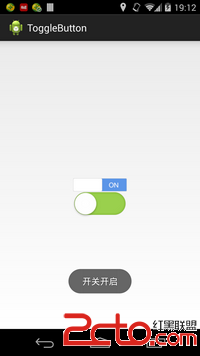
我們經常會看到很多優秀的app上面都有一些很漂亮的控件,用戶體驗非常好,比如togglebutton就是一個很好的例子,IOS系統下面那個精致的togglebutton如
 Android 探索Bottom sheets的使用
在Android Support Library 23.2版本推出之後,我們可以看到一些新的特性,例如AppCompat DayNight主題,BottomSheet等,
 Android如何集成極光短信驗證
先借助Android studio工具新建一個新的空項目。步驟一(獲取appkey)1.在極光官網平台上新建短信應用(根據要求包名和應用名稱填寫好)2.獲取得到Jpush
 Activity與Service之間交互並播放歌曲的實現代碼
Activity與Service之間交互並播放歌曲,為了方便,我把要播放的歌曲定死了,大家可以靈活改進 MService:復制代碼 代碼如下:package c