編輯:關於Android編程
一個簡單的Demo,從聚合數據申請手機號碼歸屬地數據接口;
在EditText中輸入待查詢號碼,獲取號碼後在子線程中使用HttpUrlconnection獲取JSON數據,之後進行解析;
數據獲取完成後,在主線程中更新UI,顯示獲取的號碼歸屬地信息。
布局文件
<?xml version="1.0" encoding="utf-8"?>
<LinearLayout xmlns:android="http://schemas.android.com/apk/res/android"
  android:layout_width="match_parent"
  android:layout_height="match_parent"
  android:orientation="vertical" >


  <EditText
    android:id="@+id/et_querylocation"
    android:layout_height="wrap_content"
    android:layout_width="match_parent"
    android:textColor="#000000"
    android:hint="輸入號碼"/>

  <Button
    android:onClick="query"
    android:textSize="24sp"
    android:layout_width="wrap_content"
    android:layout_height="wrap_content"
    android:text="查詢"/>

  <TextView
    android:layout_width="match_parent"
    android:layout_height="wrap_content"
    android:id="@+id/tv_phonelocation"
    android:textSize="20sp"
    android:textColor="#000000"/>

</LinearLayout>
java代碼
package com.example.phonehome;

import java.io.BufferedReader;
import java.io.DataOutputStream;
import java.io.IOException;
import java.io.InputStream;
import java.io.InputStreamReader;
import java.io.UnsupportedEncodingException;
import java.net.HttpURLConnection;
import java.net.URL;
import java.net.URLEncoder;
import java.util.HashMap;
import java.util.Map;

import org.json.JSONObject;

import android.app.Activity;
import android.os.Bundle;
import android.os.Handler;
import android.text.TextUtils;
import android.view.View;
import android.widget.EditText;
import android.widget.TextView;
import android.widget.Toast;

public class MainActivity extends Activity {

  private EditText et_phone;
  private TextView tv_phone;
  private final static int START = 0;
  private final static int FINISH = 1;
  private String phone;//待查詢號碼
  //號碼信息
  private static String province;
  private static String city;
  private static String company;
  private static String card;

   public static final String DEF_CHATSET = "UTF-8";
   public static final int DEF_CONN_TIMEOUT = 30000;
   public static final int DEF_READ_TIMEOUT = 30000;

   public static final String APPKEY ="申請的APP KEY";

   //子線程中查詢數據開始、完成時發送消息,完成相應操作
   Handler handler = new Handler(){
     public void handleMessage(android.os.Message msg) {
       switch (msg.what) {
      case START:
        Toast.makeText(MainActivity.this, "正在查詢,請稍候", Toast.LENGTH_SHORT).show();
        break;

      case FINISH:
        //在Textview中顯示查得的號碼信息(子線程中不能更新UI)
        tv_phone.setText(province +" "+ city + " " + company + " " + card);
        break;
      default:
        break;
      }
     };
   };

  @Override
  protected void onCreate(Bundle savedInstanceState) {
    super.onCreate(savedInstanceState);
    initView();
  }

  //Button的店家事件,獲取待查詢號碼後在子線程中進行查詢
  public void query(View v){
    phone = et_phone.getText().toString().trim();
    if (!TextUtils.isEmpty(phone)) {
      new Thread(){
        public void run() {
          //開始查詢
          handler.obtainMessage(START).sendToTarget();
          getRequest(phone);
          //查得結果
          handler.obtainMessage(FINISH).sendToTarget();
        };
      }.start();
    }else {
      Toast.makeText(MainActivity.this, "輸入號碼不能為空", Toast.LENGTH_SHORT).show();
    }


  }

  //手機歸屬地查詢
  public static void getRequest(String phone){
    String result =null;
    String url ="http://apis.juhe.cn/mobile/get";//請求接口地址
    Map params = new HashMap();//請求參數
      params.put("phone",phone);//需要查詢的手機號碼或手機號碼前7位
      params.put("key",APPKEY);//應用APPKEY(應用詳細頁查詢)
      params.put("dtype","");//返回數據的格式,xml或json,默認json

    try {
      //得到JSON數據,並進行解析
      result =net(url, params, "GET");
      JSONObject object = new JSONObject(result);
      JSONObject ob = new JSONObject(object.get("result").toString()+"");
      province = ob.getString("province");
      city = ob.getString("city");
      company = ob.getString("company");
      card = ob.getString("card");
    } catch (Exception e) {
      e.printStackTrace();
    }
  }

  /**
  *
  * @param strUrl 請求地址
  * @param params 請求參數
  * @param method 請求方法
  * @return 網絡請求字符串
  * @throws Exception
  */
  public static String net(String strUrl, Map params,String method) throws Exception {
    HttpURLConnection conn = null;
    BufferedReader reader = null;
    String rs = null;
    try {
      StringBuffer sb = new StringBuffer();
      if(method==null || method.equals("GET")){
        strUrl = strUrl+"?"+urlencode(params);
      }
      URL url = new URL(strUrl);
      conn = (HttpURLConnection) url.openConnection();
      if(method==null || method.equals("GET")){
        conn.setRequestMethod("GET");
      }else{
        conn.setRequestMethod("POST");
        conn.setDoOutput(true);
      }
      //conn.setRequestProperty("User-agent", userAgent);
      conn.setUseCaches(false);
      conn.setConnectTimeout(DEF_CONN_TIMEOUT);
      conn.setReadTimeout(DEF_READ_TIMEOUT);
      conn.setInstanceFollowRedirects(false);
      conn.connect();
      if (params!= null && method.equals("POST")) {
        try {
          DataOutputStream out = new DataOutputStream(conn.getOutputStream());
          out.writeBytes(urlencode(params));
        } catch (Exception e) {
          // TODO: handle exception
          e.printStackTrace();
        }

      }
      InputStream is = conn.getInputStream();
      reader = new BufferedReader(new InputStreamReader(is, DEF_CHATSET));
      String strRead = null;
      while ((strRead = reader.readLine()) != null) {
        sb.append(strRead);
      }
      rs = sb.toString();
    } catch (IOException e) {
      e.printStackTrace();
    } finally {
      if (reader != null) {
        reader.close();
      }
      if (conn != null) {
        conn.disconnect();
      }
    }
    return rs;
  }

  //將map型轉為請求參數型
  public static String urlencode(Map<String,String> data) {
    StringBuilder sb = new StringBuilder();
    for (Map.Entry i : data.entrySet()) {
      try {
        sb.append(i.getKey()).append("=").append(URLEncoder.encode(i.getValue()+"","UTF-8")).append("&");
      } catch (UnsupportedEncodingException e) {
        e.printStackTrace();
      }
    }
    return sb.toString();
  }


  private void initView() {
    setContentView(R.layout.activity_main);
    et_phone = (EditText) findViewById(R.id.et_querylocation);
    tv_phone = (TextView) findViewById(R.id.tv_phonelocation);
  }

}
以上就是本文的全部內容,希望對大家的學習有所幫助。
 Android處理大圖片
項目中經常碰到需要處理大圖片的問題,因為android對應用分配資源的限制,如果不進行相應的處理,容易造成OOM。 Android處理大圖的方法: 對於大圖先獲取出圖片的
 Android 網絡學習之獲取服務器的圖片
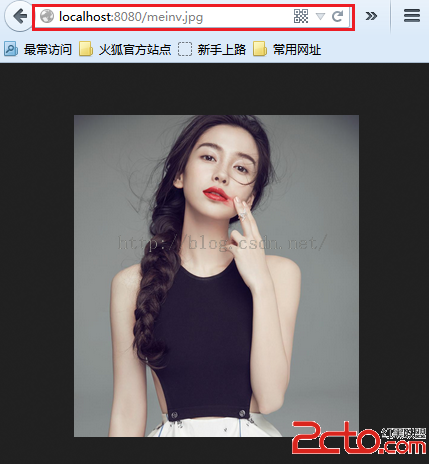
首先需要搭建一個Tomcat服務器,然後測試服務器上的圖片使用PC上的浏覽器是否可以正常下載下來可以看到服務器上的圖片數據是可以正常訪問的。圖片的地址:http://lo
 Android中的windowSoftInputMode屬性詳解
在前面的一篇文章中,簡單的介紹了一下如何實現軟鍵盤不自動彈出,使用的方法是設置android:windowSoftInputMode
 android ListView和GridView拖拽移位實現代碼
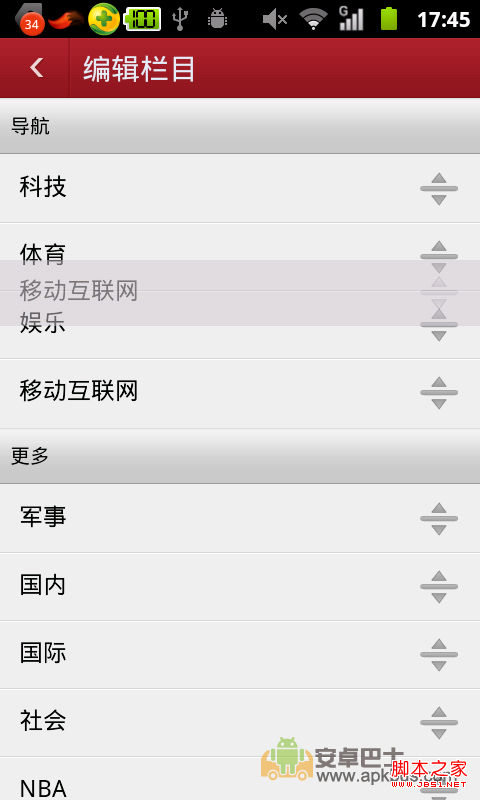
關於ListView拖拽移動位置,想必大家並不陌生,比較不錯的軟件都用到如此功能了.如:搜狐,網易,百度等,但是相比來說還是百度的用戶體驗較好,不偏心了,下面看幾個示例: