編輯:關於Android編程
有時我們會有基於這樣的需求,當Activity創建時,需要獲取某個View的寬高,然後進行相應的操作,但是我們在onCreate,onStart中獲取View的大小,獲取到的值都是0,只是由於View的繪制工程還未完成,和在onCreate中彈出Dialog或者PopupWindow會報一個Activity not running原理類似。
接下來就為大家介紹幾種獲取View寬高的方法:
第一種方式:重寫Activity中的onWindowFocusChanged,當Activity獲取到焦點的時候View已經繪制完成,也能獲取到View的准確寬高了。同樣的Dialog和PopupWindow也可以在這裡彈出,需要注意的是這個方法會調用多次,當hasFocus為true時,才可進行相應的操作
@Override
  public void onWindowFocusChanged(boolean hasFocus) {
    super.onWindowFocusChanged(hasFocus);
    if (hasFocus) {
      System.out.println("onWindowFocusChanged width="
          + tvTest.getWidth() + " height=" + tvTest.getHeight());
    }
  }
第二種方式:
/**
   * 會執行多次
   */
  private void getSize1() {

    ViewTreeObserver vto = tvTest.getViewTreeObserver();
    vto.addOnPreDrawListener(new ViewTreeObserver.OnPreDrawListener() {
      @Override
      public boolean onPreDraw() {
        int height = tvTest.getMeasuredHeight();
        int width = tvTest.getMeasuredWidth();
        System.out.println("height" + height);
        System.out.println("width" + width);
        return true;
      }

    });
  }
第三種方式:
private void getSize2() {
    ViewTreeObserver viewTreeObserver = tvTest.getViewTreeObserver();
    viewTreeObserver
        .addOnGlobalLayoutListener(new OnGlobalLayoutListener() {
          @Override
          public void onGlobalLayout() {
            tvTest.getViewTreeObserver()
                .removeGlobalOnLayoutListener(this);
            System.out.println("onGlobalLayout width="
                + tvTest.getWidth() + " height="
                + tvTest.getHeight());
          }
        });
  }
第四種方式:
private void getSize3() {
    tvTest.post(new Runnable() {

      @Override
      public void run() {
        System.out.println("postDelayed width=" + tvTest.getWidth()
            + " height=" + tvTest.getHeight());
      }
    });

  }
以上就是Android獲取View寬高的4種方式,希望對大家的學習有所幫助。
 OpenCV實現圖像阈值化
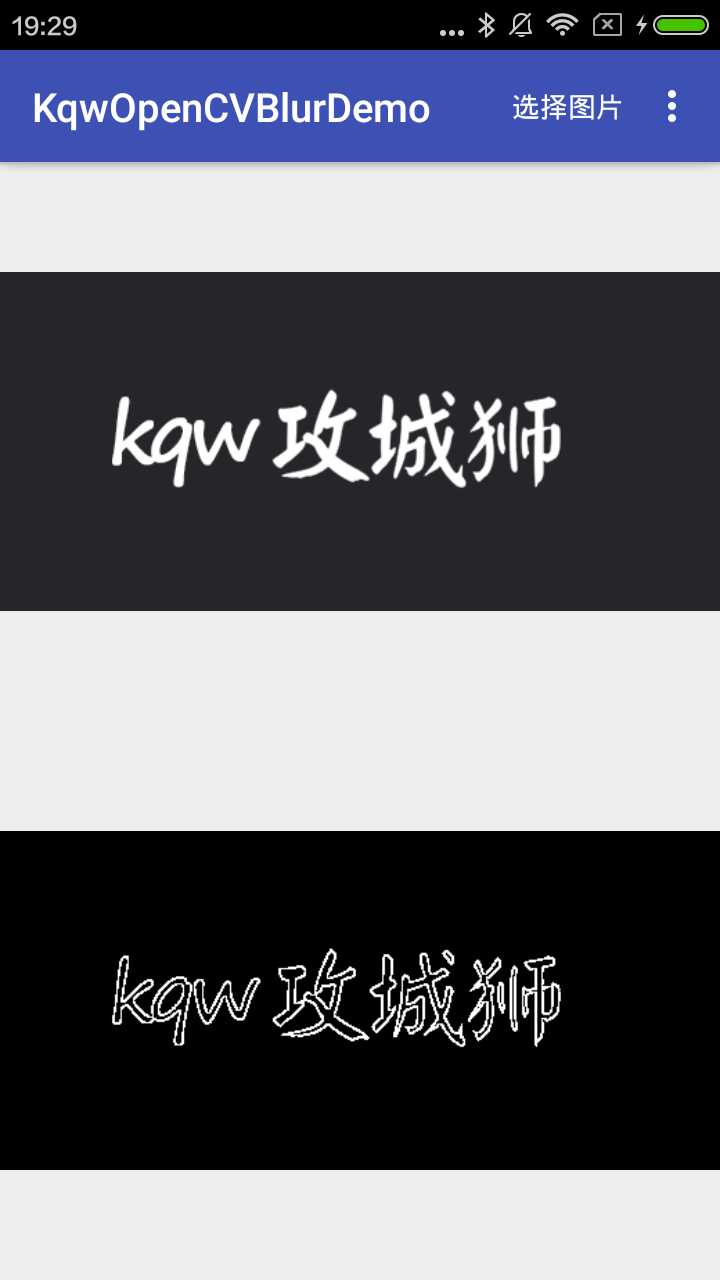
效果圖源碼KqwOpenCVBlurDemo阈值化是一種將我們想要在圖像中分析的區域分割出來的方法。我們把每個像素值都與一個預設的阈值做比較,再根據比較的結果調整像素值。
 Android實戰打飛機游戲之實現主角以及主角相關元素(3)
先看效果圖新建player 類public class Player { private int playerHp = 3; private Bitmap bmpPlay
 Android設置拍照或者上傳本地圖片
效果如下:看代碼:MainActivity類中: package com.example.ceshidemo;import java.io.ByteArrayO
 Android的學習3-初識Activity
Activity---android的系統下存放控件的容器。通俗的講相當於MFC中的CFrame。搭配完成android4.4.2開發環境後,發現比2.1的開發效率高很多