編輯:關於Android編程
本文實例講述了Android使用Jsoup解析Html表格的方法。分享給大家供大家參考,具體如下:
看代碼吧,可解析表中的label text button 自己根據需要再添加,呵呵
import java.util.ArrayList;
import java.util.List;
import org.apache.http.NameValuePair;
import org.apache.http.message.BasicNameValuePair;
import org.jsoup.Jsoup;
import org.jsoup.nodes.Document;
import org.jsoup.nodes.Element;
import org.jsoup.select.Elements;
import android.app.Activity;
import android.graphics.Color;
import android.os.Bundle;
import android.view.View;
import android.view.ViewGroup;
import android.view.Window;
import android.view.View.OnClickListener;
import android.widget.Button;
import android.widget.EditText;
import android.widget.TableLayout;
import android.widget.TableRow;
import android.widget.TextView;
import android.widget.Toast;
public class TableParseActivity extends Activity{
 private Document doc;
 private String html = null;
 private TableLayout tableLayout;
 private final int WC = ViewGroup.LayoutParams.WRAP_CONTENT;
 private final int FP = ViewGroup.LayoutParams.FILL_PARENT;
 private final int WIDTH = 80;
 private String functionName,fields;
 private List<NameValuePair> params;
 private static String url;
 @Override
 public void onCreate(Bundle savedInstanceState) {
  super.onCreate(savedInstanceState);
  setContentView(R.layout.analyzing);
  html = "需要解析的HTML字符串";
  tableParse();
 }
 public void tableParse(){
  doc = Jsoup.parse(html);
  Elements trs = doc.select("tr");
  tableLayout = (TableLayout)findViewById(R.id.tableLayout1);
  TableLayout.LayoutParams p = new TableLayout.LayoutParams(FP, WC);
  this.setTitle(doc.title());
  for (Element row : trs) {//循環表下的行 tr對象
   TableRow tableRow = new TableRow(this);
   Elements cols = row.children();
   for (Element col : cols) {//循環行下的列 td對象
    Elements children = col.children();
    for (Element child : children) {
     if(child.tagName().equals("label")){
      TextView textView = new TextView(this);
      textView.setText(child.val());
      textView.setTextColor(Color.BLACK);
      tableRow.addView(textView);
     }else if(child.tagName().equals("input")&&child.attributes().get("type").equals("text")){
      EditText editText = new EditText(this);
      editText.setText(child.val());
      editText.setWidth(WIDTH);
      tableRow.addView(editText);
      String id = child.attributes().get("id");
      if(id.length() > 0){
       editText.setId(Integer.parseInt(child.attributes().get("id")));
      }
     }else if(child.tagName().equals("input")&&child.attributes().get("type").equals("button")){
      Button button = new Button(this);
      button.setText(child.val());
      tableRow.addView(button);
      fields = child.attributes().get("fields");
       functionName = child.attributes().get("functionName");
       button.setOnClickListener(new OnClickListener() {
       @Override
       public void onClick(View v) {
        //TODO onClick
       }
      });
     }//end if(child.tagName().equals("input")&&child.attributes().get("type").equals("button"))
    }//end for (Element child : children)
   }//end for (Element col : cols)
   tableLayout.addView(tableRow,p);
  }//end for (Element row : rows)
 }//end tableParse()
}
希望本文所述對大家Android程序設計有所幫助。
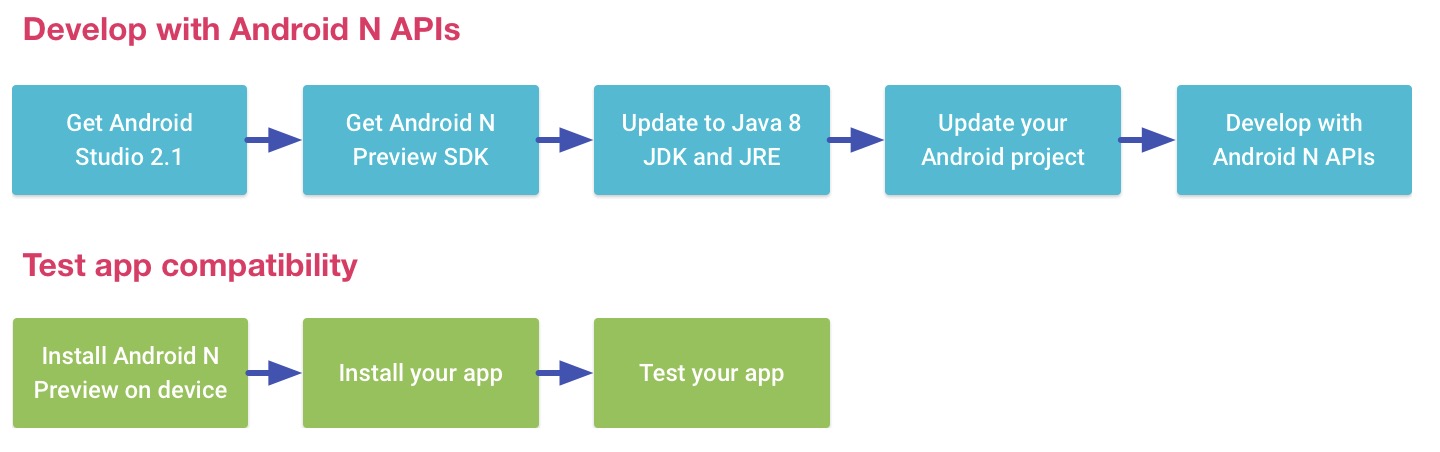 Android N開發
一、前言如果你英文不錯建議你去官網看,官網底部也有翻譯語言選擇。官網地址:http://developer.android.com/preview/api-overvie
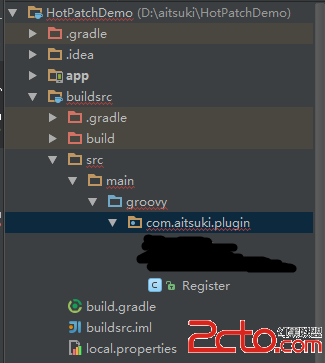 Android熱補丁動態修復技術(三)—— 使用Javassist注入字節碼,完成熱補丁框架雛形(可使用)
一、關於CSDN mardown編輯器的坑 Android熱補丁動態修復技術(三)這篇博文其實在4月8日的晚上已經發布了,然後緊接著寫第四篇,但是我將(四)保存到草稿箱
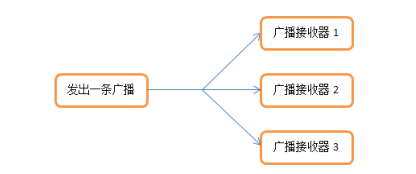 廣播——broadcast
廣播機制簡介 廣播是一種可以跨進程的通信方式(比如:接收系統廣播)。 Android 廣播不關心接收者是否收到處理或者如何處理廣播,可以說是一種單向的通知。Android
 Android 用戶登錄界面
本篇博客主要給大家演示如何一步一步地創建一個類似於下圖展示的這麼一個UI界面: 一、准備圖片資源 第二步:ImageButton設置 源