編輯:關於Android編程
<strong><em><!--android:screenOrientation="portrait"豎屏
</em><em>android:screenOrientation="landscape"橫屏
</em><em>android:configChanges="orientation|keyboard"
</em><em>  android:configChanges="orientation|keyboard|screenSize橫屏豎屏切換只走 onconfigurationchanged-->
</em>
></activity></strong>
package c.example.jreduch09;

import android.content.res.Configuration;
import android.media.MediaPlayer;
import android.support.v7.app.AppCompatActivity;
import android.os.Bundle;
import android.util.Log;
import android.view.WindowManager;
import android.widget.MediaController;
import android.widget.VideoView;

public class VideoActivity extends AppCompatActivity {
private VideoView vv;
    @Override
    protected void onCreate(Bundle savedInstanceState) {
        super.onCreate(savedInstanceState);
        getWindow().setFlags(WindowManager.LayoutParams.FLAG_FULLSCREEN,
                WindowManager.LayoutParams.FLAG_FULLSCREEN);
        setContentView(R.layout.activity_video);
        getSupportActionBar().hide();

        vv=(VideoView)findViewById(R.id.vv);
        MediaController controller=new MediaController(this);
        vv.setMediaController(controller);
        controller.setMediaPlayer(vv);
      vv.setVideoPath("http://baobab.wandoujia.com/api/v1/playUrl?vid=8792&editionType=high");
       // vv.setVideoPath("/storage/emulated/0/DCIM/Camera/VID_20151206_113.mp4");
        vv.requestFocus();
        vv.start();
        Log.d("====onCreate","===onCreate");
vv.setOnCompletionListener(new MediaPlayer.OnCompletionListener() {
    @Override
    public void onCompletion(MediaPlayer mediaPlayer) {
        finish();
    }
});

    }

    @Override
    public void onConfigurationChanged(Configuration newConfig) {
        super.onConfigurationChanged(newConfig);
        Log.d("====onCreate","onConfigurationChanged"+newConfig.orientation);

    }
}
<!--?xml version="1.0" encoding="utf-8"?-->
<relativelayout xmlns:android="http://schemas.android.com/apk/res/android" xmlns:tools="http://schemas.android.com/tools" android:layout_width="match_parent" android:layout_height="match_parent" android:background="#000000" android:gravity="center" tools:context="c.example.jreduch09.VideoActivity">
<videoview android:foregroundgravity="center" android:keepscreenon="true" android:layout_width="match_parent" android:layout_height="match_parent" android:id="@+id/vv">
</videoview></relativelayout>
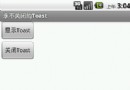 Android開發之控制Toast的開啟與關閉
開發這個程序之前先解釋一下,為什麼Toast信息提示框在顯示一定時間後會自動消失?因為在Android系統中有一個Toast隊列,系統會依次從這個隊列中取出一個Toast
 Android-通過Java代碼來實現屬性動畫
Android-通過Java代碼來實現屬性動畫除了可以使用定義xml文件來設置動畫之外,還可以使用java代碼來進行控制動畫。示例如下:布局文件: 主活動:
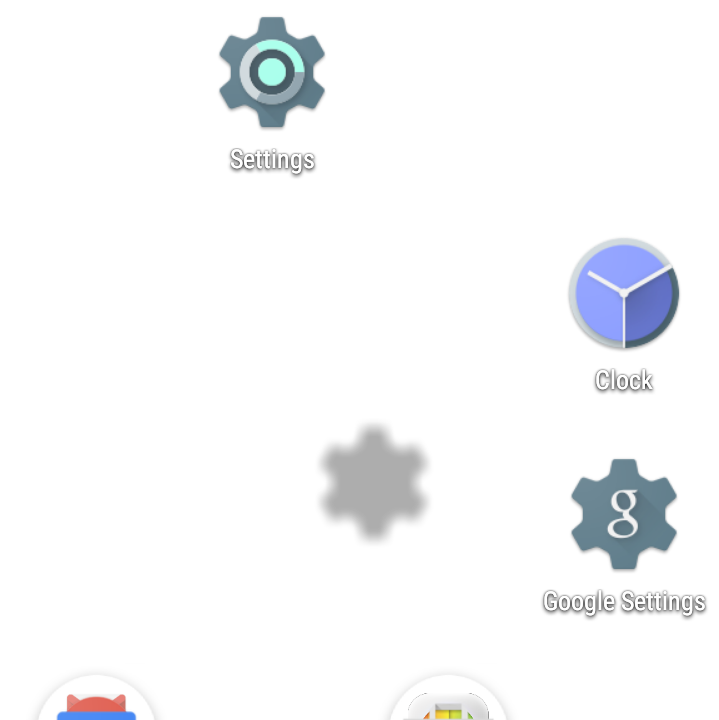 Launcher3 拖動圖標筆記
本文主要記錄了Launcher3拖動時的流程和代碼記錄,在桌面圖標拖動時會引起圖標的重排,拖動時受影響的圖標在文中由item或cell來表示。 圖標點擊效果和搖動效
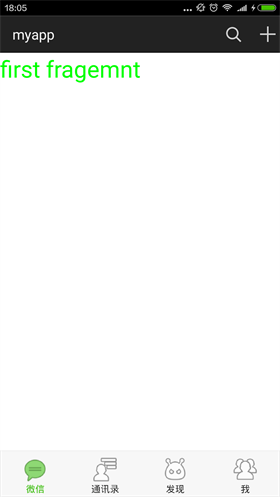 仿微信6.x底部指示器漸變效果
首先上效果圖 大家微信都很熟悉了,這裡的效果就是仿照微信,在主界面左右滑動的時候,下面的導航圖標會產生漸變的效果,滑動是,之前圖標會慢慢變淡,當前的圖標會漸漸邊成選中的顏