編輯:關於Android編程
做點貢獻,發幾個小demo,每次啟動某個app都會遇到app升級,這是怎麼實現的呢,先上圖吧,
有圖有真相,
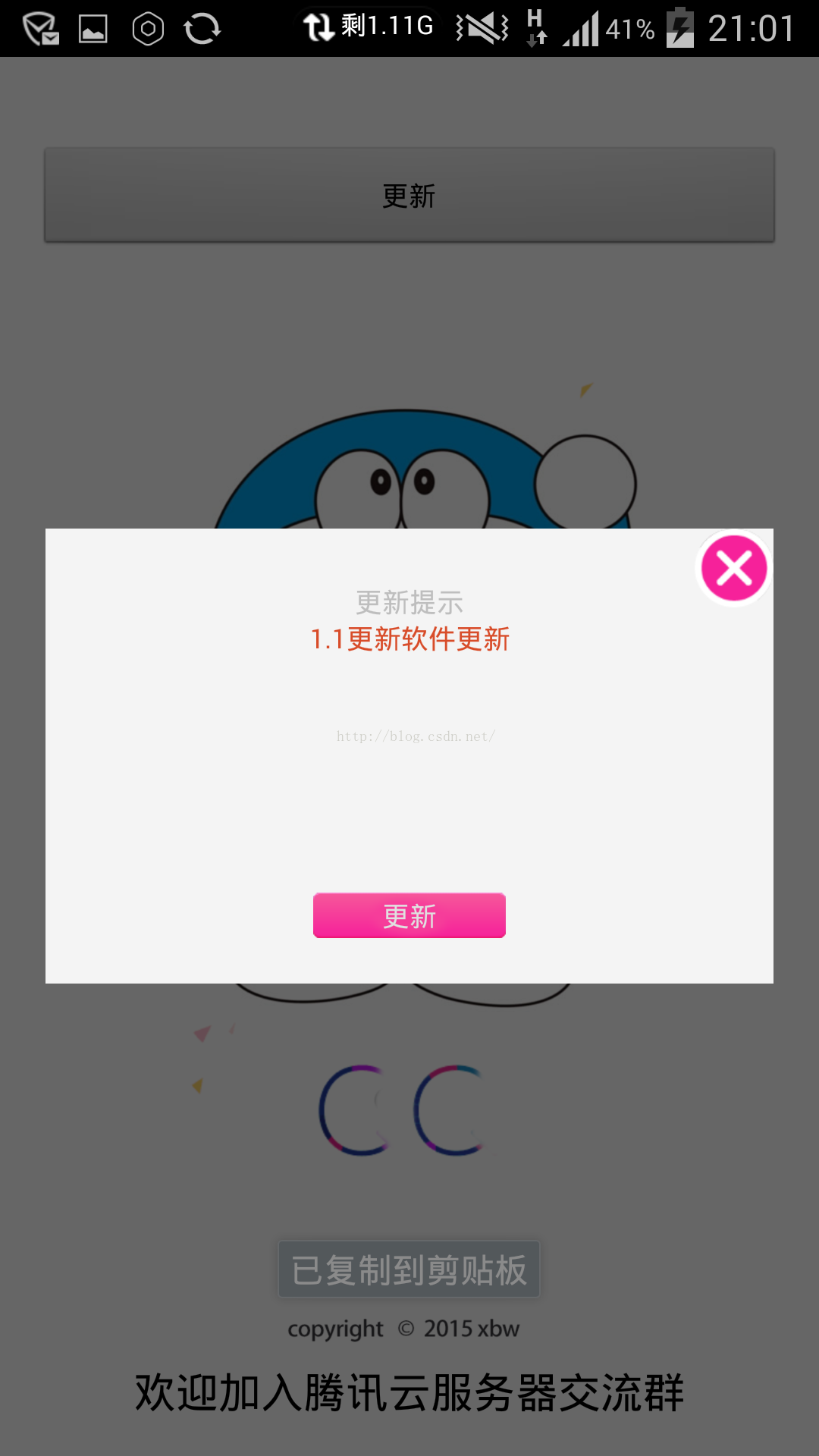
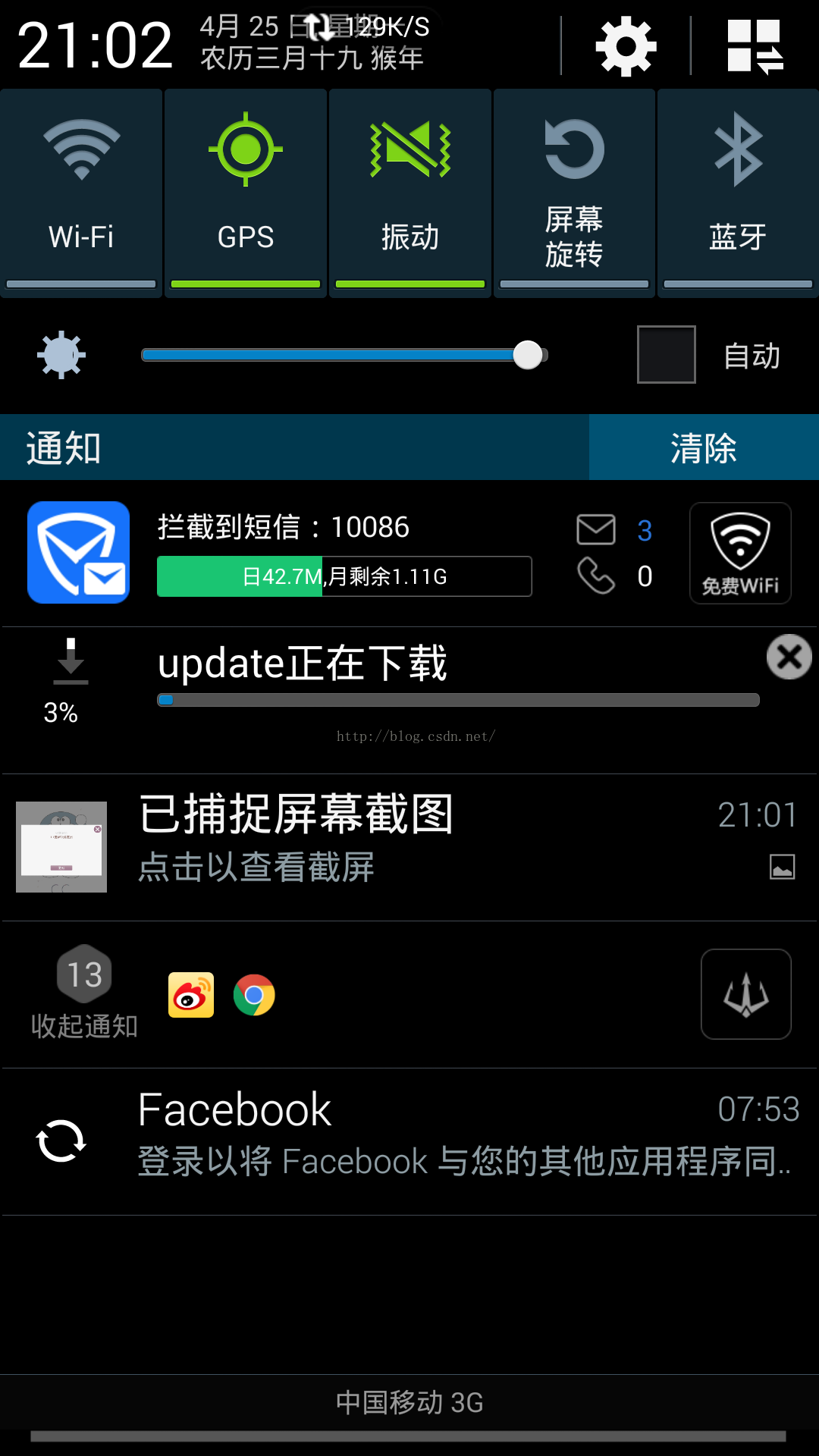
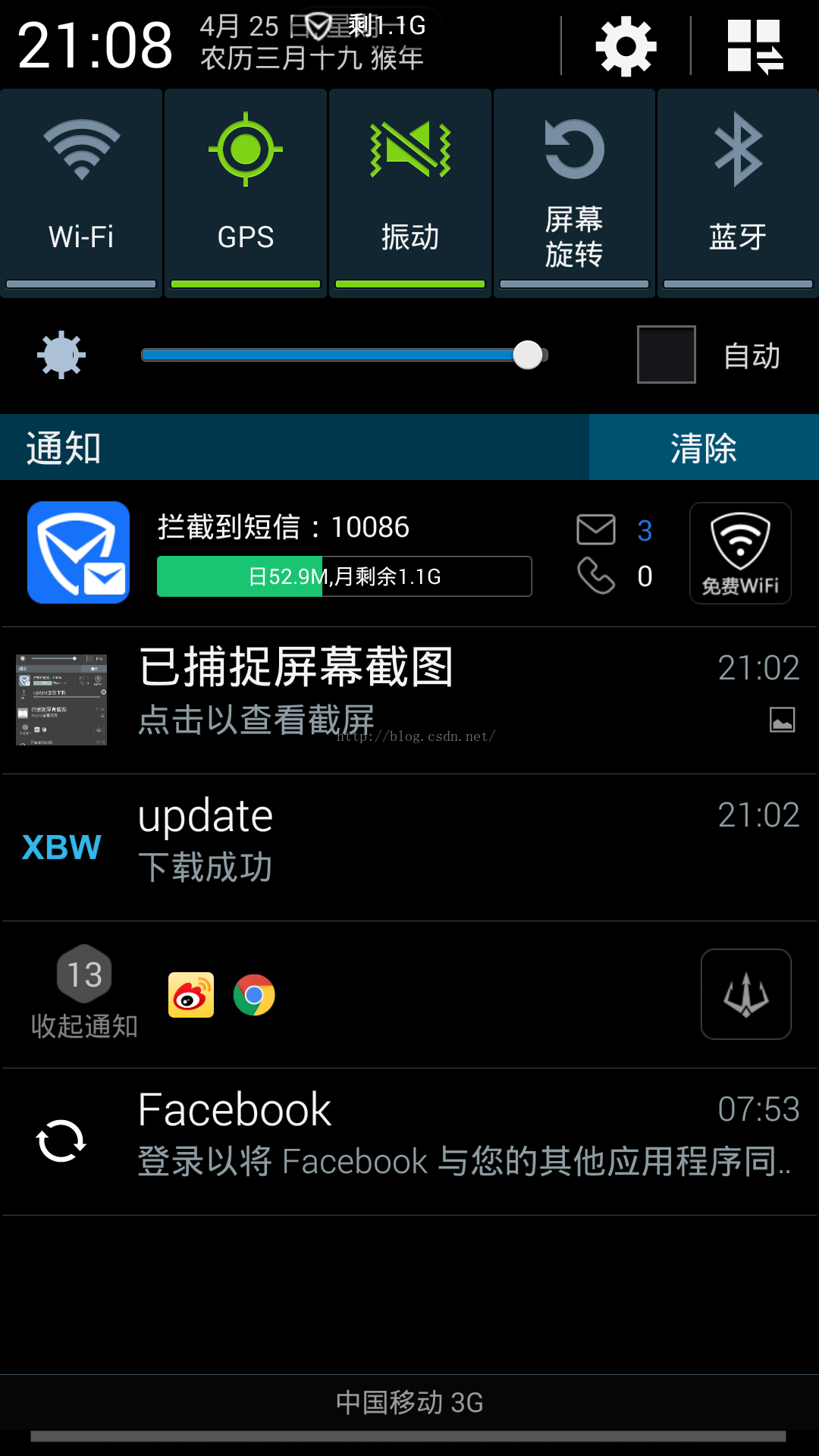
這截圖真大,沒睡了,
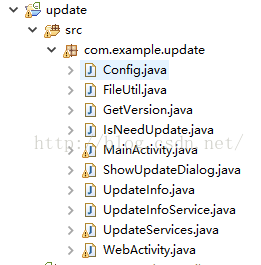
結構。
Config.java
package com.example.update;

public class Config {
public static String mysql_url_update="http://127.0.0.1/androidapp/appupdate/update.txt";//服務器端更新url;
}
FileUtil.java
package com.example.update;
import java.io.File;
import java.io.IOException;
import android.os.Environment;

public class FileUtil {

	public static File updateDir = null;
	public static File updateFile = null;
	public static final String Application = "konkaUpdateApplication";

	public static boolean isCreateFileSucess;
	public static void createFile(String app_name) {

		if (android.os.Environment.MEDIA_MOUNTED.equals(android.os.Environment.getExternalStorageState())) {
			isCreateFileSucess = true;

			updateDir = new File(Environment.getExternalStorageDirectory()+ "/" +Application +"/");
			updateFile = new File(updateDir + "/" + app_name + ".apk");

			if (!updateDir.exists()) {
				updateDir.mkdirs();
			}
			if (!updateFile.exists()) {
				try {
					updateFile.createNewFile();
				} catch (IOException e) {
					isCreateFileSucess = false;
					e.printStackTrace();
				}
			}

		}else{
			isCreateFileSucess = false;
		}
	}
}
GetVersion.java
package com.example.update;

import android.content.Context;
import android.content.pm.PackageInfo;
import android.content.pm.PackageManager;
import android.content.pm.PackageManager.NameNotFoundException;

public class GetVersion {

	// 獲取當前版本的版本號
		public String getVersion(Context context) {
			try {
				PackageManager packageManager = context.getPackageManager();
				PackageInfo packageInfo = packageManager.getPackageInfo(
						context.getPackageName(), 0);
				return packageInfo.versionName;
			} catch (NameNotFoundException e) {
				e.printStackTrace();
				return "版本號未知";
			}
		}
}
IsNeedUpdate.java
package com.example.update;

import android.content.Context;

public class IsNeedUpdate {

	private UpdateInfo info;
	public IsNeedUpdate(Context context){
		UpdateInfoService updateInfoService = new UpdateInfoService(
				context);
		try {
			info = updateInfoService.getUpDateInfo();
		} catch (Exception e) {
			// TODO 自動生成?? catch ??
			e.printStackTrace();
		}
	}
	public boolean isNeedUpdate(Context context) {
		 GetVersion version=new GetVersion();
		 //版本更新檢測使用浮點型存在小版本問題,浮點型不能識別v 1.2.1這種小版本
		 //double webVersion=Double.parseDouble(info.getVersion());
		// double localVersion=Double.parseDouble(version.getVersion(context));
		 //采用比較字典序大小檢測版本更新
		if (info.getVersion().compareTo(version.getVersion(context))>0) {
			return true;
		} else {
			return false;
		}
	}
	public String getDescribe(){

		return info.getDescription();
	}
	public String getUrl(){

		return info.getUrl();
	}
}
ShowUpdateDialog.java
package com.example.update;

import android.app.AlertDialog;
import android.app.Dialog;
import android.content.Context;
import android.content.Intent;
import android.os.Environment;
import android.text.method.ScrollingMovementMethod;
import android.util.Log;
import android.view.LayoutInflater;
import android.view.View;
import android.view.View.OnClickListener;
import android.widget.Button;
import android.widget.ImageButton;
import android.widget.RelativeLayout;
import android.widget.TextView;
import android.widget.Toast;

public class ShowUpdateDialog{
	private UpdateInfo info;
	//更新窗口
	public Dialog showUpdateDialog(final Context context,String msg,final String url) {
		LayoutInflater layoutInflater =LayoutInflater.from(context);
		RelativeLayout layout = (RelativeLayout)layoutInflater.inflate(R.layout.dialog, null );
		final Dialog dialog = new AlertDialog.Builder(context).create();
	    dialog.show();
	    dialog.getWindow().setContentView(layout);
	    TextView tex=(TextView)layout.findViewById(R.id.dialog_text);
	    TextView tex1=(TextView)layout.findViewById(R.id.textView_title);
	    tex.setMovementMethod(ScrollingMovementMethod.getInstance());
	    tex.setText(msg);
	    tex1.setText("更新提示");
         //確定按鈕
         Button btnOK = (Button) layout.findViewById(R.id.dialog_ok);
         btnOK.setOnClickListener(new OnClickListener() {
           @Override
           public void onClick(View v) {
        	   if (Environment.getExternalStorageState().equals(
						Environment.MEDIA_MOUNTED)) {
        		   		//services.service();
        		   Intent intent = new Intent(context,UpdateServices.class);
        		   intent.putExtra("Key_App_Name",context.getString(R.string.app_name));
        		   intent.putExtra("Key_Down_Url",url);
        		   context.startService(intent);
				} else {
					Toast.makeText(context, "SD卡不可用,請插入SD卡",
							Toast.LENGTH_SHORT).show();
				}
        	   dialog.dismiss();
           }
         });
         //關閉按鈕
         ImageButton btnClose = (ImageButton) layout.findViewById(R.id.dialog_close);
         btnClose.setOnClickListener(new OnClickListener() {
           @Override
           public void onClick(View v) {
              dialog.dismiss();
           }
         });
         return dialog;
     }
	//不更新窗口
	public Dialog showDialog(final Context context) {
		LayoutInflater layoutInflater =LayoutInflater.from(context);
		RelativeLayout layout = (RelativeLayout)layoutInflater.inflate(R.layout.dialog, null );
		final Dialog dialog = new AlertDialog.Builder(context).create();
	    dialog.show();
	    dialog.getWindow().setContentView(layout);
	    TextView tex=(TextView)layout.findViewById(R.id.dialog_text);
	    TextView tex1=(TextView)layout.findViewById(R.id.textView_title);
	    GetVersion version=new GetVersion();
	    tex.setText("您使用的是最新版:"+version.getVersion(context)+"版本");
	    tex1.setText("更新提示");
	    Button btnOK = (Button) layout.findViewById(R.id.dialog_ok);
	    btnOK.setVisibility(View.INVISIBLE);
	  //關閉按鈕
         ImageButton btnClose = (ImageButton) layout.findViewById(R.id.dialog_close);
         btnClose.setOnClickListener(new OnClickListener() {
           @Override
           public void onClick(View v) {
              dialog.dismiss();
           }
         });
         return dialog;
	}

}
UpdateInfo.java
package com.example.update;

public class UpdateInfo
{
        private String version;
        private String description;
        private String url;
        public String getVersion()
        {
                return version;
        }
        public void setVersion(String version)
        {
                this.version = version;
        }
        public String getDescription()
        {
                return description;
        }
        public void setDescription(String description)
        {
                this.description = description;
        }
        public String getUrl()
        {
                return url;
        }
        public void setUrl(String url)
        {
                this.url = url;
        }
}
UpdateInfoService.java
package com.example.update;

import java.io.BufferedReader;
import java.io.InputStreamReader;
import java.net.HttpURLConnection;
import java.net.URL;
import android.content.Context;

public class UpdateInfoService {
	public UpdateInfoService(Context context) {
	}

	public UpdateInfo getUpDateInfo() throws Exception {
		String path = Config.mysql_url_update;
		StringBuffer sb = new StringBuffer();
		String line = null;
		BufferedReader reader = null;
		UpdateInfo updateInfo = new UpdateInfo();
		try {
			// 創建??個url對象
			URL url = new URL(path);
			// 通過url對象,創建一個HttpURLConnection對象(連接)
			HttpURLConnection urlConnection = (HttpURLConnection) url
					.openConnection();
			// 通過HttpURLConnection對象,得到InputStream
			reader = new BufferedReader(new InputStreamReader(
					urlConnection.getInputStream()));
			// 使用io流讀取文??
			while ((line = reader.readLine()) != null) {
				sb.append(line);


			}
		} catch (Exception e) {
			e.printStackTrace();
		} finally {
			try {
				if (reader != null) {
					reader.close();
				}
			} catch (Exception e) {
				e.printStackTrace();
			}
		}

		String info = sb.toString();
		updateInfo.setVersion(info.split("&")[1]);
		updateInfo.setDescription(info.split("&")[2]);
		updateInfo.setUrl(info.split("&")[3]);
		return updateInfo;
	}

}
 android studio測試--Uiautomator
安裝Android Support Repository最低版本 minSdkVersion 18添加Uiautomator在build.gradle添加對Uiautom
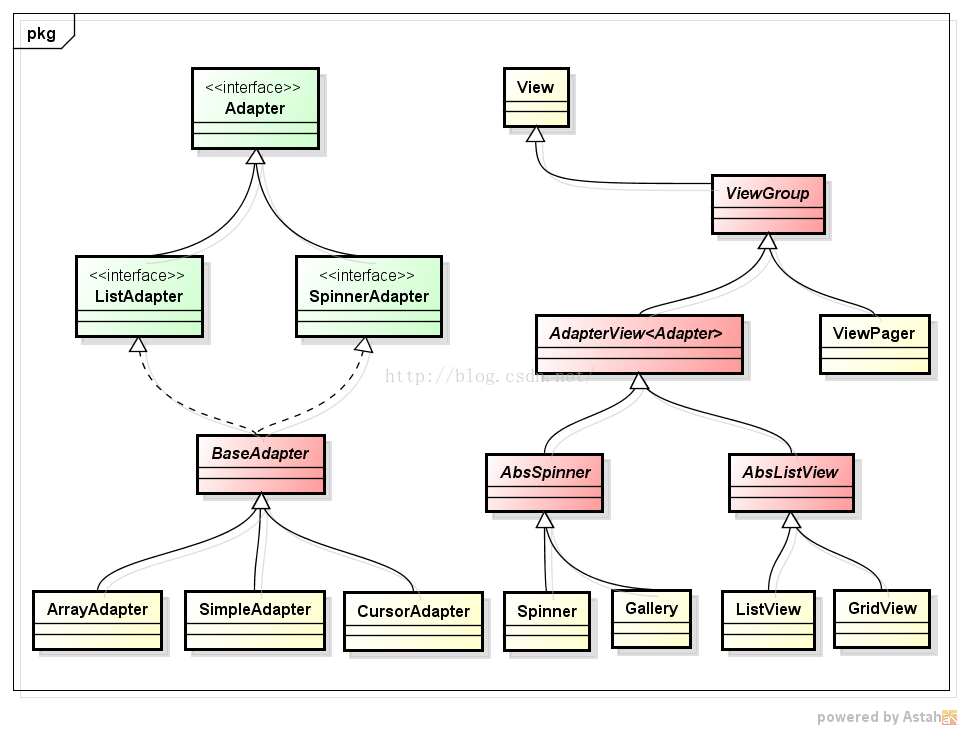 Android適配器視圖與適配器AdapterView & Adapter
一、適配器視圖與適配器AdapterView& Adapter適配器視圖AdapterView繼承自視圖組ViewGroup (一個包含其他子視圖的容器),它是需
 Android中使用BitmapShader類來制作各種圖片的圓角
public BitmapShader(Bitmap bitmap,Shader.TileMode tileX,Shader.TileMode t
 基於Socket的Android聊天室
1 基於Socket的Android聊天室Socket通信是網絡通信中最常用的技術之一,通過Socket建立的可靠連接,可以讓多個終端與服務器保持通信,最典型的應用是建立