編輯:關於Android編程
很晚了,直播上代碼:
/**
	 * 獲取外網的IP(要訪問Url,要放到後台線程裡處理)
	 *
	 * @Title: GetNetIp
	 * @Description:
	 * @param @return
	 * @return String
	 * @throws
	 */
	public static String GetNetIp() {
		URL infoUrl = null;
		InputStream inStream = null;
		String ipLine = "";
		HttpURLConnection httpConnection = null;
		try {
			infoUrl = new URL("http://ip168.com/");
			URLConnection connection = infoUrl.openConnection();
			httpConnection = (HttpURLConnection) connection;
			int responseCode = httpConnection.getResponseCode();
			if (responseCode == HttpURLConnection.HTTP_OK) {
				inStream = httpConnection.getInputStream();
				BufferedReader reader = new BufferedReader(
						new InputStreamReader(inStream, "utf-8"));
				StringBuilder strber = new StringBuilder();
				String line = null;
				while ((line = reader.readLine()) != null)
					strber.append(line + "\n");

				Pattern pattern = Pattern
						.compile("((?:(?:25[0-5]|2[0-4]\\d|((1\\d{2})|([1-9]?\\d)))\\.){3}(?:25[0-5]|2[0-4]\\d|((1\\d{2})|([1-9]?\\d))))");
				Matcher matcher = pattern.matcher(strber.toString());
				if (matcher.find()) {
					ipLine = matcher.group();
				}
			}

		} catch (MalformedURLException e) {
			e.printStackTrace();
		} catch (IOException e) {
			e.printStackTrace();
		} finally {
			try {
				inStream.close();
				httpConnection.disconnect();
			} catch (IOException e) {
				e.printStackTrace();
			}
		}
		return ipLine;
	}

	/**
	 * 獲取本地IP
	 *
	 * @return
	 */
	public static String getLocalIpAddress() {
		try {
			Enumeration en = NetworkInterface
					.getNetworkInterfaces();
			while (en.hasMoreElements()) {
				NetworkInterface ni = en.nextElement();
				Enumeration enIp = ni.getInetAddresses();
				while (enIp.hasMoreElements()) {
					InetAddress inet = enIp.nextElement();
					if (!inet.isLoopbackAddress()
							&& (inet instanceof Inet4Address)) {
						return inet.getHostAddress().toString();
					}
				}
			}
		} catch (SocketException e) {
			// TODO Auto-generated catch block
			e.printStackTrace();
		}

		return "0";
	}
 Android中SwipeBack實現右滑返回效果
現在有很多App支持右滑返回,比如知乎,效果比較贊。於是自己對Activity和Fragment進行了繼承,派生出SwipeBackActivity和SwipeBackF
 Android實現跟隨手指拖動並自動貼邊的View樣式(實例demo)
效果圖代碼/** * 根據手指拖動的當前位置,自動貼邊的View */public class DragView extends ImageView implements
 Android學習之介紹Binder的簡單使用
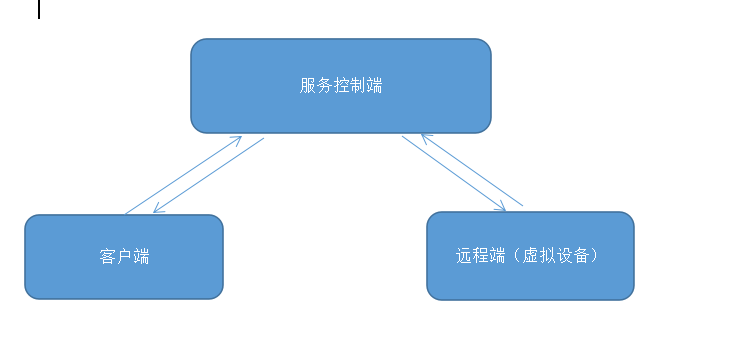
前言最近因為公司項目需求,需要遠程調度啟動客戶端輸入法輸入內容。這就是大致的需求流程,這篇首先講遠程與服務控制端通訊。首先控制服務端定義好一個Service,且在Serv
 注解框架---AndroidAnnotations
AndroidAnnotations是一個開源框架,旨在加快Android開發的效率。通過使用它開放出來的注解api,你幾乎可以使用在任何地方, 大大的減少了無關痛癢的代