編輯:關於Android編程
Android 調用系統相機拍照、以及相冊。完成之後圖片是上傳到app上。前面的功能已經測試過了。沒有上傳到服務器,因為我沒服務器測試。但項目裡面有個類可以參考上傳圖片到服務器,我就沒測試了。接下來看代碼,雖然注釋寫得少,但其作用看英文單詞意思,又在或是查看調用。
package com.example.takephotodemo;

import java.io.File;
import java.io.IOException;
import android.media.ExifInterface;
import android.net.Uri;
import android.os.Bundle;
import android.os.Environment;
import android.provider.MediaStore;
import android.app.Activity;
import android.content.Intent;
import android.database.Cursor;
import android.graphics.Bitmap;
import android.graphics.BitmapFactory;
import android.graphics.Matrix;
import android.view.Gravity;
import android.view.LayoutInflater;
import android.view.View;
import android.view.View.OnClickListener;
import android.widget.Button;
import android.widget.ImageView;
import android.widget.PopupWindow;
import android.widget.Toast;

public class MainActivity extends Activity implements OnClickListener {
	private ImageView mimageViewPhotoShow;
	private PopupWindow mPopupWindow;
	private View mpopview;
	private Bitmap photo;
	private File mPhotoFile;
	private int CAMERA_RESULT = 100;
	private int RESULT_LOAD_IMAGE = 200;
	private String saveDir = Environment.getExternalStorageDirectory()
			.getPath() + /temp_image;

	@Override
	protected void onCreate(Bundle savedInstanceState) {
		super.onCreate(savedInstanceState);
		setContentView(R.layout.activity_main);
		InitUI();
	}

	private void InitUI() {
		View buttonChoosePhoto = (Button) findViewById(R.id.buttonChoosePhoto);
		if (buttonChoosePhoto != null) {
			buttonChoosePhoto.setOnClickListener(this);
		}

		mimageViewPhotoShow = (ImageView) findViewById(R.id.imageViewPhotoShow);
	}

	@Override
	public void onClick(View arg0) {
		if (arg0.getId() == R.id.buttonChoosePhoto) {
			LayoutInflater inflater = LayoutInflater.from(this);
			mpopview = inflater.inflate(R.layout.layout_login_choose_photo,
					null);

			mPopupWindow = new PopupWindow(mpopview, 300, 400, true);
			mPopupWindow.setBackgroundDrawable(getResources().getDrawable(
					R.drawable.tekephoto_dialog_background));

			mPopupWindow.showAtLocation(mimageViewPhotoShow, Gravity.CENTER, 0,
					0);
			Button mbuttonTakePhoto = (Button) mpopview
					.findViewById(R.id.button_take_photo);
			Button mbuttonChoicePhoto = (Button) mpopview
					.findViewById(R.id.button_choice_photo);
			Button mbuttonChoicecannce = (Button) mpopview
					.findViewById(R.id.button_choice_cancer);

			// 相冊上傳
			mbuttonChoicePhoto.setOnClickListener(new OnClickListener() {
				@Override
				public void onClick(View v) {
					mPopupWindow.dismiss();
					Intent i = new Intent(
							Intent.ACTION_PICK,
							android.provider.MediaStore.Images.Media.EXTERNAL_CONTENT_URI);
					startActivityForResult(i, RESULT_LOAD_IMAGE);
				}
			});

			File savePath = new File(saveDir);
			if (!savePath.exists()) {
				savePath.mkdirs();
			}

			// 拍照上傳
			mbuttonTakePhoto.setOnClickListener(new OnClickListener() {
				@Override
				public void onClick(View v) {
					mPopupWindow.dismiss();
					destoryImage();
					String state = Environment.getExternalStorageState();
					if (state.equals(Environment.MEDIA_MOUNTED)) {
						mPhotoFile = new File(saveDir, temp.jpg);
						mPhotoFile.delete();
						if (!mPhotoFile.exists()) {
							try {
								mPhotoFile.createNewFile();
							} catch (IOException e) {
								e.printStackTrace();
								Toast.makeText(getApplication(), 照片創建失敗!,
										Toast.LENGTH_LONG).show();
								return;
							}
						}
						Intent intent = new Intent(
								android.media.action.IMAGE_CAPTURE);
						intent.putExtra(MediaStore.EXTRA_OUTPUT,
								Uri.fromFile(mPhotoFile));
						startActivityForResult(intent, CAMERA_RESULT);
					} else {
						Toast.makeText(getApplication(), sdcard無效或沒有插入!,
								Toast.LENGTH_SHORT).show();
					}
				}
			});

			mbuttonChoicecannce.setOnClickListener(new OnClickListener() {
				@Override
				public void onClick(View v) {
					// TODO Auto-generated method stub
					mPopupWindow.dismiss();
				}
			});
		}
	}

	@Override
	protected void onActivityResult(int requestCode, int resultCode, Intent data) {
		super.onActivityResult(requestCode, resultCode, data);
		if (requestCode == CAMERA_RESULT && resultCode == RESULT_OK) {
			if (mPhotoFile != null && mPhotoFile.exists()) {
				BitmapFactory.Options bitmapOptions = new BitmapFactory.Options();
				bitmapOptions.inSampleSize = 8;
				int degree = readPictureDegree(mPhotoFile.getAbsolutePath());
				Bitmap bitmap = BitmapFactory.decodeFile(mPhotoFile.getPath(),
						bitmapOptions);
				bitmap = rotaingImageView(degree, bitmap);
				mimageViewPhotoShow.setImageBitmap(bitmap);
			}
		}
		if (requestCode == RESULT_LOAD_IMAGE && resultCode == RESULT_OK
				&& null != data) {
			Uri selectedImage = data.getData();
			String[] filePathColumn = { MediaStore.Images.Media.DATA };

			Cursor cursor = getContentResolver().query(selectedImage,
					filePathColumn, null, null, null);
			cursor.moveToFirst();

			int columnIndex = cursor.getColumnIndex(filePathColumn[0]);
			String picturePath = cursor.getString(columnIndex);
			cursor.close();

			mimageViewPhotoShow.setImageBitmap(BitmapFactory
					.decodeFile(picturePath));
		}
	}

	private static int readPictureDegree(String path) {
		int degree = 0;
		try {
			ExifInterface exifInterface = new ExifInterface(path);
			int orientation = exifInterface.getAttributeInt(
					ExifInterface.TAG_ORIENTATION,
					ExifInterface.ORIENTATION_NORMAL);
			switch (orientation) {
			case ExifInterface.ORIENTATION_ROTATE_90:
				degree = 90;
				break;
			case ExifInterface.ORIENTATION_ROTATE_180:
				degree = 180;
				break;
			case ExifInterface.ORIENTATION_ROTATE_270:
				degree = 270;
				break;
			}
		} catch (IOException e) {
			e.printStackTrace();
		}
		return degree;
	}

	private static Bitmap rotaingImageView(int angle, Bitmap bitmap) {
		// 旋轉圖片 動作
		Matrix matrix = new Matrix();
		matrix.postRotate(angle);
		System.out.println(angle2= + angle);
		// 創建新的圖片
		Bitmap resizedBitmap = Bitmap.createBitmap(bitmap, 0, 0,
				bitmap.getWidth(), bitmap.getHeight(), matrix, true);
		return resizedBitmap;
	}

	@Override
	protected void onDestroy() {
		destoryImage();
		super.onDestroy();
	}

	private void destoryImage() {
		if (photo != null) {
			photo.recycle();
			photo = null;
		}
	}
}
activity_main.xml
layout_login_choose_photo.xml
NetUtil這個類,我也是參考網上的,沒測試過。是圖片上傳服務器的。
package com.example.takephotodemo;

import java.io.BufferedReader;
import java.io.File;
import java.io.InputStream;
import java.io.InputStreamReader;
import java.util.ArrayList;
import java.util.List;
import java.util.Map;
import java.util.Set;
import org.apache.http.HttpEntity;
import org.apache.http.HttpResponse;
import org.apache.http.HttpStatus;
import org.apache.http.StatusLine;
import org.apache.http.client.HttpClient;
import org.apache.http.client.entity.UrlEncodedFormEntity;
import org.apache.http.client.methods.HttpGet;
import org.apache.http.client.methods.HttpPost;
import org.apache.http.entity.mime.MultipartEntity;
import org.apache.http.entity.mime.content.FileBody;
import org.apache.http.entity.mime.content.StringBody;
import org.apache.http.impl.client.DefaultHttpClient;
import org.apache.http.message.BasicNameValuePair;

public class NetUtil {
	/**
	 * 以POST方式提交表單
	 *
	 * @param url
	 *            服務器路徑
	 * @param param
	 *            參數鍵值對
	 * @return 響應結果
	 * @throws Exception
	 */
	public static String doPost(String url, Map param)
			throws Exception {
		HttpClient client = new DefaultHttpClient();
		HttpPost post = new HttpPost(url);
		if (param != null && param.size() > 0) {
			List nameValuePairs = new ArrayList(
					param.size());
			Set keys = param.keySet();
			for (Object o : keys) {
				String key = (String) o;
				nameValuePairs.add(new BasicNameValuePair(key, String
						.valueOf(param.get(key))));
			}
			post.setEntity(new UrlEncodedFormEntity(nameValuePairs, utf-8));
		}
		HttpResponse response = client.execute(post);
		/** 返回狀態 **/
		int statusCode = response.getStatusLine().getStatusCode();
		StringBuffer sb = new StringBuffer();
		if (statusCode == HttpStatus.SC_OK) {
			HttpEntity entity = response.getEntity();
			if (entity != null) {
				InputStream instream = entity.getContent();
				BufferedReader br = new BufferedReader(new InputStreamReader(
						instream));
				String tempLine;
				while ((tempLine = br.readLine()) != null) {
					sb.append(tempLine);
				}
			}
		}
		post.abort();
		return sb.toString();
	}

	/**
	 *
	 *
	 * @param url
	 * @param param
	 * @param file
	 * @return
	 * @throws Exception
	 */
	private String doPost(String url, Map param, File file)
			throws Exception {
		HttpPost post = new HttpPost(url);

		HttpClient client = new DefaultHttpClient();
		MultipartEntity entity = new MultipartEntity();
		if (param != null && !param.isEmpty()) {
			for (Map.Entry entry : param.entrySet()) {
				entity.addPart(entry.getKey(), new StringBody(entry.getValue()));
			}
		}
		// 添加文件參數
		if (file != null && file.exists()) {
			entity.addPart(file, new FileBody(file));
		}
		post.setEntity(entity);
		HttpResponse response = client.execute(post);
		int stateCode = response.getStatusLine().getStatusCode();
		StringBuffer sb = new StringBuffer();
		if (stateCode == HttpStatus.SC_OK) {
			HttpEntity result = response.getEntity();
			if (result != null) {
				InputStream is = result.getContent();
				BufferedReader br = new BufferedReader(
						new InputStreamReader(is));
				String tempLine;
				while ((tempLine = br.readLine()) != null) {
					sb.append(tempLine);
				}
			}
		}
		post.abort();
		return sb.toString();
	}

	private String doGet(String url) {
		StringBuilder sb = new StringBuilder();
		try {
			HttpGet get = new HttpGet(url);
			// HttpPost post = new HttpPost(url);

			HttpClient client = new DefaultHttpClient();
			HttpResponse response = client.execute(get);
			StatusLine state = response.getStatusLine();
			if (state.getStatusCode() == HttpStatus.SC_OK) {
				HttpEntity eneity = response.getEntity();
				BufferedReader br = new BufferedReader(new InputStreamReader(
						eneity.getContent()));
				String content;
				while ((content = br.readLine()) != null) {
					sb.append(content);
				}
			}
			get.abort();
		} catch (Exception e) {
			e.printStackTrace();
			return sb.toString();
		}
		return sb.toString();
	}
}
記得加入權限,權限主要是訪問sd存儲,以及調用系統相機,相冊。上傳服務器權限也有了。只是我沒服務器測試。
 android webview 簡單浏覽器實現代碼
文件main.java復制代碼 代碼如下:package com.HHBrowser.android;import android.app.Activity;import
 20.5 語音合成(百度2016年2月29日發布的tts引擎)
一、簡介編寫手機App時,有時需要使用文字轉語音(Text to Speech)的功能,比如開車時閱讀收到的短信、導航語音提示、界面中比較重要的信息通過語音強調、……等。
 listview 選中高亮顯示實現方法
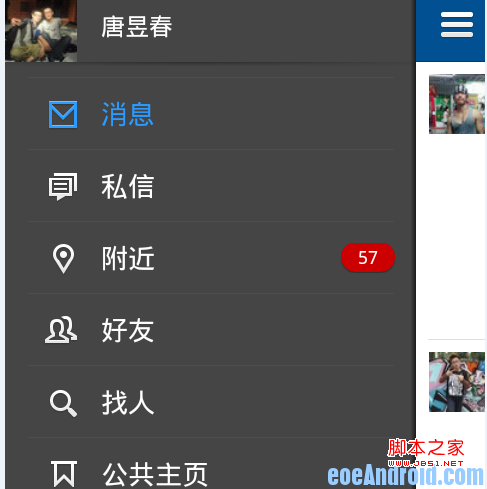
人人客戶端有一個很好的導航欄,如下圖所示,當點擊左側ListView後,選中的一行就會一直呈高亮狀態顯示,圖中選中行字的顏色顯示為藍色(注意:是選中行後一直高亮,而不是只
 android nfc中MifareClassic格式的讀寫
Android支持的數據格式 數據格式的Intent filter AndroidManifest.xml文件中,要像向下列示例那樣