編輯:關於Android編程
AdVertising ID (廣告ID)
廣告id是用戶特殊的,獨特的,可重置的廣告id,由Google Play Service 提供,它為用戶更好的控制,為開發人員提供簡單、標准的系統繼續使用你的應用程序,它用於廣告目的的匿名標示符和或者重置起標示符或者退出以利益為基礎的Google Play的醫用程序。
廣告 ID 可以通過簡單的API在你的應用程序中實現。
重點開發功能
標准和簡單——廣告標識是一個標准的一部分,為廣告和簡單的系統進行分析。
讓用戶控制——用戶可以在任何時候設置他們的ID或者退出那些以利益為基礎的廣告從谷歌的應用程序,他們的偏好適用於廣告公司的廣告ID。
開始
獲取Google Play Service SDK——從下載好的Android SDK 的 Extras 目錄下找 library 下面的google-play-service.jar
閱讀文檔和例子——文檔例子
注釋
作為提醒,請注意,從2014-08-01,新的應用程序和應用程序的更新通過谷歌活動必須在任何廣告目的的任何其他持久標識符代替使用廣告ID設備上支持的廣告
如何檢查您的應用程序的合規性通過開發控制台,或在相關的開發政策變化的細節,請看在谷歌游戲開發者幫助中心廣告ID的參考
使用廣告ID
廣告標識是一個獨特的但用戶復位字符串標識符,讓網絡廣告和其他應用程序的匿名標識一個用戶。用戶的廣告ID是通過API提供的服務提供給應用程序的在Google
Play Service中。
用戶可以在任何時候設置他們的廣告ID,從谷歌設置應用程序在設備上的廣告部分的權利。從相同的應用程序,用戶還可以選擇有針對性的廣告的廣告ID的基礎上,來設置合適的廣告跟蹤偏好。當用戶選擇了有針對性的廣告,這個廣告跟蹤偏好是提供給應用程序通過谷歌播放服務API。
應用程序使用廣告必須尊檢查並尊重用戶的習慣和偏好跟蹤,還請注意,任何使用廣告id的應用程序都必須尊重Google的開發內容政策條款。
ID 格式
Google Play Service 的API 暴露和用戶的 ID 為 UUID 的字符串格式。
需要
廣告 ID API支持Google Play Service 4.0+ 的設備
對具體設備的支持是基於設備安裝的Google Paly Service 的版本
用戶的廣告ID和廣告跟蹤優先獲得
如果你應用程序想要使用廣告ID,你的設備就必須安裝Google Play Service
廣告ID的API可在com.google.android.gms.ads.identifier包在Google
Play Service的的庫中。獲得用戶的廣告ID和跟蹤偏好,調用方法getadvertisingidinfo(),它返回一個advertisingidclient信息封裝。用戶當前的廣告ID和跟蹤偏好。
getadvertisingidinfo()方法的阻塞調用,所以你不能說它在主線程(UI線程)。如果在主線程,該方法拋出illegalstateexception異常。
一旦你取回advertisingidclient對象,您可以使用它的getid()和islimitadtrackingenabled()方法訪問的廣告ID和廣告跟蹤偏好。
public String getId()
Retrieves the advertising ID.
public boolean isLimitAdTrackingEnabled()
Retrieves whether the user has limit ad tracking enabled or not.
廣告ID API不包括“復位”的方法。只有用戶可以啟動復位自己的廣告ID,在Google
Play Service設置中。
例子一:
獲取ID要放在子線程中,這種方式是要把google-play-service.jar放在項目的lib下,整個jar大概有3M多,還有一種不需要集成jar的方式見例子二。
import com.google.android.gms.ads.identifier.AdvertisingIdClient;
import com.google.android.gms.ads.identifier.AdvertisingIdClient.Info;
import com.google.android.gms.common.GooglePlayServicesAvailabilityException;
import com.google.android.gms.common.GooglePlayServicesNotAvailableException;
import java.io.IOException;
...

// Do not call this function from the main thread. Otherwise,
// an IllegalStateException will be thrown.
public void getIdThread() {

  Info adInfo = null;
  try {
    adInfo = AdvertisingIdClient.getAdvertisingIdInfo(mContext);

  } catch (IOException e) {
    // Unrecoverable error connecting to Google Play services (e.g.,
    // the old version of the service doesn't support getting AdvertisingId).

  } catch (GooglePlayServicesAvailabilityException e) {
    // Encountered a recoverable error connecting to Google Play services.

  } catch (GooglePlayServicesNotAvailableException e) {
    // Google Play services is not available entirely.
  }
  final String id = adInfo.getId();
  final boolean isLAT = adInfo.isLimitAdTrackingEnabled();
}不需要集成google-play-service.jar怎麼獲取呢?
這種方式就要求手機本身安裝了Google Play Service,這裡采用綁定Service和誇進程通信的方式獲取廣告ID。
創建一個類 AdvertisingIdClient.java
public class AdvertisingIdClient {
	public static final class AdInfo {
		private final String advertisingId;
		private final boolean limitAdTrackingEnabled;

		AdInfo(String advertisingId, boolean limitAdTrackingEnabled) {
			this.advertisingId = advertisingId;
			this.limitAdTrackingEnabled = limitAdTrackingEnabled;
		}

		public String getId() {
			return this.advertisingId;
		}

		public boolean isLimitAdTrackingEnabled() {
			return this.limitAdTrackingEnabled;
		}
	}

	public static AdInfo getAdvertisingIdInfo(Context context) throws Exception {
		if (Looper.myLooper() == Looper.getMainLooper())
			throw new IllegalStateException(
					"Cannot be called from the main thread");

		try {
			PackageManager pm = context.getPackageManager();
			pm.getPackageInfo("com.android.vending", 0);
		} catch (Exception e) {
			throw e;
		}

		AdvertisingConnection connection = new AdvertisingConnection();
		Intent intent = new Intent(
				"com.google.android.gms.ads.identifier.service.START");
		intent.setPackage("com.google.android.gms");
		if (context.bindService(intent, connection, Context.BIND_AUTO_CREATE)) {
			try {
				AdvertisingInterface adInterface = new AdvertisingInterface(
						connection.getBinder());
				AdInfo adInfo = new AdInfo(adInterface.getId(),
						adInterface.isLimitAdTrackingEnabled(true));
				return adInfo;
			} catch (Exception exception) {
				throw exception;
			} finally {
				context.unbindService(connection);
			}
		}
		throw new IOException("Google Play connection failed");
	}

	private static final class AdvertisingConnection implements
			ServiceConnection {
		boolean retrieved = false;
		private final LinkedBlockingQueue queue = new LinkedBlockingQueue(
				1);

		public void onServiceConnected(ComponentName name, IBinder service) {
			try {
				this.queue.put(service);
			} catch (InterruptedException localInterruptedException) {
			}
		}

		public void onServiceDisconnected(ComponentName name) {
		}

		public IBinder getBinder() throws InterruptedException {
			if (this.retrieved)
				throw new IllegalStateException();
			this.retrieved = true;
			return (IBinder) this.queue.take();
		}
	}

	private static final class AdvertisingInterface implements IInterface {
		private IBinder binder;

		public AdvertisingInterface(IBinder pBinder) {
			binder = pBinder;
		}

		public IBinder asBinder() {
			return binder;
		}

		public String getId() throws RemoteException {
			Parcel data = Parcel.obtain();
			Parcel reply = Parcel.obtain();
			String id;
			try {
				data.writeInterfaceToken("com.google.android.gms.ads.identifier.internal.IAdvertisingIdService");
				binder.transact(1, data, reply, 0);
				reply.readException();
				id = reply.readString();
			} finally {
				reply.recycle();
				data.recycle();
			}
			return id;
		}

		public boolean isLimitAdTrackingEnabled(boolean paramBoolean)
				throws RemoteException {
			Parcel data = Parcel.obtain();
			Parcel reply = Parcel.obtain();
			boolean limitAdTracking;
			try {
				data.writeInterfaceToken("com.google.android.gms.ads.identifier.internal.IAdvertisingIdService");
				data.writeInt(paramBoolean ? 1 : 0);
				binder.transact(2, data, reply, 0);
				reply.readException();
				limitAdTracking = 0 != reply.readInt();
			} finally {
				reply.recycle();
				data.recycle();
			}
			return limitAdTracking;
		}
	}
}
使用:
new Thread(new Runnable() {
			public void run() {
				try {
					AdInfo adInfo = AdvertisingIdClient
							.getAdvertisingIdInfo(MainActivity.this);
					advertisingId = adInfo.getId();
					optOutEnabled = adInfo.isLimitAdTrackingEnabled();
					// Log.i("ABC", "advertisingId" + advertisingId);
					// Log.i("ABC", "optOutEnabled" + optOutEnabled);
				} catch (Exception e) {
					e.printStackTrace();
				}
				mHandler.sendEmptyMessage(HANDEL_ADID);
			}
}).start();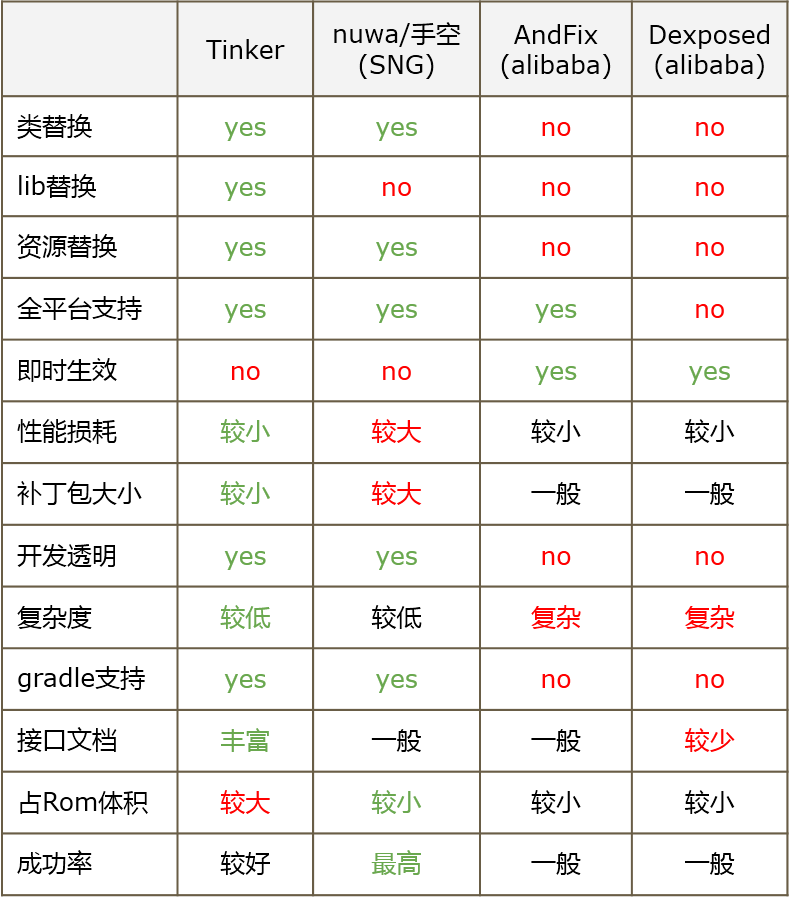 Android 熱補丁實踐之路
大約在15年下半年開始,熱補丁方案開始大量湧現,一時間熱補丁修復技術在 Android 圈非常火爆,比較有代表性的開源實現有 Dexposed、AndFix、Nuwa 以
 Android 根據EditText搜索框ListView動態顯示數據
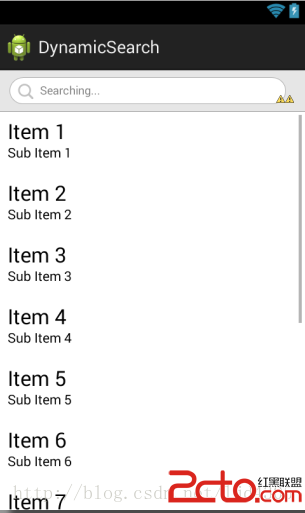
根據EditText搜索框ListView動態顯示數據是根據需求來的,覺得這之中涉及的東西可能比較的有意思,所以動手來寫一寫,希望對大家有點幫助。首先,我們來分析下整個過
 Android開發學習之路--傳感器之初體驗
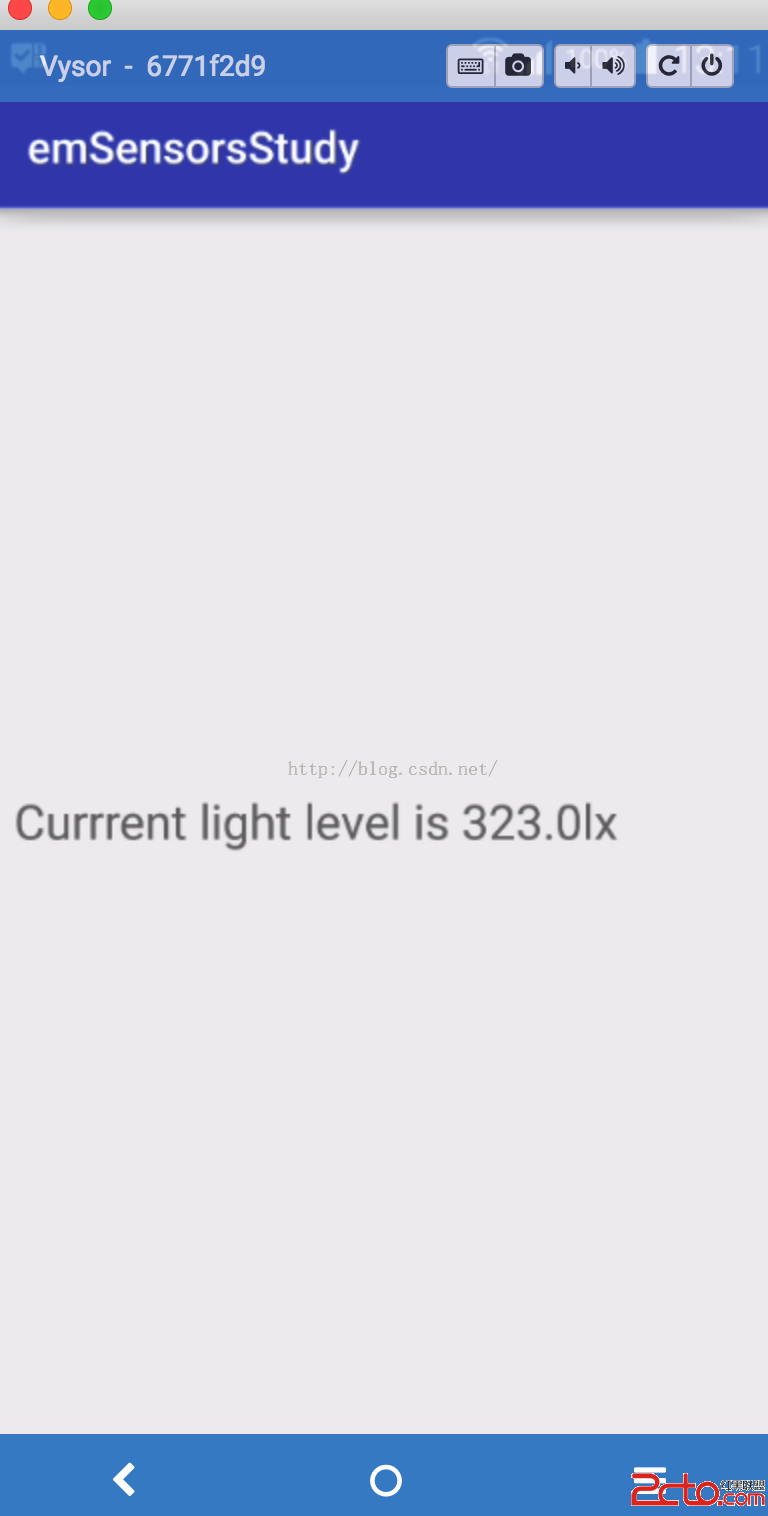
說到傳感器,還是有很多的,有加速度啊,光照啊,磁傳感器等等。當然android手機之所以稱為智能手機,少不了這幾款傳感器的功勞了。下面就學習下了,這裡主要學習光照,加速度
 android插件化-apkplugdemo源碼閱讀指南-10
閱讀本節內容前可先了解 apkplug基礎教程 本教程是基於apkplug V1.6.8 版本編寫 最新開發方式以官網為准 可下載最新的apkplugdemo源碼h