編輯:關於Android編程
 public class myButton extends Button{
public myButton(Context context, AttributeSet attrs, int defStyle) {
super(context, attrs, defStyle);
// TODO Auto-generated constructor stub
TypedArray a = context.obtainStyledAttributes(attrs, R.styleable.ActionBar, defStyle, 0);
}
}
   obtainStyledAttributes( AttributeSet set, int[] attrs, int defStyleAttr, int defStyleRes) : TypedArray
   obtainStyledAttributes( int resid, int[] attrs)  : TypeArray
   obtainStyledAttributes(int[] attrs) : TypeArray
在第一種方法裡根據attrs確定要獲取哪些屬性,然後依次通過其余3個參數來取得相應的屬性值,屬性值獲取的優先級從高到低依次是set, defStyleAttr, defStyleRes. defStyleAttr是一個reference, 它指向當前Theme中的一個style, style其實就是各種屬性的集合,如果defStyleAttr為0或者在Theme中沒有找到相應的style, 則 才會嘗試從defStyleRes獲取屬性值,defStyleRes表示的是一個style的id, 當它為0時也無效。方法(2)和(3)分別表示從style或Theme裡獲取屬性值。
TypedArray a = context.obtainStyledAttributes(attrs, R.styleable.ActionBar, defStyle, 0);
attr是在/res/values/attrs.xml文件下定義的,除了系統組件本身的屬性,我們也可以自定義屬性,然後在layout布局中使用。attrs.xml裡通常包括若干個attr集合,例如
就表示一個attr集合,declare-styleable標簽裡的name值表示的就是上面方法裡的attrs參數,android會自動在R文件中生成一個數組, 它可以使任意的不一定要是view組件名稱。在集合裡定義每個屬性的名稱和它的類型,據偶所見總共有reference, string, color, dimension, boolean等,如果允許多個類型可以用"|"來隔開,比如reference | color, attr還可以這樣定義
當attr的定義沒有指明format時,表示它已經在其他地方定義過了,所以你可以定義一個attr集合,裡面的都是已經定義好的屬性(例如系統組件的屬性), 然後通過obtainStyledAttributes方法來獲取這些屬性值,例如
當然,我們也需要聲明自己的命名空間
xmlns:app="http://schemas.android.com/apk/res/your_package_name"
public class MyActionBar extends LinearLayout {
private CharSequence mTitle;
private MyActionBar.Type mType;
    public enum Type {
Normal,
Dashboard,
Dashboard
}
ublic MyActionBar(Context context, AttributeSet attrs, int defStyle) {
super(context, attrs);
TypedArray a = context.obtainStyledAttributes(attrs, R.styleable.ActionBar, defStyle, 0);
mTitle = a.getString(R.styleable.ActionBar_title);
int layoutID;
int type = a.getInteger(R.styleable.ActionBar_type, -1);
switch (type) {
case 2:
mType = Type.Empty;
layoutID = R.layout.gd_action_bar_empty;
break;
case 1:
mType = Type.Dashboard;
layoutID = R.layout.gd_action_bar_dashboard;
break;
case 0:
default:
mType = Type.Normal;
layoutID = R.layout.gd_action_bar_normal;
break;
}
LayoutInflater.from(context).inflate(layoutID, this);
a.recycle();
}
 Android 教你親手打造酷炫的彈幕效果
公司的新產品上線需要添加的彈幕功能,於是花了一天時間寫了一個Demo。效果實現如下:一開始的思路是:1、首先實現一個自定義的Layout,在其中獲得需要展示的彈幕數組,每
 Android氣泡效果實現方法
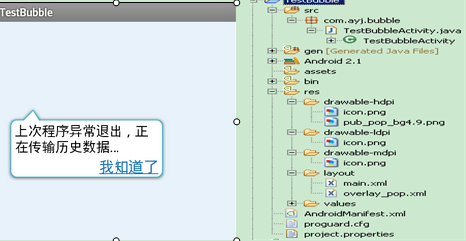
本文實例講述了Android氣泡效果實現方法。分享給大家供大家參考,具體如下:最近在看以前在eoe上收藏的一些源代碼,准備將這些代碼加上一些自己的注釋,然後貼出來,方便自
 詳解Android App中的AsyncTask異步任務執行方式
基本概念AsyncTask:異步任務,從字面上來說,就是在我們的UI主線程運行的時候,異步的完成一些操作。AsyncTask允許我們的執行一個異步的任務在後台。我們可以將
 Android 自定義學習(5)自定義Progressbar
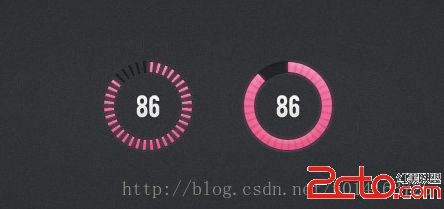
自定義View學習的最後一期了,先上效果圖。 相信大家心中都有自己的實現方法,這裡就貼上我的方法以供參考。/** * 刻度畫筆 */ private P