編輯:關於Android編程
本文介紹Android中Intent的各種常見作用。
1 Intent.ACTION_MAIN
String: android.intent.action.MAIN
標識Activity為一個程序的開始。比較常用。
Input:nothing
Output:nothing
2 Intent.Action_CALL
Stirng: android.intent.action.CALL
呼叫指定的電話號碼。
Input:電話號碼。數據格式為:tel:+phone number
Output:Nothing
Intent intent=new Intent();
intent.setAction(Intent.ACTION_CALL);
intent.setData(Uri.parse("tel:1320010001");
startActivity(intent);
3 Intent.Action.DIAL
String: action.intent.action.DIAL
調用撥號面板
Input:電話號碼。數據格式為:tel:+phone number
Output:Nothing
說明:打開Android的撥號UI。如果沒有設置數據,則打開一個空的UI,如果設置數據,action.DIAL則通過調用getData()獲取電話號碼。
但設置電話號碼的數據格式為 tel:+phone number.
4 Intent.Action.ALL_APPS
String: andriod.intent.action.ALL_APPS
列出所有的應用。
Input:Nothing.
Output:Nothing.
5 Intent.ACTION_ANSWER
Stirng:android.intent.action.ANSWER
處理呼入的電話。
Input:Nothing.
Output:Nothing.
6 Intent.ACTION_ATTACH_DATA
String: android.action.ATTCH_DATA
別用於指定一些數據應該附屬於一些其他的地方,例如,圖片數據應該附屬於聯系人
Input: Data
Output:nothing
7 Intent.ACTION_BUG_REPORT
String: android.intent.action.BUG_REPORT
顯示Dug報告。
Input:nothing
output:nothing
8 Intent.Action_CALL_BUTTON
String: android.action.intent.CALL_BUTTON.
相當於用戶按下“撥號”鍵。經測試顯示的是“通話記錄”
Input:nothing
Output:nothing
Intent intent = new Intent(Intent.ACTION_CALL_BUTTON); startActivity(intent);
9 Intent.ACTION_CHOOSER
String: android.intent.action.CHOOSER
顯示一個activity選擇器,允許用戶在進程之前選擇他們想要的,與之對應的是Intent.ACTION_GET_CONTENT.
10. Intent.ACTION_GET_CONTENT
String: android.intent.action.GET_CONTENT
允許用戶選擇特殊種類的數據,並返回(特殊種類的數據:照一張相片或錄一段音)
Input: Type
Output:URI
int requestCode = 1001; Intent intent = new Intent(Intent.ACTION_GET_CONTENT); // "android.intent.action.GET_CONTENT"
startActivityForResult(wrapperIntent, requestCode);
11 Intent.ACTION_VIEW
String android.intent.action.VIEW
用於顯示用戶的數據。
比較通用,會根據用戶的數據類型打開相應的Activity。
比如 tel:13400010001打開撥號程序,http://www.g.cn則會打開浏覽器等。
Uri uri = Uri.parse("http://www.google.com"); //浏覽器 Uri uri =Uri.parse("tel:1232333"); //撥號程序
//播放視頻
12 Intent.ACTION_SENDTO
String: android.intent.action.SENDTO 說明:發送短信息//發送短信息 Uri uri = Uri.parse("smsto:13200100001");
 //發送彩信,設備會提示選擇合適的程序發送
Uri uri = Uri.parse("content://media/external/images/media/23");
//發送彩信,設備會提示選擇合適的程序發送
Uri uri = Uri.parse("content://media/external/images/media/23");
//Email
Intent intent=new Intent(Intent.ACTION_SEND);
13 Intent.ACTION_GET_CONTENT
//選擇圖片 requestCode 返回的標識
//拍攝視頻
//視頻
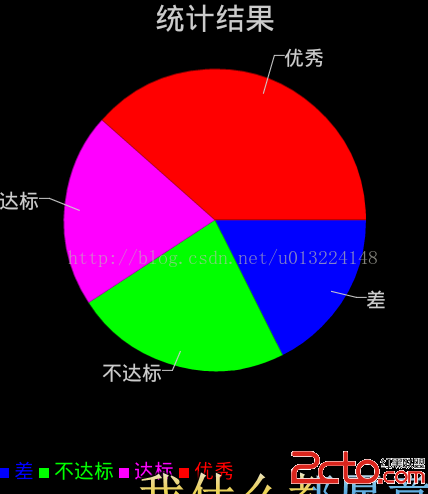 Android----畫柱狀圖和餅圖
使用GraphicalView畫柱狀圖和餅圖 一.achartengine庫的下載,下載地址: www.2cto.com 下載完成後,把jar文件粘貼到li
 混合開發的大趨勢之一React Native TextInput (文本輸入)
TextInput TextInput是允許用戶輸入文本的基礎組件。 他有一些屬性可以來幫助我們處理業務邏輯諸如onChangeText onSubmitEditing
 Android動態資源加載原理和應用
動態加載資源原理通常我們調用getResources()方法獲取資源文件public Resources getResources() { return mReso
 Android聯動ListView的實現
今天帶來的是兩列並排ListView關聯滑動,這裡面有兩個知識點:1、兩個ListView如何並列顯示。2、如何關聯滑動。 第一個問題,好像我之前的博客提到過,就是讓Li