編輯:關於Android編程
主程序:
package com.nfclab.stuCard;

import java.io.IOException;

import android.app.Activity;
import android.app.PendingIntent;
import android.content.Intent;
import android.content.IntentFilter;
import android.nfc.NdefMessage;
import android.nfc.NdefRecord;
import android.nfc.NfcAdapter;
import android.nfc.Tag;
import android.nfc.tech.Ndef;
import android.nfc.tech.NdefFormatable;
import android.os.Bundle;
import android.util.Log;
import android.view.View;
import android.widget.Button;
import android.widget.EditText;
import android.widget.TextView;
import android.widget.Toast;

public class stuCardActivity extends Activity {

    private NfcAdapter mNfcAdapter;
    private PendingIntent mPendingIntent;
    private IntentFilter[] mFilters;
    private String[][] mTechLists;
    private String studentId="";
    private String studentName=" ";

    @Override
    public void onCreate(Bundle savedInstanceState) {
        super.onCreate(savedInstanceState);
        setContentView(R.layout.main);

        final EditText studentIdEditText = (EditText)this.findViewById(R.id.studentIdEditText);
        final EditText studentNameEditText = (EditText)this.findViewById(R.id.studentNameEditText);

        Button writeStudentButton = (Button)this.findViewById(R.id.writeStudentButton);
        writeStudentButton.setOnClickListener(new android.view.View.OnClickListener()
        {
            public void onClick(View view) {
                studentId = studentIdEditText.getText().toString();
                studentName = studentNameEditText.getText().toString();
                 TextView messageText = (TextView)findViewById(R.id.messageText);
                 messageText.setText("Touch NFC Tag to write \n");
                 messageText.append("Student id:" + studentId + "\nStudent Name: " + studentName );
            }
        });

        Button exitButton = (Button)findViewById(R.id.exitButton);
         exitButton.setOnClickListener(new android.view.View.OnClickListener()
        {
            public void onClick(View v) {
                finish();
            }
        });

          mNfcAdapter = NfcAdapter.getDefaultAdapter(this);
          mPendingIntent = PendingIntent.getActivity(this, 0,
                 new Intent(this, getClass()).addFlags(Intent.FLAG_ACTIVITY_SINGLE_TOP), 0);
             IntentFilter ndef = new IntentFilter(NfcAdapter.ACTION_NDEF_DISCOVERED);
             //ndef.addDataScheme("http");
             mFilters = new IntentFilter[] {
              ndef,
             };
           mTechLists = new String[][] { new String[] { Ndef.class.getName() },
                   new String[] { NdefFormatable.class.getName() }};
    }

    @Override
    public void onResume() {
        super.onResume();
        if (mNfcAdapter != null) mNfcAdapter.enableForegroundDispatch(this, mPendingIntent, mFilters,
                mTechLists);
    }

    @Override
    public void onNewIntent(Intent intent) {
        Log.i("Foreground dispatch", "Discovered tag with intent: " + intent);
        Tag tag = intent.getParcelableExtra(NfcAdapter.EXTRA_TAG);

        String externalType = "nfclab.com:transport";
        String payload = studentId+":"+studentName;
        NdefRecord extRecord1 = new NdefRecord(NdefRecord.TNF_EXTERNAL_TYPE, externalType.getBytes(), new byte[0], payload.getBytes());
        NdefMessage newMessage = new NdefMessage(new NdefRecord[] { extRecord1});
        writeNdefMessageToTag(newMessage, tag);
    }

    @Override
    public void onPause() {
        super.onPause();
        mNfcAdapter.disableForegroundDispatch(this);
    }

    boolean writeNdefMessageToTag(NdefMessage message, Tag detectedTag) {
        int size = message.toByteArray().length;
        try {
            Ndef ndef = Ndef.get(detectedTag);
            if (ndef != null) {
                ndef.connect();

                if (!ndef.isWritable()) {
                    Toast.makeText(this, "Tag is read-only.", Toast.LENGTH_SHORT).show();
                    return false;
                }
                if (ndef.getMaxSize() < size) {
                    Toast.makeText(this, "The data cannot written to tag, Tag capacity is " + ndef.getMaxSize() + " bytes, message is " + size + " bytes.", Toast.LENGTH_SHORT).show();
                    return false;
                }

                ndef.writeNdefMessage(message);
                ndef.close();
                Toast.makeText(this, "Message is written tag.", Toast.LENGTH_SHORT).show();
                return true;
            } else {
                NdefFormatable ndefFormat = NdefFormatable.get(detectedTag);
                if (ndefFormat != null) {
                    try {
                        ndefFormat.connect();
                        ndefFormat.format(message);
                        ndefFormat.close();
                        Toast.makeText(this, "The data is written to the tag ", Toast.LENGTH_SHORT).show();
                        return true;
                    } catch (IOException e) {
                         Toast.makeText(this, "Failed to format tag", Toast.LENGTH_SHORT).show();
                        return false;
                    }
                } else {
                     Toast.makeText(this, "NDEF is not supported", Toast.LENGTH_SHORT).show();
                    return false;
                }
            }
        } catch (Exception e) {
            Toast.makeText(this, "Write opreation is failed", Toast.LENGTH_SHORT).show();
        }
        return false;
    }
}


布局文件:


配置文件:
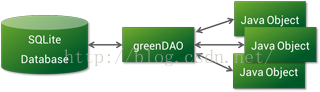 Android ORM框架之GreenDAO(一) 初識
做Android開發,避免不了要和SQLite打交道,如果不使用任何框架,直接使用它時,我們往往需要做許多額外的工作,像編寫 SQL 語句與解析查詢結果等,那麼是比較麻煩
 Android學習項目之簡易版微信為例(一)
這是“Android學習之路”系列文章的開篇,可能會讓大家有些失望——這篇文章中我們不介紹簡易版微信的實現(不過不是標題黨哦,我會在後續文章中一步步實現這個應用程序的)。
 Android 服務類Service 的詳細學習
上一篇說到了通知欄Notification,提起通知欄,不得讓人想到Service以及BroadcastReceive,作為android的4大組建的2個重要成員,我們沒
 Android Camera 實時濾鏡(二)
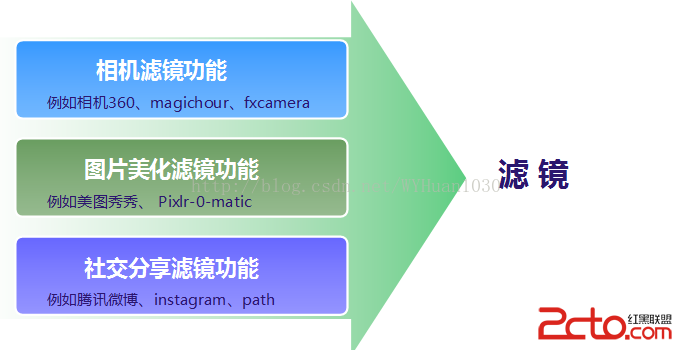
一、Android平台濾鏡濾鏡這個功能在目前的市場上應用很廣泛,發展也非常快,總結起來,基本上有以下三種應用會包含濾鏡功能,都各有所長。 二、相機濾鏡介紹1、相