編輯:關於Android編程
android提供了本地數據庫的查詢uri,可以查詢出數據:
采用一個AsyncQueryHandler來進行查詢, AsyncQueryHandler自己開啟了線程來進行數據查詢,很方便
protected AsyncQueryHandler mQueryHandler;

protected final void queryPersonal() {
		mQueryHandler.startQuery(QUERY_TOKEN, null, ContactsContract.Contacts.CONTENT_URI,
				Personal.CONTACTS_SUMMARY_PROJECTION, null, null, getSortOrder(ContactsContract.Contacts.DISPLAY_NAME));
	}


	protected static String getSortOrder(String fieldName) {
		//substr為截取函數,取第一個字母
		//COLLATE主要用於對字符進行排
		//COLLATE LOCALIZED 按本地語言進行排序
		return "CASE WHEN substr(UPPER(" + fieldName + "), 1, 1) BETWEEN 'A' AND 'Z' THEN 1 else 10 END," +
				fieldName + " COLLATE LOCALIZED ASC";
	}

protected final class MyHandler extends AsyncQueryHandler {
		/**
		 * Asynchronous query handler constructor.
		 */
		public MyHandler(Context context) {
			super(context.getContentResolver());
		}

		/**
		 * On query completion.
		 */
		@Override
		protected void onQueryComplete(int token, Object cookie, Cursor cursor) { //handler查詢完的回調
			if (cursor == null || cursor.isClosed()) {
				return;
			}
			if (!isFinishing()) {
				setLoading(false);
				if (mAdapter != null) {
					mAdapter.setLoading(false);
					mAdapter.changeCursor(cursor);
				}

				if (cursor.getCount() == 0) {
					mEmtytext.setVisibility(View.VISIBLE);
				} else {
					mEmtytext.setVisibility(View.INVISIBLE);
				}
			} else {
				if (cursor != null && !cursor.isClosed()) {
					cursor.close();
				}
			}
		}
} protected static final class SectionedContactListItemCache {
public TextView sectionHeader;
public TextView nameView;
public TextView typeView;
public ImageView photoView;
public ImageView detailItemIcon;
public View nameTypeWrapper;
}
protected final class ContactsAdapter extends ResourceCursorAdapter {
public ContactsAdapter(Context context) {
super(context, R.layout.contacts_list_item_photo,null);
}
@Override
public void changeCursor(Cursor c) {
super.changeCursor(c);
}
protected String getTitle(String displayName) {
String title;
/** check if the first letter is English letter */
Matcher matcher = mPattern.matcher(displayName);
if (!matcher.find()) {
title = NONE_ENGLISH_LETTER_TITLE;
} else {
title = displayName.trim().substring(0, 1).toUpperCase(Locale.US);
}
return title;
}
protected String getDisplayName(Cursor c) {
String displayName = c.getString(Personal.NAME_COLUMN_INDEX);
if(TextUtils.isEmpty(displayName)) {
return "";
}
return displayName;
}
@Override
public void bindView(View view, Context context, Cursor cursor) {
final SectionedContactListItemCache cache = (SectionedContactListItemCache) view.getTag();
cache.typeView.setVisibility(View.GONE);
cache.photoView.setVisibility(View.VISIBLE);
String name = cursor.getString(Personal.NAME_COLUMN_INDEX);
if (TextUtils.isEmpty(name)) {
cache.nameView.setText(R.string.contact_no_name);
} else {
cache.nameView.setText(name);
}
}
@Override
public View newView(Context context, Cursor cursor, ViewGroup parent) {
View view = super.newView(context, cursor, parent);
final SectionedContactListItemCache cache = new SectionedContactListItemCache();
cache.nameTypeWrapper = view.findViewById(R.id.name_type);
cache.sectionHeader = (TextView) view.findViewById(R.id.txtSectionHeader);
cache.nameView = (TextView) view.findViewById(R.id.name);
cache.typeView = (TextView) view.findViewById(R.id.type);
cache.photoView = (ImageView) view.findViewById(R.id.photo);
cache.detailItemIcon = (ImageView) view.findViewById(R.id.contacts_detail_item_icon);
view.setTag(cache);
return view;
}
}//end of adapter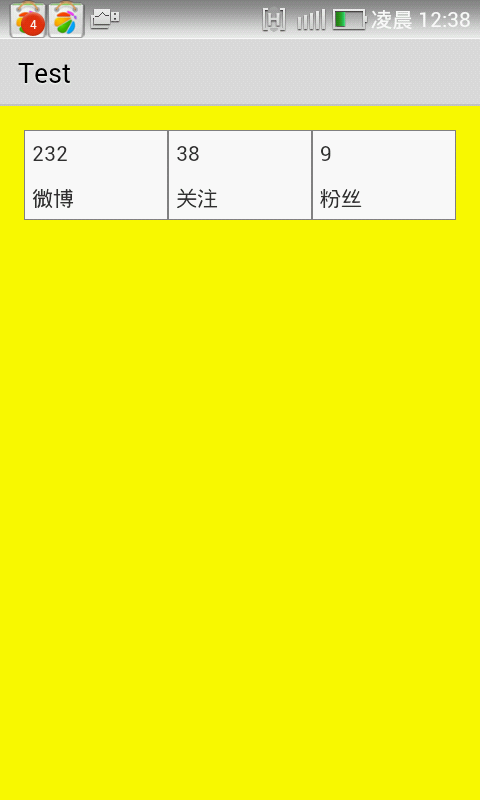 Android實現給TableLayou繪制邊框的方法
本文實例講述了Android實現給TableLayou繪制邊框的方法。分享給大家供大家參考,具體如下:效果如下:思路:使用share作為背景顯示邊框步驟:1.在res/d
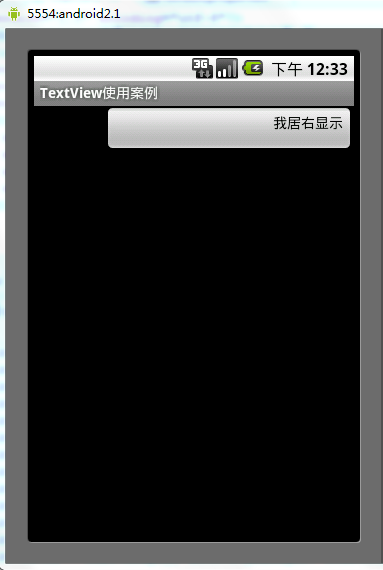 Android中gravity與layout_gravity的使用區別分析
android:gravity:設置的是控件自身上面的內容位置android:layout_gravity:設置控件本身相對於父控件的顯示位置。看下如下代碼段復制代碼 代
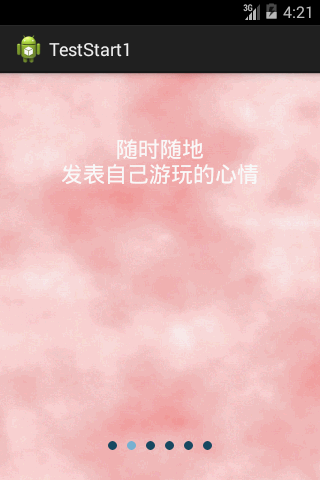 android 第一次啟動滑動界面
一.滑動界面:第一次啟動時除了啟動動畫外,可能還有著滑動功能介紹界面,現在記錄一下這種界面的實現方式,接著上篇啟動動畫之後的效果附加上。效果圖: 界面:&nb
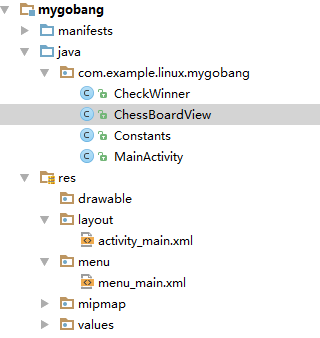 Android五子棋游戲程序完整實例分析
最近學習了五子棋的課程,感覺挺不錯。然後自己寫了個關於五子棋的android程序,從中還是能夠學習到很多東西的。現在我們開始今天五子棋程序的編寫歷程。程序的源碼請參見友情