編輯:關於Android編程
main.xml
package com.yuexin.location01;

import java.util.List;

import android.annotation.SuppressLint;
import android.app.Activity;
import android.location.Criteria;
import android.location.Location;
import android.location.LocationManager;
import android.os.Bundle;
import android.view.View;
import android.view.View.OnClickListener;
import android.widget.Button;
import android.widget.TextView;

public class MainActivity extends Activity {

	private Button buttonProvider = null;
	private Button buttonProviderBest = null;
	private LocationManager locationManager ;
	private TextView AltitudeValue= null;
	private TextView BearingValue= null;
	private TextView SpeedValue= null;
	private TextView LongitudeValue= null;
	private TextView LatitudeValue= null;
	@Override
	protected void onCreate(Bundle savedInstanceState) {
		super.onCreate(savedInstanceState);
		setContentView(R.layout.activity_main);
		AltitudeValue = (TextView) findViewById(R.id.AltitudeValue);
		BearingValue = (TextView) findViewById(R.id.BearingValue);
		SpeedValue = (TextView) findViewById(R.id.SpeedValue);
		LongitudeValue = (TextView) findViewById(R.id.LongitudeValue);
		LatitudeValue = (TextView) findViewById(R.id.LatitudeValue);

		buttonProvider = (Button) findViewById(R.id.buttonProvider);
		buttonProviderBest = (Button) findViewById(R.id.buttonProviderBest);
		buttonProvider.setOnClickListener(new ButtonListener());
		buttonProviderBest.setOnClickListener(new ButtonListrnerBest());
		//得到LocationManager對象
		locationManager = (LocationManager) MainActivity.this.getSystemService(LOCATION_SERVICE);
		locationManager.requestLocationUpdates(LocationManager.GPS_PROVIDER, 0, 0, new LocationListener());
	}
	class ButtonListrnerBest implements OnClickListener{
		@SuppressLint("NewApi")
		@Override
		public void onClick(View arg0) {
			Criteria criteria = new Criteria();
			criteria.setAccuracy(Criteria.ACCURACY_FINE);//設置為最大精度
			criteria.setAltitudeRequired(true);//要求海拔信息
			criteria.setBearingRequired(true);//要求方位信息
			criteria.setBearingAccuracy(Criteria.ACCURACY_HIGH);//要求方位信息 的精確度
			criteria.setCostAllowed(false);//是否允許付費
			criteria.setPowerRequirement(Criteria.POWER_LOW);//對電量的要求
			criteria.setSpeedAccuracy(criteria.ACCURACY_HIGH);//對速度的精確度
			criteria.setHorizontalAccuracy(Criteria.ACCURACY_HIGH);//對水平的精確度
			criteria.setSpeedRequired(true);//要求速度信息
			criteria.setVerticalAccuracy(Criteria.ACCURACY_HIGH);//對垂直精度
			String providerFalse = locationManager.getBestProvider(criteria, false);//找到最好的Provider不管是否能用。
			String providerTrue = locationManager.getBestProvider(criteria, true);//找到最好的能用的Provider。
			//locationManager.requestLocationUpdates(providerTrue, 0, 0, new LocationListener());
			System.out.println("providerFalse---->"+providerFalse);
			System.out.println("providerTrue---->"+providerTrue);
		}
	}
	class ButtonListener implements OnClickListener{

		@Override
		public void onClick(View arg0) {
			/*
			//得到LocationManager對象
			LocationManager locationManager = (LocationManager) MainActivity.this.getSystemService(LOCATION_SERVICE);
//			1.定義當前使用的LocationManager
//			2.定義兩次定位的間隔大小。
//			3.兩次定位之間的最小距離
			locationManager.requestLocationUpdates(LocationManager.GPS_PROVIDER, 0, 0, new LocationListener());
			*/

			List allProvider = locationManager.getAllProviders();
			for (int i = 0; i < allProvider.size(); i++) {
				System.out.println(allProvider.get(i));
			}
		}

	}

	private class LocationListener implements android.location.LocationListener{

		@Override
		public void onLocationChanged(Location location) {
			// 設備位置發生改變Location為對象的位置
			System.out.println(location.getLongitude());//經度
			System.out.println(location.getLatitude());//維度
			AltitudeValue.setText(String.format("%.8f",location.getAltitude()));
			BearingValue.setText(String.format("%.8f",location.getBearing()));
			SpeedValue.setText(String.format("%.8f",location.getSpeed()));
			LongitudeValue.setText(String.format("%.8f",location.getLongitude()));
			LatitudeValue.setText(String.format("%.8f",location.getLatitude()));
		}

		@Override
		public void onProviderDisabled(String arg0) {
			// TODO Auto-generated method stub

		}

		@Override
		public void onProviderEnabled(String arg0) {
			// TODO Auto-generated method stub

		}

		@Override
		public void onStatusChanged(String arg0, int arg1, Bundle arg2) {
			// TODO Auto-generated method stub

		}

	}


}
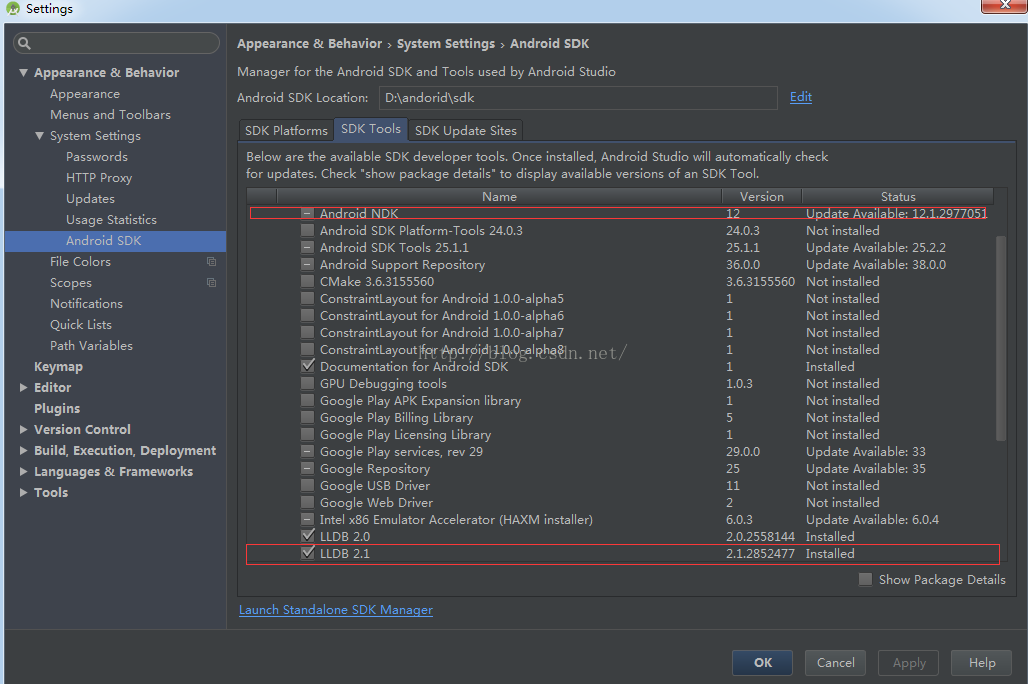 android studio 可調試、可查看源碼的jni開發環境搭建圖文講解
1.環境配置(溫馨提示,圖片看不清楚的,可以點擊鼠標右鍵,在新選項卡中查看圖片^^)1)打開studio建立新的工程,打開如下位置,下載紅線所示的ndk及LLDB工具。&
 Android review Android中的測試
Android中的測試無非是分為兩種:一、在一個工程裡面寫測試代碼。二、專門新建一個工程寫測試代碼。一、在一個工程裡面寫測試代碼步驟:1、寫一個類繼承AndroidTes
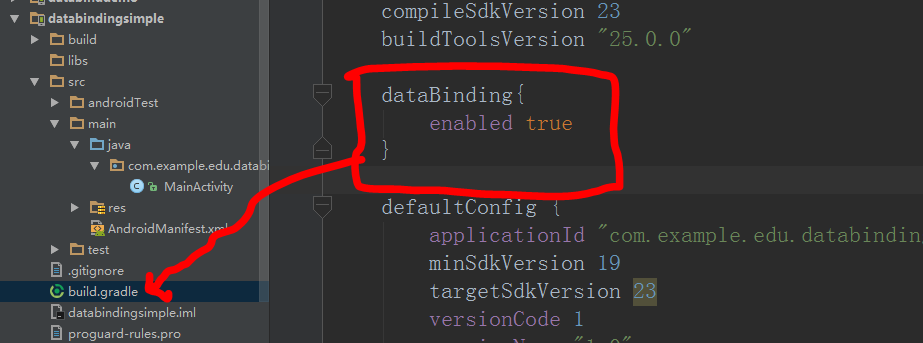 Android之DataBinding初體驗(一)
DataBinding是谷歌推出的一個官方的數據綁定框架,所以我們有必要學下怎麼使用它。如果你英文足夠好就可以去官網看。https://developer.android
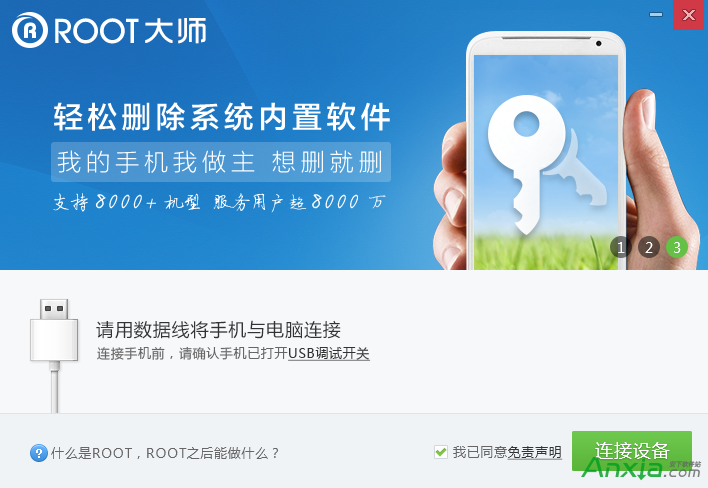 刷機大師刷安卓手機方法
手機用一段時間特別卡,就要去刷機,但是又不想去售後,只有自己在網上找刷機大師刷了。那刷機大師怎麼刷機呢,現在告訴大家刷機大師刷機方法。前提准備1、下載安裝刷