編輯:關於Android編程
今天有了一個這樣的需求 :下載一個apk文件,然後當你下載完成後,按鈕的文字發生改變,變成點擊安裝,然後安裝完成之後,變成打開。
這是下載apk的方法:
/**
	 * 後台在下面一個Apk 下載完成後返回下載好的文件
	 *
	 * @param httpUrl
	 * @return
	 */
	private File downFile(final String httpUrl) {

		new Thread(new Runnable() {

			@Override
			public void run() {
				try {
					URL url = new URL(httpUrl);
					HttpURLConnection connection = (HttpURLConnection) url.openConnection();
					connection.setRequestMethod("GET");
					connection.setConnectTimeout(5000);
					FileOutputStream fileOutputStream = null;
					InputStream inputStream;
					if (connection.getResponseCode() == 200) {
						inputStream = connection.getInputStream();

						if (inputStream != null) {
							file = getFile(httpUrl);
							fileOutputStream = new FileOutputStream(file);
							byte[] buffer = new byte[1024];
							int length = 0;

							while ((length = inputStream.read(buffer)) != -1) {
								fileOutputStream.write(buffer, 0, length);
							}
							fileOutputStream.close();
							fileOutputStream.flush();
						}
						inputStream.close();
					}

					System.out.println("已經下載完成");
					// 往handler發送一條消息 更改button的text屬性
					Message message = handler.obtainMessage();
					message.what = 1;
					handler.sendMessage(message);

				} catch (MalformedURLException e) {
					e.printStackTrace();
				} catch (IOException e) {
					e.printStackTrace();
				}
			}
		}).start();
		return file;
	}
/**
	 * 安裝APK
	 */
	private void installApk() {
		Intent intent = new Intent(Intent.ACTION_VIEW);
		intent.setDataAndType(Uri.fromFile(file), "application/vnd.android.package-archive");
		startActivity(intent);
	}
/**
	 * 打開已經安裝好的apk
	 */
	private void openApk(Context context, String url) {
		PackageManager manager = context.getPackageManager();
		// 這裡的是你下載好的文件路徑
		PackageInfo info = manager.getPackageArchiveInfo(Environment.getExternalStorageDirectory().getAbsolutePath()
				+ getFilePath(url), PackageManager.GET_ACTIVITIES);
		if (info != null) {
			Intent intent = manager.getLaunchIntentForPackage(info.applicationInfo.packageName);
			startActivity(intent);
		}
	}
打開APK 這裡弄了好久,之前不知道有個getLaunchIntentForPackage方法 這個方法只要你能得到這個apk的報名,然後將包名加到後面,startActivity 它就會自動自動你的APK的主界面了。相信得到一個APK的的信息這個大家都會了,這裡就不說了。
下面是我的所有代碼:
/**
 * 下載Apk 安裝Apk 打開APK
 *
 * @author Administrator
 *
 */
public class MainActivity extends Activity {
	private Button button1;
	private static final String URL_STRING = "http://gdown.baidu.com/data/wisegame/b7d7e4efd8199dea/tianyiyuedu_310.apk";
	private static int down = 0;
	File file;

	private Handler handler = new Handler() {

		@Override
		public void handleMessage(Message msg) {
			super.handleMessage(msg);

			switch (msg.what) {
			case 1:
				button1.setText("點擊安裝");
				down = 1;
				break;
			case 2:
				down = 2;
				button1.setText("打開");
				break;
			}
		}

	};

	@Override
	protected void onCreate(Bundle savedInstanceState) {
		super.onCreate(savedInstanceState);
		setContentView(R.layout.activity_main);

		button1 = (Button) findViewById(R.id.button1);
		button1.setOnClickListener(new OnClickListener() {

			@Override
			public void onClick(View v) {
				// 下載apk
				if (down == 0) {
					downFile(URL_STRING);
					button1.setText("正在下載");
					// 安裝APK
				} else if (down == 1) {
					installApk();
					// 打開apk
				} else if (down == 2) {
					openApk(MainActivity.this, URL_STRING);
				}

			}
		});

	}

	// 接收到安裝完成apk的廣播
	BroadcastReceiver broadcastReceiver = new BroadcastReceiver() {

		@Override
		public void onReceive(Context context, Intent intent) {

			System.out.println("接收到安裝完成apk的廣播");

			Message message = handler.obtainMessage();
			message.what = 2;
			handler.sendMessage(message);
		}
	};

	/**
	 * 後台在下面一個Apk 下載完成後返回下載好的文件
	 *
	 * @param httpUrl
	 * @return
	 */
	private File downFile(final String httpUrl) {

		new Thread(new Runnable() {

			@Override
			public void run() {
				try {
					URL url = new URL(httpUrl);
					HttpURLConnection connection = (HttpURLConnection) url.openConnection();
					connection.setRequestMethod("GET");
					connection.setConnectTimeout(5000);
					FileOutputStream fileOutputStream = null;
					InputStream inputStream;
					if (connection.getResponseCode() == 200) {
						inputStream = connection.getInputStream();

						if (inputStream != null) {
							file = getFile(httpUrl);
							fileOutputStream = new FileOutputStream(file);
							byte[] buffer = new byte[1024];
							int length = 0;

							while ((length = inputStream.read(buffer)) != -1) {
								fileOutputStream.write(buffer, 0, length);
							}
							fileOutputStream.close();
							fileOutputStream.flush();
						}
						inputStream.close();
					}

					System.out.println("已經下載完成");
					// 往handler發送一條消息 更改button的text屬性
					Message message = handler.obtainMessage();
					message.what = 1;
					handler.sendMessage(message);

				} catch (MalformedURLException e) {
					e.printStackTrace();
				} catch (IOException e) {
					e.printStackTrace();
				}
			}
		}).start();
		return file;
	}

	/**
	 * 安裝APK
	 */
	private void installApk() {
		Intent intent = new Intent(Intent.ACTION_VIEW);
		intent.setDataAndType(Uri.fromFile(file), "application/vnd.android.package-archive");
		startActivity(intent);
	}

	@Override
	protected void onStart() {
		super.onStart();

		IntentFilter intentFilter = new IntentFilter();
		intentFilter.addAction(Intent.ACTION_PACKAGE_ADDED);
		intentFilter.addDataScheme("package");

		// 注冊一個廣播
		registerReceiver(broadcastReceiver, intentFilter);
	}

	@Override
	protected void onDestroy() {
		super.onDestroy();
		// 解除廣播
		unregisterReceiver(broadcastReceiver);
	}

	/**
	 * 打開已經安裝好的apk
	 */
	private void openApk(Context context, String url) {
		PackageManager manager = context.getPackageManager();
		// 這裡的是你下載好的文件路徑
		PackageInfo info = manager.getPackageArchiveInfo(Environment.getExternalStorageDirectory().getAbsolutePath()
				+ getFilePath(url), PackageManager.GET_ACTIVITIES);
		if (info != null) {
			Intent intent = manager.getLaunchIntentForPackage(info.applicationInfo.packageName);
			startActivity(intent);
		}
	}

	/**
	 * 根據傳過來url創建文件
	 *
	 */
	private File getFile(String url) {
		File files = new File(Environment.getExternalStorageDirectory().getAbsoluteFile(), getFilePath(url));
		return files;
	}

	/**
	 * 截取出url後面的apk的文件名
	 *
	 * @param url
	 * @return
	 */
	private String getFilePath(String url) {
		return url.substring(url.lastIndexOf("/"), url.length());
	}
}
IntentFilter filter = new IntentFilter();

    filter.addAction("android.intent.action.PACKAGE_ADDED");
    filter.addAction("android.intent.action.PACKAGE_REMOVED");
filter.addDataScheme("package");這個程序我沒有考慮其他的情況,比如apk安裝出錯了,要怎麼處理,等等。。
忘記說了,還需要在配置文件中添加訪問網絡和往sd卡寫文件的權限:
源代碼的下載地址
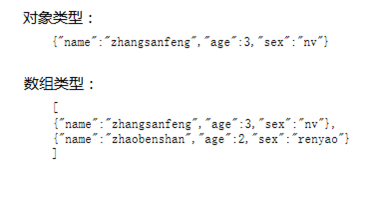 JSON解析和XML解析區別對比
JSON解析和XML解析是較為普遍的兩種解析方式,其中JSON解析的市場分額更大。本文系統的分析兩種解析方式的區別,為更好地處理數據作准備。由於目前階段主要是做移動開發,
 玩轉AppBarLayout實現更酷炫的頂部欄
上一篇文章《CoordinateLayout的使用如此簡單 》對CoordinateLayout的使用做了講解,今天我們再講解常常與其一起使用的幾個View:AppBar
 Android SDK Manager國內無法更新的解決方案
現在由於GWF,google基本和咱們說咱見了,就給現在在做Android&nbs
 AIDL簡單使用
AIDL是Android Interface Definition Language, 顧名思義,它主要就是用來定義接口的一種語言。Android提供AIDL主要用來進程