編輯:關於Android編程
之前的文章層從Framework層介紹了Android Touch事件即(MotionEvent)的傳遞機制。本文將詳細介紹MotionEvent的一些成員和方法。了解了MotionEvent對開發一些特效如拖動控件或多點縮放控件有很大的作用。同時,掌握MotionEvent類也是學好android觸控技術的基礎。
一、一些常量
常見的動作常量:
public static final int ACTION_DOWN = 0;單點觸摸動作
public static final int ACTION_UP = 1;單點觸摸離開動作
public static final int ACTION_MOVE = 2;觸摸點移動動作
public static final int ACTION_CANCEL = 3;觸摸動作取消
public static final int ACTION_OUTSIDE = 4;觸摸動作超出邊界
public static final int ACTION_POINTER_DOWN = 5;多點觸摸動作
public static final int ACTION_POINTER_UP = 6;多點離開動作
以下是一些非touch事件
public static final int ACTION_HOVER_MOVE = 7;
public static final int ACTION_SCROLL = 8;
public static final int ACTION_HOVER_ENTER = 9;
public static final int ACTION_HOVER_EXIT = 10;
掩碼常量
ACTION_MASK = 0X000000ff
動作掩碼
ACTION_POINTER_INDEX_MASK = 0X0000ff00
觸摸點索引掩碼
ACTION_POINTER_INDEX_SHIFT = 8 獲取觸摸點索引需要移動的位數
二、相關方法
getAction()方法返回的是int類型,用到的只有低16位,其中:低八位是動作的類型,高8位是觸摸點索引值的表示(單點為0,雙點為1)
獲得動作類型: int action = event.getAction() & ACTION_MASK 或者使用 getActionMasked()
獲得觸摸點索引類型: int pointerIndex = (event.getAction() & ACTION_POINTER_INDEX_MASK ) >> ACTION_POINTER_INDEX_SHIFT
或者使用 getActionIndex()
為什麼要有索引信息?
有了索引信息,我們可以在onTOuchEvent事件中判斷傳進來的MotionEvent對象對應的是單點信息還是多點信息。
下面的代碼段能使用戶在屏幕上拖動一個對象。它記錄了初始點的位置,計算點移動的距離,並將對象移動到新的位置。它正確的處理了這種情況:當第一個手指把控件拖到一個位置,然後按下第二個手指,且第二個手指與同一個控件上。當用戶抬起第一個手指時,控件不會跑到第二個手指的位置同時第二個手指可以繼續拖動控件。
// The ‘active pointer’ is the one currently moving our object.
private int mActivePointerId = INVALID_POINTER_ID;

@Override
public boolean onTouchEvent(MotionEvent ev) {
    // Let the ScaleGestureDetector inspect all events.
    mScaleDetector.onTouchEvent(ev);

    final int action = MotionEventCompat.getActionMasked(ev);

    switch (action) {
    case MotionEvent.ACTION_DOWN: {
        final int pointerIndex = MotionEventCompat.getActionIndex(ev);
        final float x = MotionEventCompat.getX(ev, pointerIndex);
        final float y = MotionEventCompat.getY(ev, pointerIndex);

        // Remember where we started (for dragging)
        mLastTouchX = x;
        mLastTouchY = y;
        // Save the ID of this pointer (for dragging)
        mActivePointerId = MotionEventCompat.getPointerId(ev, 0);
        break;
    }

    case MotionEvent.ACTION_MOVE: {
        // Find the index of the active pointer and fetch its position
        final int pointerIndex =
                MotionEventCompat.findPointerIndex(ev, mActivePointerId);

        final float x = MotionEventCompat.getX(ev, pointerIndex);
        final float y = MotionEventCompat.getY(ev, pointerIndex);

        // Only move if the ScaleGestureDetector isn't processing a gesture.
        if (!mScaleDetector.isInProgress()) {
            // Calculate the distance moved
            final float dx = x - mLastTouchX;
            final float dy = y - mLastTouchY;

            mPosX += dx;
            mPosY += dy;

            invalidate();
        }
        // Remember this touch position for the next move event
        mLastTouchX = x;
        mLastTouchY = y;

        break;
    }

    case MotionEvent.ACTION_UP: {
        mActivePointerId = INVALID_POINTER_ID;
        break;
    }

    case MotionEvent.ACTION_CANCEL: {
        mActivePointerId = INVALID_POINTER_ID;
        break;
    }

    case MotionEvent.ACTION_POINTER_UP: {

        final int pointerIndex = MotionEventCompat.getActionIndex(ev);
        final int pointerId = MotionEventCompat.getPointerId(ev, pointerIndex);

        if (pointerId == mActivePointerId) {
            // This was our active pointer going up. Choose a new
            // active pointer and adjust accordingly.
            final int newPointerIndex = pointerIndex == 0 ? 1 : 0;
            mLastTouchX = MotionEventCompat.getX(ev, newPointerIndex);
            mLastTouchY = MotionEventCompat.getY(ev, newPointerIndex);
            mActivePointerId = MotionEventCompat.getPointerId(ev, newPointerIndex);
        }
        break;
    }
    }
    return true;
}
MotionEvent還包含了移動操作中其它歷史移動數據以方便處理觸控的移動操作.
android sdk對於這個類的描述中就有這麼一句:
For efficiency, motion events with ACTION_MOVE may batch together multiple movement samples within a single object.
 拆解輪子之XRecyclerView
簡介這個輪子是對RecyclerView的封裝,主要完成了下拉刷新、上拉加載更多、RecyclerView頭部。在我的Material Design學習項目中使用到了項目
 android矩陣詳解
解釋一下,上面的sinX和cosX,表示旋轉角度的cos值和sin值,注意,旋轉角度是按順時針方向計算的。 translateX
 百度SDK定位
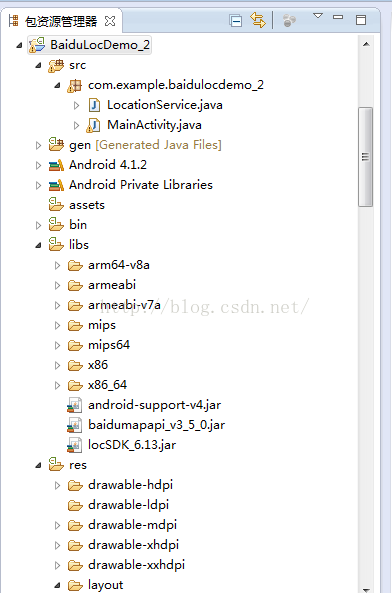
package com.example.baidulocdemo_2;import com.baidu.location.BDLocationListener;impor
 Android游戲開發之碰撞檢測(矩形碰撞、圓形碰撞、像素碰撞)
本文為大家分享了Android游戲開發之碰撞檢測,供大家參考,具體內容如下矩形碰撞 原理: 兩個矩形位置 的四種情況 不是這四中情況 則碰撞圓形碰撞 原理: 利用兩個圓心