編輯:關於Android編程
地圖路徑規劃 geopath.py
# -*- coding: utf-8 -*-
import android
import urllib
import urllib2
import json
import sys
print  sys.getdefaultencoding()
reload(sys)
sys.setdefaultencoding('utf-8')

droid = android.Android()
city = droid.dialogGetInput(u"geocode",u"請輸入起點 start:",u'guangzhou').result
city = urllib2.quote(city)
print u'起點:',city

url = u'http://maps.google.com/maps/api/geocode/json?address=%s&sensor=true&language=zh-CN'
handler = urllib2.urlopen(url % city)
js = json.load(handler)
handler.close()

address = js['results'][0]['address_components']
for ad in address:
    print ad['long_name']

location = js['results'][0]['geometry']['location']
startLat = location['lat']
startLng = location['lng']
print js

city = droid.dialogGetInput(u"geocode",u"請輸入終點 end:",u'zhuhai').result
city = urllib2.quote(city)
print u'終點:',city

url = u'http://maps.google.com/maps/api/geocode/json?address=%s&sensor=true&language=zh-CN'
handler = urllib2.urlopen(url % city)
js = json.load(handler)
handler.close()

address = js['results'][0]['address_components']
for ad in address:
    print ad['long_name']

location = js['results'][0]['geometry']['location']
endLat = location['lat']
endLng = location['lng']
print js

# 路徑規劃:
url = 'http://maps.google.com/maps?f=d&saddr=%s%%20%s&daddr=%s%%20%s&hl=zh' % (startLat,startLng,endLat,endLng)
print url
droid.startActivity('android.intent.action.VIEW',url)
在 android 4.1 pad 上測試通過.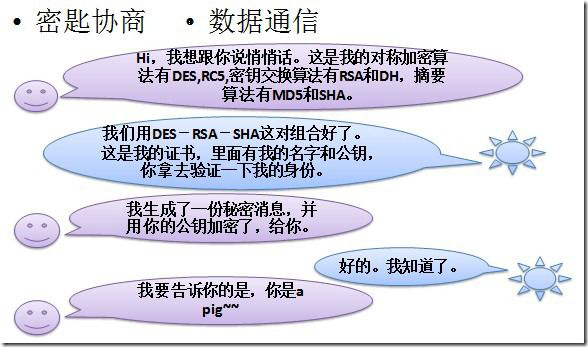 Android 安全加密:Https編程詳解
Android安全加密專題文章索引 Android安全加密:對稱加密 Android安全加密:非對稱加密 Android安全加密:消
 一分鐘了解Android屏幕 ldpi mdpi hdpi xhdpi
DPI:每英寸像素數簡單的屏幕分辨率計算方法:DisplayMetrics metrics = new DisplayMetrics();Display display
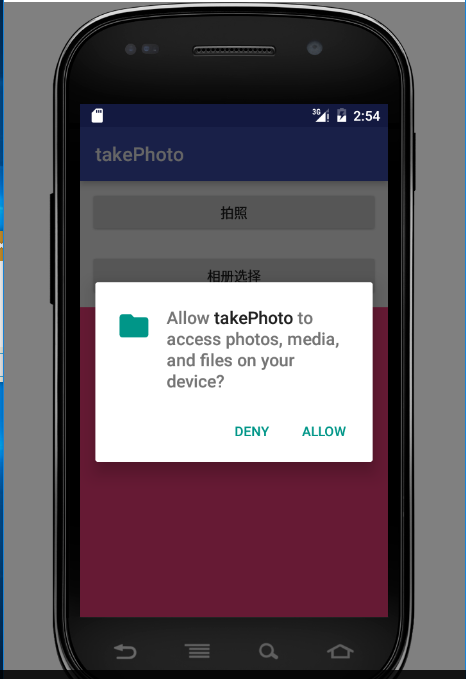 Android拍照,相冊選擇圖片以及Android6.0權限管理
概述在android開發過程中,拍照或者從相冊中選擇圖片是很常見的功能。下面要說得這個案例比較簡單,用戶點擊按鈕選擇拍照或者打開相冊選擇圖片,然後將選中的圖片顯示在手機上
 微信公眾平台開發入門教程(圖文詳解)
在這篇入門教程中,我們假定你已經有了PHP語言程序、MySQL數據庫、計算機網絡通訊及XML語言基礎。如果你還沒有,那麼請先學習相關知識。我們將使用微信公眾賬號方倍工作室