

編輯:Android 程式設計入門
ScrollView 是 Android 系統提供的一種特殊的可滾動視圖容器。其實我們很早就接觸過類似概念,比如 ListView。而 Google 官方文檔也指出,不要混用 ScrollView 與 ListView,因為它們存在一定的衝突。本文將分析並解決這個問題。
官方文檔描述:ScrollView 是一個可滾動的視圖層次容器,本質上是一個 FrameLayout,因此內部建議只放一個包含全部內容的子 View,這個子 View 本身可以是帶有複雜層次的布局管理器,常用的比如垂直方向的 LinearLayout。永遠不要將 ScrollView 與 ListView 一起使用,因為 ListView 自己會處理垂直滾動,混用會破壞 ListView 針對大列表的重要優化,迫使它顯示全部列表項。TextView 類也有自己的滾動機制,無需 ScrollView,但兩者一起使用可實現大容器中文本視圖的效果。ScrollView 只支持垂直滾動,水平滾動請使用 HorizontalScrollView。
總結官方描述的要點:
官方文檔第一行屬性就是 android:fillViewport,可見其重要性。它的作用是:當 ScrollView 的子 View(如 LinearLayout)在屏幕夠大的情況下想撐滿整個屏幕,但你發現無論如何設置 layout_height="match_parent",它都只按 wrap_content 方式顯示,不會撐滿屏幕——這是 ScrollView 的特殊之處。使用 android:fillViewport 即可解決這個問題。
某些特殊情況下需要同時使用 ScrollView 與 ListView,以下是一個自定義 ListView 的示例。首先是布局:
<?xml version="1.0" encoding="utf-8"?> <ScrollView xmlns:android="https://schemas.android.com/apk/res/android" android:id="@+id/act_solution_1_sv" android:layout_width="match_parent" android:layout_height="match_parent" android:background="#0dfeef"> <LinearLayout android:layout_width="fill_parent" android:layout_height="wrap_content" android:orientation="vertical"> <TextView android:layout_width="fill_parent" android:layout_height="wrap_content" android:text="\nListView上方數據\n" /> <com.joyfulmath.sample.javanetwork.androidbase.scrollview.view.ScrollListView android:id="@+id/act_solution_1_lv" android:layout_width="fill_parent" android:layout_height="wrap_content" android:layout_weight="1"> </com.joyfulmath.sample.javanetwork.androidbase.scrollview.view.ScrollListView> <TextView android:layout_width="fill_parent" android:layout_height="wrap_content" android:text="\nListView下方數據\n" /> </LinearLayout> </ScrollView>
關鍵在於自定義一個 ScrollListView,重寫 onMeasure 方法:
import android.content.Context; import android.util.AttributeSet; import android.widget.ListView; public class ScrollListView extends ListView { public ScrollListView(Context context) { super(context); } public ScrollListView(Context context, AttributeSet attrs) { super(context, attrs); } public ScrollListView(Context context, AttributeSet attrs, int defStyleAttr) { super(context, attrs, defStyleAttr); } @Override protected void onMeasure(int widthMeasureSpec, int heightMeasureSpec) { int expandSpec = MeasureSpec.makeMeasureSpec(Integer.MAX_VALUE >> 2, MeasureSpec.AT_MOST); super.onMeasure(widthMeasureSpec, expandSpec); } }
如此自定義 ListView 之後,ListView 就能完整地展示在 ScrollView 裡面了。
 Android 補間動畫 TweenAnimation 用法整理
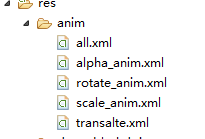
補間動畫(Tween Animation)是 Android 最直覺的動畫方案:你只要描述「從哪個狀態變到哪個狀態、花多久時間」,系統就會自動補上中間的過渡影格。以下把程
 Android 源碼筆記:Camera 系統架構全解析
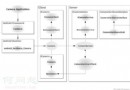
Camera 的架構與 Android 系統的整體分層保持一致,如下圖所示。本文主要從以下四個層面展開說明。 Framework:Camera.java Android
 Android ListView 實作(二):用 SimpleAdapter 打造圖文列表
SimpleAdapter 是 ListView 四種內建 Adapter 中最實用的一個:它能一次搞定「圖片 + 多行文字」的列表項目,不必自己繼承 BaseAdapt
 Android WebView 與 JavaScript 雙向互動完整指南
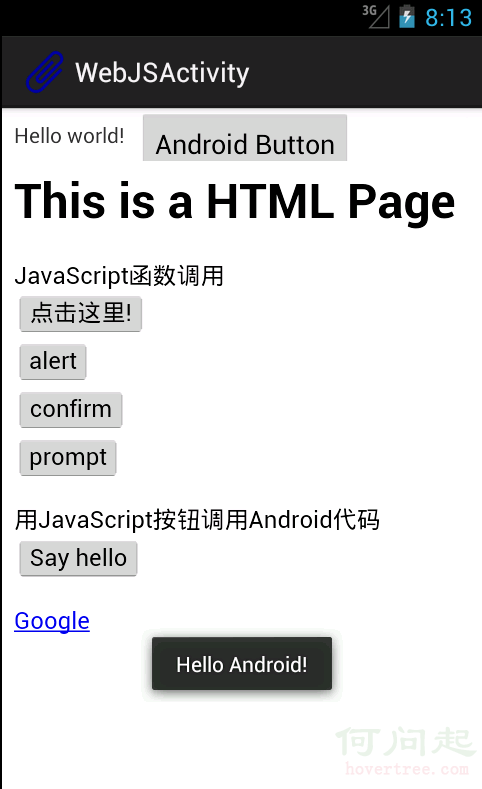
為什麼要先為 WebView 開啟 JavaScript 只要你想載入的網頁裡用到了 JavaScript,就必須先替 WebView 打開 JavaScript 的執行