

編輯:Android 開發實例
列表裡全是網絡圖片時,每次都發請求既慢又費流量。最直接的優化就是加一層本地緩存:先查本地,命中就直接解碼,未命中才下載並落盤。本文記錄一個考慮了多線程並發場景的簡易封裝。
把網絡 URL 映射成本地文件路徑,作為緩存鍵。下載時先寫入 xxx.jpg.temp 臨時文件,完成後再 rename 成正式文件名。這樣做的好處是:其他線程看到臨時文件就知道「有人正在下」,可以等待而不是重複下載。
public class PictureLibrary {

    private final Lock lock = new ReentrantLock();
    private final Condition downFile = lock.newCondition();

    /** URL → 本地正式路徑 */
    private String toLocalFile(String strURL) {
        String fileName = Utils.getFileName(strURL);
        return Environment.getExternalStorageDirectory() + "/"
                + EcologicalTourism.FILE_PATH + "/images/" + fileName;
    }

    /** URL → 本地臨時路徑 */
    private String toLocalFileTemp(String strURL) {
        String fileName = Utils.getFileName(strURL) + "temp";
        return Environment.getExternalStorageDirectory() + "/"
                + EcologicalTourism.FILE_PATH + "/tempimages/" + fileName;
    }

    /**
     * 取得本地可用的圖片路徑,必要時阻塞下載
     *
     * @param strURL 圖片的網絡地址
     * @return 該圖片在 SD 卡上的本地路徑
     */
    public String getReadSD(String strURL) {
        String strLocalFile = toLocalFile(strURL);
        String strLocalFileTemp = toLocalFileTemp(strURL);

        while (true) {
            File file = new File(strLocalFile);
            File tfile = new File(strLocalFileTemp);

            lock.lock();
            if (file.exists()) {
                // 情況一:正式文件已存在,直接返回
                lock.unlock();
                return strLocalFile;
            } else if (tfile.exists()) {
                // 情況二:暫存文件存在,說明別的線程正在下,等待
                lock.unlock();
                try {
                    downFile.await();
                } catch (Exception e) {
                    e.printStackTrace();
                }
            } else {
                // 情況三:誰都沒下,由當前線程搶下來
                try {
                    tfile.createNewFile();
                } catch (IOException e) {
                    e.printStackTrace();
                }
                lock.unlock();

                downURL2(strURL, strLocalFileTemp);

                lock.lock();
                tfile.renameTo(file);
                lock.unlock();
                // 喚醒所有等待者
                lock.lock();
                downFile.signalAll();
                lock.unlock();
            }
        }
    }

    private void downURL2(String strURL, String strLocalFileTemp) {
        try {
            URL url = new URL(strURL);
            HttpURLConnection conn = (HttpURLConnection) url.openConnection();
            conn.setConnectTimeout(5000);
            conn.setRequestMethod("GET");
            conn.setDoInput(true);
            if (conn.getResponseCode() == 200) {
                InputStream is = conn.getInputStream();
                FileOutputStream fos = new FileOutputStream(strLocalFileTemp);
                byte[] buffer = new byte[1024];
                int len;
                while ((len = is.read(buffer)) != -1) {
                    fos.write(buffer, 0, len);
                }
                is.close();
                fos.close();
            }
        } catch (Exception e) {
            e.printStackTrace();
        }
    }

    /** 從本地緩存中讀取 Bitmap */
    public Bitmap getBitmapFromCache(String imageURL) {
        String bitmapName = Utils.getFileName(imageURL);
        File cacheDir = new File(Environment.getExternalStorageDirectory() + "/"
                + EcologicalTourism.FILE_PATH + "/images/");
        File[] cacheFiles = cacheDir.listFiles();
        if (cacheFiles != null) {
            for (File cacheFile : cacheFiles) {
                if (bitmapName.equals(cacheFile.getName())) {
                    return BitmapFactory.decodeFile(cacheFile.getAbsolutePath());
                }
            }
        }
        return null;
    }
}
如果單張圖比較大,還可以再進一步:先取一次文件總大小,然後切成若干段,用 RandomAccessFile 的 seek 定位到各自偏移量並行寫入。
private static class DownLoadThread extends Thread {
    private int currentSize;      // 本線程負責的字節數
    private RandomAccessFile threadFile;
    private int startposition;    // 起始偏移
    private URL url;

    public DownLoadThread(int threadId, int currentSize,
                          RandomAccessFile threadFile, int startposition, URL url) {
        this.currentSize = currentSize;
        this.threadFile = threadFile;
        this.startposition = startposition;
        this.url = url;
    }

    public void run() {
        try {
            HttpURLConnection httpUrl = (HttpURLConnection) url.openConnection();
            httpUrl.setRequestMethod("GET");
            // 通過 Range 頭疼的服務器返回指定區間
            httpUrl.setRequestProperty("range", "bytes=" + startposition + "-");
            InputStream is = httpUrl.getInputStream();
            byte[] data = new byte[1024];
            int len;
            int threadFileSize = 0;
            while ((threadFileSize < currentSize) && ((len = is.read(data)) != -1)) {
                threadFile.write(data, 0, len);
                threadFileSize += len;
            }
            httpUrl.disconnect();
            is.close();
        } catch (Exception e) {
            e.printStackTrace();
        }
    }
}
這個封裝能跑通「先本地後網絡」的主幹,但仍有幾處需要加固:線程等待必須配 try/finally 兜底,否則 signalAll 一旦漏調,等待方會永久掛住;緩存目錄需要定期清理,否則會把用戶存儲撐滿;getBitmapFromCache 每次遍歷目錄的效率不高,鍵值改用 HashMap 內存索引會更好;此外 getReadSD 是阻塞式的,絕不能在主線程調用。
最後值得一提的是,上述代碼屬於自己造輪子的教學範例。實際項目裡,Glide、Fresco、Coil 這類成熟方案已經把內存緩存、磁盤緩存、請求去重、生命周期綁定、手動解碼與格式轉換等問題處理得很完整,除非有特殊定製需求,否則沒有必要重複實現。
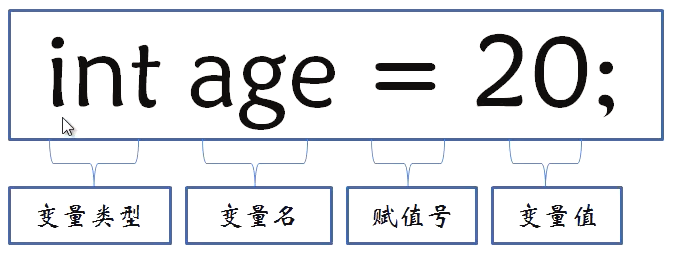 Java 變數觀念與命名規範解析
變數是什麼 變數是程式中用來儲存資料的命名空間。透過宣告變數,可以指定資料型別、變數名稱與儲存位置,之後即可讀取或修改其中的值。 宣告與賦值 宣告變數時需指定資料型別與
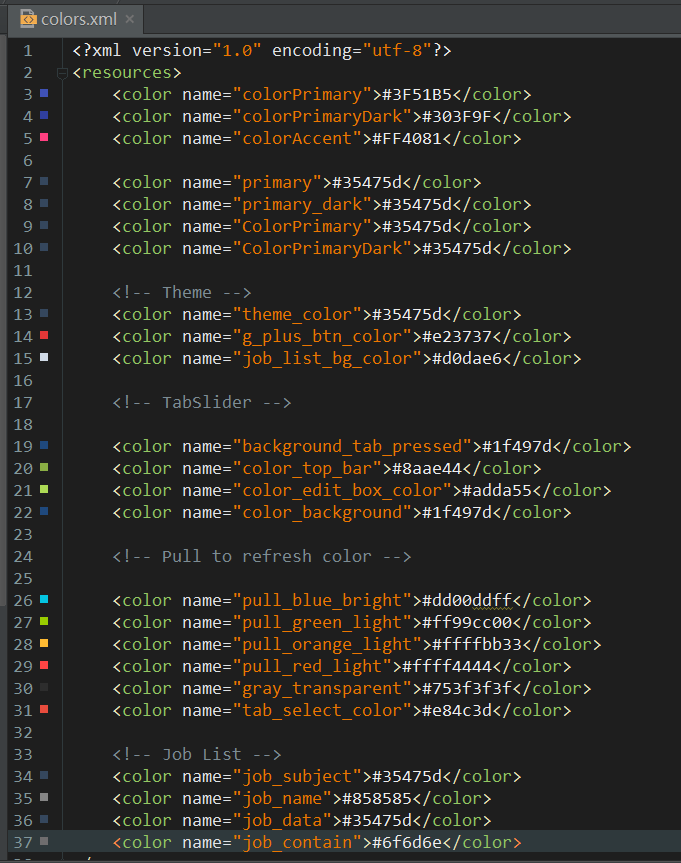 動手做安卓文件管理器(一):先理清資源層
文件管理器這類工具的職責很明確:幫用戶把存在本地和網絡上的文件管好,創建、打開、查看、編輯、移動、刪除是最基本的六件事,做得深一點還會加上網絡掛載、應用管理、解壓縮和全文
 Android 本地化:讓應用適配不同語言環境
為什麼需要本地化?Android 應用可能會在不同地區、不同語言環境的裝置上執行。為了讓使用者更容易理解,應用中的文字、數字格式與其他資源最好能依語言環境調整。建立區域資
 Android 進度條教學:用 Loading Spinner 表示不確定時長的等待
當 App 需要執行一段耗時的任務時,使用者需要一個「你正在忙,請稍候」的訊號,而進度條就是最直白的表達方式。Android 的 ProgressBar 有兩種常見形態: