

編輯:Android 開發實例
寫了個小程式,啟動時先輪播幾張圖片,每張停留 3 秒,播完自動跳首頁。整體拆成三塊:圖片輪播、定時切換、以及讀取本地資源。
Gallery 的用法很簡單,餵一個 Adapter 進去即可:
GalleryAdapter adapter = new GalleryAdapter(this, mIds); mGallery.setAdapter(adapter);
GalleryAdapter 是自訂的 Adapter:
public class GalleryAdapter extends BaseAdapter { private Context mContext; private int mImageHeight; private int[] mIds; public GalleryAdapter(Context context, int[] ids) { this.mContext = context; this.mIds = ids; init(); } private void init() { mImageHeight = px2dip(mContext, getScreenHeight(MainActivity.this)); } @Override public int getCount() { return mIds.length; } @Override public Object getItem(int position) { return position; } @Override public long getItemId(int position) { return position; } @Override public View getView(int position, View convertView, ViewGroup parent) { final ImageView imageView = new ImageView(mContext); if (position < mIds.length) { int imageId = mIds[position]; imageView.setScaleType(ImageView.ScaleType.CENTER_CROP);//設置圖片居中 imageView.setLayoutParams(new Gallery.LayoutParams( Gallery.LayoutParams.FILL_PARENT, mImageHeight)); Bitmap bitmap = readBitMap(mContext, imageId);//用節省內存的方式加載圖片,防止OOM imageView.setImageBitmap(bitmap); overridePendingTransition(R.anim.push_in, R.anim.push_out);//圖片切換動畫 } return imageView; } }
這裡有兩個細節值得學:用 CENTER_CROP 讓圖片填滿且不變形,以及以省記憶體的方式解碼避免 OOM。
Timer timer = new Timer(); timer.schedule(task, 3000, 3000);// 每3秒切換一張圖片 private TimerTask task = new TimerTask() { @Override public void run() { Message message = new Message(); message.what = 0; index = mGallery.getSelectedItemPosition(); handler.sendMessage(message); index++; if (index == mIds.length - 1) { this.cancel(); MainActivity.this.finish(); Intent intent = new Intent(MainActivity.this, Test.class); startActivity(intent); } } }; //不能直接在task中更新UI,所以用handler向主線程發送消息 private Handler handler = new Handler() { @Override public void handleMessage(Message msg) { super.handleMessage(msg); switch (msg.what) { case 0: mGallery.setSelection(index); break; default: break; } } };
這裡的核心觀念是:Timer 的 task 跑在自己的背景執行緒,不能直接操作 UI,所以透過 Handler 把訊息丟回主執行緒處理。這個原則到今天都成立。
public static Bitmap readBitMap(Context context, int resId) { BitmapFactory.Options opt = new BitmapFactory.Options(); opt.inPreferredConfig = Bitmap.Config.RGB_565; opt.inPurgeable = true; opt.inInputShareable = true; // 獲取資源圖片 InputStream is = context.getResources().openRawResource(resId); return BitmapFactory.decodeStream(is, null, opt); }
RGB_565 放棄 alpha 通道換取一半的記憶體,對全屏背景圖這種不透明的素材很划算。
Gallery 早就被移除。android.widget.Gallery 在 API 16 就被標記為 deprecated,後續版本中行為不可靠。今天的對等方案是 ViewPager2(搭配 HorizontalView 或使用 RecyclerView 橫向排列),或 Compose 的 HorizontalPager。
overridePendingTransition 放錯地方。這個 API 是 Activity 級別的,用來設定 Activity 進出動畫;呼叫它不會產生圖片切換效果。圖片切換動畫應該設在 Gallery/ViewPager 的 setAnimation() 或使用 DefaultTransformer。
Activity 從 Timer 背景執行緒被 finish。MainActivity.this.finish() 與 startActivity() 在背景執行緒呼叫,屬於不當用法。UI 操作都應該走主執行緒。
非靜態內部 Handler 造成記憶體外洩。它隱式持有 MainActivity。應改為 static 內部類別搭配 WeakReference,並在 onDestroy() 呼叫 handler.removeCallbacksAndMessages(null) 與 timer.cancel()。
索引判斷有邏輯漏洞。範例中先 sendMessage 再 index++,而 Handler 是延遲接收的,實際顯示的索引與判斷條件容易錯位;而且 index == mIds.length - 1 代表最後一張還沒顯示就跳走了。用「計數器 + 取模」的寫法會清楚很多。
InputStream 沒有關閉。readBitMap() 開了串流卻沒關,應該用 try-with-resources。
如果用 Kotlin + Compose,整個需求可以濃縮成這樣的概念:
var index by remember { mutableStateOf(0) } LaunchedEffect(Unit) { while (index < images.lastIndex) { delay(3000) index++ } delay(500) navController.navigate("home") { popUpTo(0) } } HorizontalPager(state = rememberPagerState { images.size }) { page -> Image(painterResource(images[page]), contentScale = ContentScale.Crop, modifier = Modifier.fillMaxSize()) }
三個關鍵點:用協程的 delay 取代 Timer(自動綁定生命週期,畫面銷毀時取消)、用 ContentScale.Crop 取代手動設定 scaleType、用 painterResource 讓系統自動依密度取圖(不必自己解碼)。
另外提醒:真正的啟動頁(Splash Screen)在 Android 12 之後有官方 API(SplashScreen 與 windowSplashScreenBackground),而「開屏廣告/引導輪播」應該是啟動頁之後的另一個畫面,兩者職責不同,別混在一起——這麼分開也讓 App 冷啟動時間不必被廣告拖住。
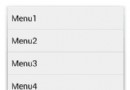 使用 Android MenuInflater 創建菜單項
MenuInflater 提供了一種更簡潔的方式來建立選單。相較於在程式碼中逐一新增 MenuItem,我們可以在 res/menu 目錄下建立 XML 菜單檔,再由 A
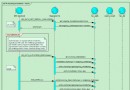 Android 6.0 指紋識別開發實例:FingerprintManager 註冊流程
Android 6.0 之後,指紋識別可由 FingerprintManager 提供支援。本文以高通 64 位平台與 fpc1020 為例,說明如何撰寫指紋註冊畫面,並
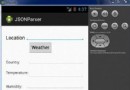 Android 端如何解析 JSON?JSONObject 用法與天氣 App 完整實作
JSON 的全名是 JavaScript Object Notation,但今日它早已脫離 JavaScript 的框架,成為跨語言通用的資料交換格式,也是 XML 在
 Android 本地化:讓應用適配不同語言環境
為什麼需要本地化?Android 應用可能會在不同地區、不同語言環境的裝置上執行。為了讓使用者更容易理解,應用中的文字、數字格式與其他資源最好能依語言環境調整。建立區域資