

編輯:Android 開發實例
看過小說閱讀器就知道翻頁效果有各種流派——仿真翻頁、覆蓋、滑動等等。因為某個緣故,突然想寫一個最簡單的滑動翻頁。這裡記錄出來,也希望你能由此舉一反三做出其他效果。圖就不附了。
核心觀念是理解 onTouch 事件,以及一個關鍵設計:永遠保持三個 View。
滑動翻頁需要同時呈現「正在離開的頁」、「當前頁」與「即將進場的頁」。因此這個 FlipperLayout 內部維護三個 View:
scrollTo(-screenWidth, 0)),代表上一頁。 package com.example.testscroll.view; import android.content.Context; import android.util.AttributeSet; import android.view.MotionEvent; import android.view.VelocityTracker; import android.view.View; import android.view.ViewConfiguration; import android.view.ViewGroup; import android.widget.Scroller; public class FlipperLayout extends ViewGroup { private Scroller mScroller; private VelocityTracker mVelocityTracker; private int mVelocityValue = 0; /** 商定這個滑動是否有效的距離 */ private int limitDistance = 0; private int screenWidth = 0; /** 手指移動的方向 */ private static final int MOVE_TO_LEFT = 0; private static final int MOVE_TO_RIGHT = 1; private static final int MOVE_NO_RESULT = 2; /** 最後觸摸的結果方向 */ private int mTouchResult = MOVE_NO_RESULT; /** 一開始的方向 */ private int mDirection = MOVE_NO_RESULT; /** 觸摸的模式 */ private static final int MODE_NONE = 0; private static final int MODE_MOVE = 1; private int mMode = MODE_NONE; /** 滑動的view */ private View mScrollerView = null; /** 最上層的view(處於邊緣的,看不到的) */ private View currentTopView = null; /** 顯示的view,顯示在屏幕 */ private View currentShowView = null; /** 最底層的view(看不到的) */ private View currentBottomView = null; public FlipperLayout(Context context) { super(context); init(context); } public FlipperLayout(Context context, AttributeSet attrs, int defStyle) { super(context, attrs, defStyle); init(context); } public FlipperLayout(Context context, AttributeSet attrs) { super(context, attrs); init(context); } private void init(Context context) { mScroller = new Scroller(context); screenWidth = context.getResources().getDisplayMetrics().widthPixels; limitDistance = screenWidth / 3; } /*** * * @param listener * @param currentBottomView * 最底層的view,初始狀態看不到 * @param currentShowView * 正在顯示的View * @param currentTopView * 最上層的View,初始化時滑出屏幕 */ public void initFlipperViews(TouchListener listener, View currentBottomView, View currentShowView, View currentTopView) { this.currentBottomView = currentBottomView; this.currentShowView = currentShowView; this.currentTopView = currentTopView; setTouchResultListener(listener); addView(currentBottomView); addView(currentShowView); addView(currentTopView); /** 默認將最上層的view滑動的邊緣(用於查看上一頁) */ currentTopView.scrollTo(-screenWidth, 0); } @Override protected void onLayout(boolean changed, int l, int t, int r, int b) { for (int i = 0; i < getChildCount(); i++) { View child = getChildAt(i); int height = child.getMeasuredHeight(); int width = child.getMeasuredWidth(); child.layout(0, 0, width, height); } } @Override protected void onMeasure(int widthMeasureSpec, int heightMeasureSpec) { super.onMeasure(widthMeasureSpec, heightMeasureSpec); int width = MeasureSpec.getSize(widthMeasureSpec); int height = MeasureSpec.getSize(heightMeasureSpec); setMeasuredDimension(width, height); for (int i = 0; i < getChildCount(); i++) { getChildAt(i).measure(widthMeasureSpec, heightMeasureSpec); } } private int startX = 0; @Override public boolean dispatchTouchEvent(MotionEvent ev) { switch (ev.getAction()) { case MotionEvent.ACTION_DOWN: if (!mScroller.isFinished()) { break; } startX = (int) ev.getX(); break; } return super.dispatchTouchEvent(ev); } @SuppressWarnings("deprecation") @Override public boolean onTouchEvent(MotionEvent event) { obtainVelocityTracker(event); switch (event.getAction()) { case MotionEvent.ACTION_MOVE: if (!mScroller.isFinished()) { return super.onTouchEvent(event); } if (startX == 0) { startX = (int) event.getX(); } final int distance = startX - (int) event.getX(); if (mDirection == MOVE_NO_RESULT) { if (mListener.whetherHasNextPage() && distance > 0) { mDirection = MOVE_TO_LEFT; } else if (mListener.whetherHasPreviousPage() && distance < 0) { mDirection = MOVE_TO_RIGHT; } } if (mMode == MODE_NONE && ((mDirection == MOVE_TO_LEFT && mListener.whetherHasNextPage()) || (mDirection == MOVE_TO_RIGHT && mListener .whetherHasPreviousPage()))) { mMode = MODE_MOVE; } if (mMode == MODE_MOVE) { if ((mDirection == MOVE_TO_LEFT && distance <= 0) || (mDirection == MOVE_TO_RIGHT && distance >= 0)) { mMode = MODE_NONE; } } if (mDirection != MOVE_NO_RESULT) { if (mDirection == MOVE_TO_LEFT) { if (mScrollerView != currentShowView) { mScrollerView = currentShowView; } } else { if (mScrollerView != currentTopView) { mScrollerView = currentTopView; } } if (mMode == MODE_MOVE) { mVelocityTracker.computeCurrentVelocity(1000, ViewConfiguration.getMaximumFlingVelocity()); if (mDirection == MOVE_TO_LEFT) { mScrollerView.scrollTo(distance, 0); } else { mScrollerView.scrollTo(screenWidth + distance, 0); } } else { final int scrollX = mScrollerView.getScrollX(); if (mDirection == MOVE_TO_LEFT && scrollX != 0 && mListener.whetherHasNextPage()) { mScrollerView.scrollTo(0, 0); } else if (mDirection == MOVE_TO_RIGHT && mListener.whetherHasPreviousPage() && screenWidth != Math.abs(scrollX)) { mScrollerView.scrollTo(-screenWidth, 0); } } } break; case MotionEvent.ACTION_UP: if (mScrollerView == null) { return super.onTouchEvent(event); } final int scrollX = mScrollerView.getScrollX(); mVelocityValue = (int) mVelocityTracker.getXVelocity(); // scroll左正,右負(),(startX + dx)的值如果為0,即復位 /* * android.widget.Scroller.startScroll( int startX, int startY, int * dx, int dy, int duration ) */ int time = 500; if (mMode == MODE_MOVE && mDirection == MOVE_TO_LEFT) { if (scrollX > limitDistance || mVelocityValue < -time) { // 手指向左移動,可以翻屏幕 mTouchResult = MOVE_TO_LEFT; if (mVelocityValue < -time) { time = 200; } mScroller.startScroll(scrollX, 0, screenWidth - scrollX, 0, time); } else { mTouchResult = MOVE_NO_RESULT; mScroller.startScroll(scrollX, 0, -scrollX, 0, time); } } else if (mMode == MODE_MOVE && mDirection == MOVE_TO_RIGHT) { if ((screenWidth - scrollX) > limitDistance || mVelocityValue > time) { // 手指向右移動,可以翻屏幕 mTouchResult = MOVE_TO_RIGHT; if (mVelocityValue > time) { time = 250; } mScroller.startScroll(scrollX, 0, -scrollX, 0, time); } else { mTouchResult = MOVE_NO_RESULT; mScroller.startScroll(scrollX, 0, screenWidth - scrollX, 0, time); } } resetVariables(); postInvalidate(); break; } return true; } private void resetVariables() { mDirection = MOVE_NO_RESULT; mMode = MODE_NONE; startX = 0; releaseVelocityTracker(); } private TouchListener mListener; private void setTouchResultListener(TouchListener listener) { this.mListener = listener; } @Override public void computeScroll() { super.computeScroll(); if (mScroller.computeScrollOffset()) { mScrollerView.scrollTo(mScroller.getCurrX(), mScroller.getCurrY()); postInvalidate(); } else if (mScroller.isFinished() && mListener != null && mTouchResult != MOVE_NO_RESULT) { if (mTouchResult == MOVE_TO_LEFT) { if (currentTopView != null) { removeView(currentTopView); } currentTopView = mScrollerView; currentShowView = currentBottomView; if (mListener.currentIsLastPage()) { final View newView = mListener.createView(mTouchResult); currentBottomView = newView; addView(newView, 0); } else { currentBottomView = new View(getContext()); currentBottomView.setVisibility(View.GONE); addView(currentBottomView, 0); } } else { if (currentBottomView != null) { removeView(currentBottomView); } currentBottomView = currentShowView; currentShowView = mScrollerView; if (mListener.currentIsFirstPage()) { final View newView = mListener.createView(mTouchResult); currentTopView = newView; currentTopView.scrollTo(-screenWidth, 0); addView(currentTopView); } else { currentTopView = new View(getContext()); currentTopView.scrollTo(-screenWidth, 0); currentTopView.setVisibility(View.GONE); addView(currentTopView); } } mTouchResult = MOVE_NO_RESULT; } } private void obtainVelocityTracker(MotionEvent event) { if (mVelocityTracker == null) { mVelocityTracker = VelocityTracker.obtain(); } mVelocityTracker.addMovement(event); } private void releaseVelocityTracker() { if (mVelocityTracker != null) { mVelocityTracker.recycle(); mVelocityTracker = null; } } /*** * 用來實時回調觸摸事件回調 * * @author freeson */ public interface TouchListener { /** 手指向左滑動,即查看下一章節 */ final int MOVE_TO_LEFT = 0; /** 手指向右滑動,即查看上一章節 */ final int MOVE_TO_RIGHT = 1; /** * 創建一個承載Text的View * * @param direction * {@link MOVE_TO_LEFT,MOVE_TO_RIGHT} * @return */ public View createView(final int direction); /*** * 當前頁是否是第一頁 * * @return */ public boolean currentIsFirstPage(); /*** * 當前頁是否是最後一頁 * * @return */ public boolean currentIsLastPage(); /** * 當前頁是否有上一頁(用來判斷可滑動性) * * @return */ public boolean whetherHasPreviousPage(); /*** * 當前頁是否有下一頁(用來判斷可滑動性) * * @return */ public boolean whetherHasNextPage(); } }
1. 方向要在手勢開始時就決定。mDirection 一旦在第一筆 MOVE 中依「有沒有下一頁/上一頁」定下來,後續就不會動搖。這避免了滑動中途反覆改變主意造成的視圖錯亂。
2. 用 VelocityTracker 判斷「快掃」。這是最實用的一段設計:即使滑動距離不到螢幕的三分之一(limitDistance),只要速度夠快(mVelocityValue 超過門檻),仍判定為翻頁。這正是所有閱讀器「輕快一撥就翻頁」的手感來源。速度夠快時還會把動畫時間縮短(200/250ms),讓翻頁感覺更俐落。
3. computeScroll() 負責收尾與輪替。動畫結束後,在這裡把三個 View 的角色重新洗牌:舊的 top 被移除、show 變成 top、bottom 變成 show,再向 listener 要一個新的 bottom 補進來。若已到最後一頁,就塞一個 View.GONE 的空白佔位,保持結構一致。
4. 用 TouchListener 介面把「內容」與「翻頁」解耦。FlipperLayout 完全不知道裡面裝的是文字還是圖片,它只透過 createView()、whetherHasNextPage() 等回呼跟外部互動。這個分工讓它可以用在任何內容上。
package com.example.testscroll; import java.io.ByteArrayOutputStream; import java.io.IOException; import java.io.InputStream; import android.app.Activity; import android.content.res.AssetManager; import android.os.Bundle; import android.os.Handler; import android.view.LayoutInflater; import android.view.View; import android.view.View.OnClickListener; import android.widget.TextView; import com.example.testscroll.view.FlipperLayout; import com.example.testscroll.view.FlipperLayout.TouchListener; import com.example.testscrollactivity.R; public class MainActivity extends Activity implements OnClickListener, TouchListener { private String text = ""; private int textLenght = 0; private static final int COUNT = 400; private int currentTopEndIndex = 0; private int currentShowEndIndex = 0; private int currentBottomEndIndex = 0; private Handler handler = new Handler() { public void handleMessage(android.os.Message msg) { FlipperLayout rootLayout = (FlipperLayout) findViewById(R.id.container); View recoverView = LayoutInflater.from(MainActivity.this).inflate(R.layout.view_new, null); View view1 = LayoutInflater.from(MainActivity.this).inflate(R.layout.view_new, null); View view2 = LayoutInflater.from(MainActivity.this).inflate(R.layout.view_new, null); rootLayout.initFlipperViews(MainActivity.this, view2, view1, recoverView); textLenght = text.length(); System.out.println("----textLenght----->" + textLenght); TextView textView = (TextView) view1.findViewById(R.id.textview); if (textLenght > COUNT) { textView.setText(text.subSequence(0, COUNT)); textView = (TextView) view2.findViewById(R.id.textview); if (textLenght > (COUNT << 1)) { textView.setText(text.subSequence(COUNT, COUNT * 2)); currentShowEndIndex = COUNT; currentBottomEndIndex = COUNT << 1; } else { textView.setText(text.subSequence(COUNT, textLenght)); currentShowEndIndex = textLenght; currentBottomEndIndex = textLenght; } } else { textView.setText(text.subSequence(0, textLenght)); currentShowEndIndex = textLenght; currentBottomEndIndex = textLenght; } }; }; @Override protected void onCreate(Bundle savedInstanceState) { super.onCreate(savedInstanceState); setContentView(R.layout.activity_main); new ReadingThread().start(); } @Override public void onClick(View v) { } @Override public View createView(final int direction) { String txt = ""; if (direction == TouchListener.MOVE_TO_LEFT) { currentTopEndIndex = currentShowEndIndex; final int nextIndex = currentBottomEndIndex + COUNT; currentShowEndIndex = currentBottomEndIndex; if (textLenght > nextIndex) { txt = text.substring(currentBottomEndIndex, nextIndex); currentBottomEndIndex = nextIndex; } else { txt = text.substring(currentBottomEndIndex, textLenght); currentBottomEndIndex = textLenght; } } else { currentBottomEndIndex = currentShowEndIndex; currentShowEndIndex = currentTopEndIndex; currentTopEndIndex = currentTopEndIndex - COUNT; txt = text.substring(currentTopEndIndex - COUNT, currentTopEndIndex); } View view = LayoutInflater.from(this).inflate(R.layout.view_new, null); TextView textView = (TextView) view.findViewById(R.id.textview); textView.setText(txt); System.out.println("-top->" + currentTopEndIndex + "-show->" + currentShowEndIndex + "--bottom-->" + currentBottomEndIndex); return view; } @Override public boolean whetherHasPreviousPage() { return currentShowEndIndex > COUNT; } @Override public boolean whetherHasNextPage() { return currentShowEndIndex < textLenght; } @Override public boolean currentIsFirstPage() { boolean should = currentTopEndIndex > COUNT; if (!should) { currentBottomEndIndex = currentShowEndIndex; currentShowEndIndex = currentTopEndIndex; currentTopEndIndex = currentTopEndIndex - COUNT; } return should; } @Override public boolean currentIsLastPage() { boolean should = currentBottomEndIndex < textLenght; if (!should) { currentTopEndIndex = currentShowEndIndex; final int nextIndex = currentBottomEndIndex + COUNT; currentShowEndIndex = currentBottomEndIndex; if (textLenght > nextIndex) { currentBottomEndIndex = nextIndex; } else { currentBottomEndIndex = textLenght; } } return should; } private class ReadingThread extends Thread { public void run() { AssetManager am = getAssets(); InputStream response; try { response = am.open("text.txt"); if (response != null) { ByteArrayOutputStream baos = new ByteArrayOutputStream(); int i = -1; while ((i = response.read()) != -1) { baos.write(i); } text = new String(baos.toByteArray(), "UTF-8"); baos.close(); response.close(); handler.sendEmptyMessage(0); } } catch (IOException e) { e.printStackTrace(); } } } }
版面檔:
<?xml version="1.0" encoding="utf-8"?> <LinearLayout xmlns:android="https://schemas.android.com/apk/res/android" android:layout_width="match_parent" android:layout_height="match_parent" android:orientation="horizontal" > <TextView android:id="@+id/textview" android:layout_width="0dp" android:layout_height="match_parent" android:layout_weight="1.0" android:background="#666666" android:gravity="center" android:text="新建的View" android:textColor="@android:color/white" android:textSize="16sp" android:visibility="visible" /> <View android:layout_width="5dp" android:layout_height="match_parent" android:background="#FFFF00" android:gravity="center" android:textSize="25sp" android:visibility="visible" /> </LinearLayout>
Activity 版面:
<com.example.testscroll.view.FlipperLayout xmlns:android="https://schemas.android.com/apk/res/android" xmlns:tools="https://schemas.android.com/tools" android:id="@+id/container" android:layout_width="match_parent" android:layout_height="match_parent" > </com.example.testscroll.view.FlipperLayout>
分頁是「按字數硬切」,不是真正的排版分頁。範例用 COUNT = 400 這個固定字數切頁。真實的閱讀器必須依字級、行高、螢幕尺寸計算每頁能放多少字,通常做法是先用 StaticLayout 排版再量高度。這段程式碼的重點在翻頁手勢,分頁邏輯請自行替換。
createView 的邊界條件有問題。往後翻時 currentTopEndIndex - COUNT 在第一頁會變成負數,substring() 會拋 StringIndexOutOfBoundsException。往前的判斷也少了對 textLenght 的夾限。實際使用時務必加上 clamp。
Activity 用 Handler 啟動初始化,是為了等版面就緒。這段寫法可以改成 view.post { } 或在 onWindowFocusChanged() 處理,語意更清楚。
VelocityTracker 一定要 recycle。範例在 resetVariables() 中呼叫了 releaseVelocityTracker(),這點做對了。漏掉的話每次手勢都會洩漏一個物件。
若要真做閱讀器,別從零開始。市面上已有成熟方案:小說類可用 PageWidget 風格的仿射變換做仿真翻頁,或使用 HorizontalPager/Compose HorizontalPager 做滑動翻頁。若需要仿真立體翻頁, OpenGL/Canvas 的 Matrix 透視變換是必經之路,那已經是另一篇文章的篇幅了。
這份實作的價值在於把「滑動翻頁需要哪三個 View、手勢如何判定、動畫結束後如何輪替」這三件事攤開來講清楚。理解這個骨架之後,替換掉內容層、加上真正的分頁演算法,就能長出自己的閱讀器。
 Android K 的偽沉浸式狀態欄實作
背景 Android 5.0 之後,狀態欄沉浸式可透過 setStatusBarColor 等 API 完成。Android 4.4 沒有完整 API,但可以透過透明狀態
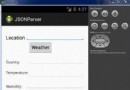 Android JSON 解析實務:用 JSONObject 打造天氣查詢 App
JSON 是 JavaScript Object Notation 的縮寫,雖然源自 JavaScript 的物件語法,卻早已擺脫語言的框架,成為一門獨立、通用且人類易讀
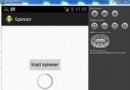 Android 進度條教學:用 Loading Spinner 表達「還不知道要等多久」
當 App 要執行一段耗時的工作,例如從網路下載資料,使用者需要一個「它還在動」的訊號。Android 用 ProgressBar 這個元件來表達等待狀態,而它主要有兩種
 Android 在地化實務:從 strings.xml 到語言切換
在地化的意義在地化不只是翻譯文字,也包括讓應用符合不同地區使用者的閱讀習慣。最常見的做法,是將畫面文字集中管理,並依語言提供不同資源。資源資料夾結構預設字串通常放在 re