

編輯:Android 開發實例
需要「大分類底下各有細項」的階層式清單時,ExpandableListView 是最直接的選擇。它的資料結構天生就是兩層:一組 Group,每個 Group 底下掛若干 Child。本文從版面定義一路做到 Adapter 實作。
<LinearLayout
    android:id="@+id/linearLayout"
    android:layout_width="fill_parent"
    android:layout_height="fill_parent"
    android:orientation="vertical">

    <ExpandableListView
        android:id="@+id/expandableListView"
        android:layout_width="fill_parent"
        android:layout_height="wrap_content" />
</LinearLayout>
用一個 List<String> 存 Group,再用 List<List<String>> 存每個 Group 底下的 Child。
private List<String> groupArray;
private List<List<String>> childArray;

groupArray = new ArrayList<String>();
childArray = new ArrayList<List<String>>();

groupArray.add("第一行");
groupArray.add("第二行");

List<String> tempArray = new ArrayList<String>();
tempArray.add("第一條");
tempArray.add("第二條");
tempArray.add("第三條");

for (int index = 0; index < groupArray.size(); ++index) {
    childArray.add(tempArray);
}
繼承 BaseExpandableListAdapter,實作群組與子項相關的方法。可以把它想成「兩個 Adapter 合體」:一半方法處理 Group,一半處理 Child。
// ExpandableListView 的 Adapter
public class ExpandableAdapter extends BaseExpandableListAdapter {

    Activity activity;

    public ExpandableAdapter(Activity a) {
        activity = a;
    }

    // ===== Child 相關 =====
    public Object getChild(int groupPosition, int childPosition) {
        return childArray.get(groupPosition).get(childPosition);
    }

    public long getChildId(int groupPosition, int childPosition) {
        return childPosition;
    }

    public int getChildrenCount(int groupPosition) {
        return childArray.get(groupPosition).size();
    }

    public View getChildView(int groupPosition, int childPosition,
                             boolean isLastChild, View convertView, ViewGroup parent) {
        String string = childArray.get(groupPosition).get(childPosition);
        return getGenericView(string);
    }

    // ===== Group 相關 =====
    public Object getGroup(int groupPosition) {
        return groupArray.get(groupPosition);
    }

    public int getGroupCount() {
        return groupArray.size();
    }

    public long getGroupId(int groupPosition) {
        return groupPosition;
    }

    public View getGroupView(int groupPosition, boolean isExpanded,
                             View convertView, ViewGroup parent) {
        String string = groupArray.get(groupPosition);
        return getGenericView(string);
    }

    // 建立 Group / Child 共用的 View
    public TextView getGenericView(String string) {
        AbsListView.LayoutParams layoutParams = new AbsListView.LayoutParams(
                ViewGroup.LayoutParams.FILL_PARENT, 64);
        TextView text = new TextView(activity);
        text.setLayoutParams(layoutParams);
        text.setGravity(Gravity.CENTER_VERTICAL | Gravity.LEFT);
        text.setPadding(36, 0, 0, 0);
        text.setText(string);
        return text;
    }

    public boolean hasStableIds() {
        return false;
    }

    public boolean isChildSelectable(int groupPosition, int childPosition) {
        return true;
    }
}
ExpandableListView expandableListView =
        (ExpandableListView) findViewById(R.id.expandableListView);
expandableListView.setAdapter(new ExpandableAdapter(Main.this));
沒有用 convertView:範例每次都 new 一個 TextView,捲動時會製造大量物件。正確做法是先判斷 convertView == null 才建立,否則重複使用——這是所有 Adapter 類型的共通原則。
預設展開與監聽:若想預先展開某幾組,用 expandGroup(position);想回應展開/收合事件,掛 setOnGroupExpandListener() 與 setOnGroupCollapseListener();子項點擊則用 setOnChildClickListener()。
Group 與 Child 的樣式通常不同:範例用同一個 getGenericView() 處理兩者,實務上 Group 需要較大字級與背景色、Child 需要縮排,應該分成兩個方法各自產生 View,或改用不同的 XML 布局。
現代替代方案:若只是兩層結構,用 RecyclerView 搭配多種 viewType 實作會更靈活,效能也更好;若資料量更大且需要懶載入,可考慮 Expandable RecyclerView 這類第三方函式庫。ExpandableListView 在當前 API 中仍可使用,但已不建議作為新專案的首選。
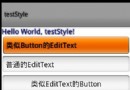 Android 的 Style 與 Theme:一次搞懂主題與樣式的分層設計
現在幾乎每家公司都會在 Android 上部署自己的客戶端,而使用者對介面美觀度的期待也越來越高。Style 與 Theme 就是 Android 用來統一視覺風格、提升
 Android 本地化入門:用 values-it 資料夾讓 App 自動說義大利語
同一支 App 可能同時被東京、法蘭克福、聖保羅的使用者打開。若介面文字寫死,「Hello world!」對誰都只會是英文。Android 的資源系統提供了一套 eleg
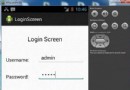 Android 登入頁面開發:帳密驗證與三次錯誤鎖定機制
登入頁面是應用程式的入口。使用者可能要登入 Facebook、微博或其他服務,而這道關卡既要讓正規使用者順利通過,也要擋住惡意嘗試。本章說明如何建立登入介面,並處理安全性
 Android 載入動畫實作:用 Loading Spinner 讓使用者知道「系統還在忙」
當 App 在背後跑一段耗時的工作(下載、查詢、運算)時,畫面如果完全沒有反應,使用者往往會以為程式當掉了,甚至直接把它關掉。這時候一個小小的進度提示,就能大幅改善操作體