

編輯:Android 開發實例
ListActivity 是專門用來顯示列表的 Activity,可透過 setListAdapter 綁定資料來源。若資料來自 SQLite,常會搭配 Cursor 與 SimpleCursorAdapter。
Cursor cursor = db.query(
    TABLE_NAME,
    new String[]{TABLE_ID, TABLE_TITLE, TABLE_URL},
    null, null, null, null, null
);SimpleCursorAdapter adapter = new SimpleCursorAdapter(
this,
android.R.layout.simple_expandable_list_item_1,
cursor,
new String[]{TABLE_TITLE},
new int[]{android.R.id.text1}
);
setListAdapter(adapter);這樣 ListView 就會顯示 cursor 中的 title 欄位。若要顯示更多欄位,可改用自訂 layout 與自訂 Adapter。
若資料不是來自資料庫,也可使用 List 與 Map:
ArrayList<HashMap<String, String>> list = new ArrayList<HashMap<String, String>>();
HashMap<String, String> map = new HashMap<String, String>();
map.put("name", "chenxi");
map.put("ip", "192.168.1.0");
list.add(map);

SimpleAdapter adapter = new SimpleAdapter(
    this,
    list,
    R.layout.a3,
    new String[]{"name", "ip"},
    new int[]{R.id.name, R.id.ip}
);

setListAdapter(adapter);使用 Cursor 時,若 Activity 生命週期結束,建議妥善關閉或交由系統管理,避免游標洩漏。若列表項目點擊後要傳值到其他 Activity,可透過 position 取得對應資料,再放入 Intent。
 Android 載入 Spinner:不確定進度列的顯示與隱藏
在 Android 中,ProgressBar 可分為有明確進度的進度列,以及不確定進度的加載 Spinner。當任務耗時未知,例如等待網路回應,Spinner 很適合提
 用 Gallery 打造 3D 立體相冊:Android 手把手實作(附效果圖)
做過客製開機畫面功能的人應該都遇過這個需求:使用者要先從一堆圖片裡挑一張當開機畫面,所以應用層必須提供一個「能瀏覽、能挑選」的圖片選擇器。與其自己從零打造,不如拿系統既有
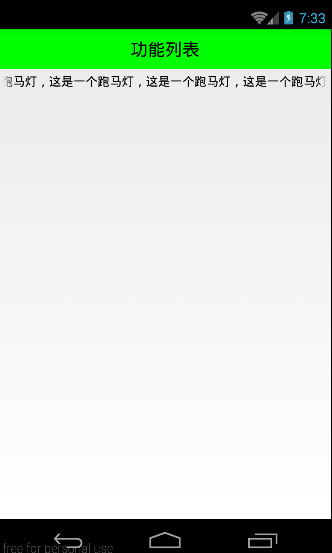 Android 手機衛士(十一):自訂焦點 TextView 實作跑馬燈
跑馬燈效果原理在 Android 中,TextView 要出現跑馬燈效果,通常需要單行顯示、設定 ellipsize 為 marquee,並讓元件取得焦點。若焦點不定時被
 Android MediaPlayer 完整教學:播放控制、進度條與背景播放的界線
MediaPlayer 是 Android 內建的媒體播放類別,能處理本機檔案、raw 資源與網路串流。它 API 不多、上手極快,但正因為簡單,很多人忽略它在背景播放與