

編輯:關於 Android 程式設計
本文為大家分享 Android 發簡訊功能的實現方法,供各位參考,具體內容如下。
首先配置一個佈局:
<LinearLayout xmlns:android="https://schemas.android.com/apk/res/android" xmlns:tools="https://schemas.android.com/tools" android:layout_width="match_parent" android:layout_height="match_parent" android:paddingBottom="@dimen/activity_vertical_margin" android:paddingLeft="@dimen/activity_horizontal_margin" android:paddingRight="@dimen/activity_horizontal_margin" android:paddingTop="@dimen/activity_vertical_margin" tools:context=".MainActivity" android:orientation="vertical" > <EditText android:id="@+id/et_phone" android:layout_width="match_parent" android:layout_height="wrap_content" android:inputType="phone" android:hint="請輸入對方號碼" /> <EditText android:id="@+id/et_content" android:layout_width="match_parent" android:layout_height="wrap_content" android:lines="5" android:hint="請輸入短信內容" android:gravity="top" /> <Button android:layout_width="wrap_content" android:layout_height="wrap_content" android:text="發送" android:onClick="send" /> </LinearLayout>
然後在 Activity 中把發簡訊的程式碼寫出來:
package com.ydl.smssender; import java.util.ArrayList; //省略導包 public class MainActivity extends Activity { @Override protected void onCreate(Bundle savedInstanceState) { super.onCreate(savedInstanceState); setContentView(R.layout.activity_main); } public void send(View v){ //拿到用戶輸入的號碼和內容 EditText et_phone = (EditText) findViewById(R.id.et_phone); EditText et_content = (EditText) findViewById(R.id.et_content); String phone = et_phone.getText().toString(); String content = et_content.getText().toString(); //1.獲取短信管理器 SmsManager sm = SmsManager.getDefault(); //2.切割短信,把長短信分成若干個小短信 ArrayList<String> smss = sm.divideMessage(content);//an ArrayList of strings that, in order, comprise the original message //3.for循環把集合中所有短信全部發出去 for (String string : smss) { sm.sendTextMessage(phone, null, string, null, null);//Send a text based SMS. } } } 發簡訊是需要系統權限的:
<uses-permission android:name="android.permission.SEND_SMS"/>
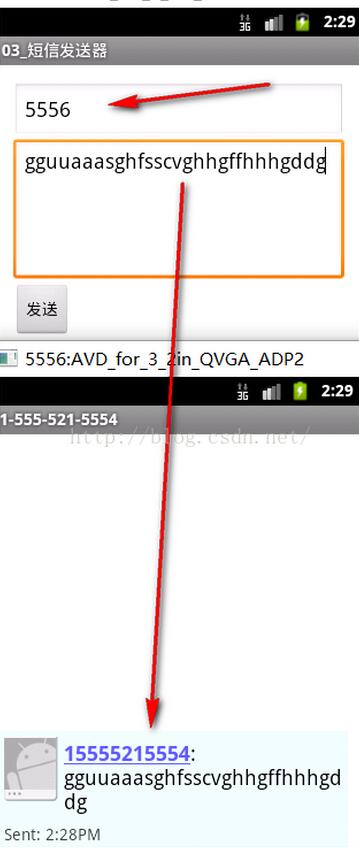
效果:
開了兩個模擬器,實現了發簡訊功能。
以上就是本文的全部內容,希望對大家的學習有所幫助,也希望大家多多支持本站。
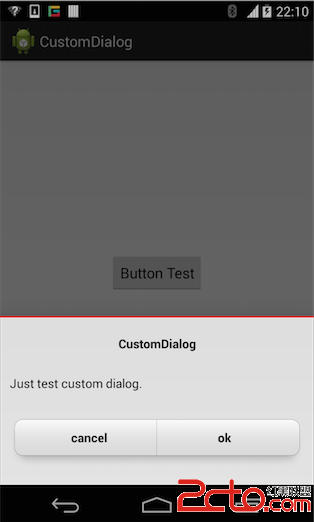 Android 仿 MIUI 風格 Dialog 動畫實作
先來看看效果圖: 其中 show 與 dismiss 的時候都帶有動畫效果。 一開始曾嘗試使用 PopupWindow 來實作,但使用起來並不那麼順手,畢竟它並不是真正
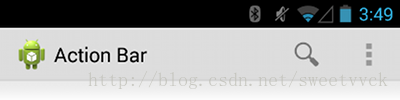 Android 開發實作(八):為 Action Bar 加入 Action 按鈕的完整流程
Action Bar 是使用者操作應用時最熟悉、也最可预期的入口。你可以在上面摆放与当前画面情境最相关的操作项目——这些直接显示在列上的图示或文字,官方称之为 actio
 隱藏 Android 虛擬導航鍵的沉浸式做法
在 Android API 19(KitKat)及以上的設備上,可以通過下面的方法隱藏虛擬按鍵: @SuppressLint(NewApi) private void
 Google Play服務已停止運行解決方法
 許多游戲與應用依賴Google Play服務,若出現停止運行提示,可能是服務框架缺失、版本衝突或文件權限異常。 處理思路