

編輯:關於 Android 程式設計
在登入頁面中,使用者需要輸入帳號與密碼。當軟鍵盤彈起時,常常會遮擋底部的登入按鈕,影響操作體驗。這個問題可以透過版面結構、視窗模式與滾動控制來解決。
一個常見做法是將可滾動內容包在 ScrollView 中,把登入按鈕放在外層。這樣當鍵盤彈起時,可以透過調整滾動位置,讓輸入欄位保持可見。
<RelativeLayout xmlns:android="https://schemas.android.com/apk/res/android"
    android:layout_width="match_parent"
    android:layout_height="match_parent">

    <LinearLayout
        android:id="@+id/ll_center"
        android:layout_width="match_parent"
        android:layout_height="match_parent"
        android:orientation="vertical">

        <ScrollView
            android:id="@+id/sl_center"
            android:layout_width="match_parent"
            android:layout_height="0dp"
            android:layout_weight="1"
            android:scrollbars="none">

            <LinearLayout
                android:layout_width="match_parent"
                android:layout_height="wrap_content"
                android:orientation="vertical">

                <EditText
                    android:id="@+id/sms_login_et_accout"
                    android:layout_width="match_parent"
                    android:layout_height="wrap_content"
                    android:hint="請輸入帳號" />

                <EditText
                    android:id="@+id/sms_login_et_password"
                    android:layout_width="match_parent"
                    android:layout_height="wrap_content"
                    android:hint="請輸入密碼"
                    android:inputType="textPassword" />
            </LinearLayout>
        </ScrollView>

        <Button
            android:id="@+id/sms_login_bt_confirm"
            android:layout_width="match_parent"
            android:layout_height="wrap_content"
            android:text="登錄" />
    </LinearLayout>
</RelativeLayout>
在 AndroidManifest.xml 中,可以為登入 Activity 設定:
android:windowSoftInputMode="stateHidden|adjustResize"
這會讓視窗在鍵盤彈起時調整大小,使 ScrollView 能重新配置可用空間。
當使用者點擊輸入框時,可以讓 ScrollView 捲到合適位置,避免焦點欄位被鍵盤遮住。
etAccount.setOnTouchListener(new View.OnTouchListener() {
    @Override
    public boolean onTouch(View v, MotionEvent event) {
        changeScrollView();
        return false;
    }
});

private void changeScrollView() {
    new Handler().postDelayed(new Runnable() {
        @Override
        public void run() {
            sl_center.scrollTo(0, sl_center.getHeight());
        }
    }, 300);
}
透過版面結構與滾動控制,即使鍵盤彈起,也能讓帳號、密碼與登入按鈕維持良好的可見性。這個思路也適用於註冊頁、表單頁與任何包含多個輸入欄位的畫面。
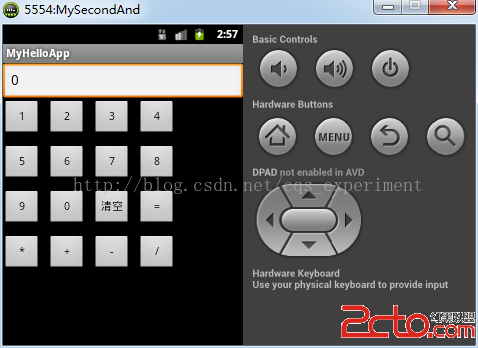 我的第一個 Android 應用:手寫計算器
第一個 Android 應用 —— 計算器 先前完全沒碰過 Android 開發,實際接觸後發現比想像中容易上手,而且很有意思。今天動手做了一個小應用:一台能跑四則運算的
 Android 開發之初識 MVP 模式
MVP 是 Model-View-Presenter 的縮寫。與傳統 MVC 相比,MVP 中 View 與 Model 不直接交互,而是由 Presenter 協調。這
 深入解析 Android「點九圖」.9.png 的原理與製作
什麼是「點九」圖片 「點九」是 Android 平台上特有的一種圖片格式,副檔名為 .9.png。由於 Android 設備的螢幕解析度五花八門,普通切圖一旦被放大或拉
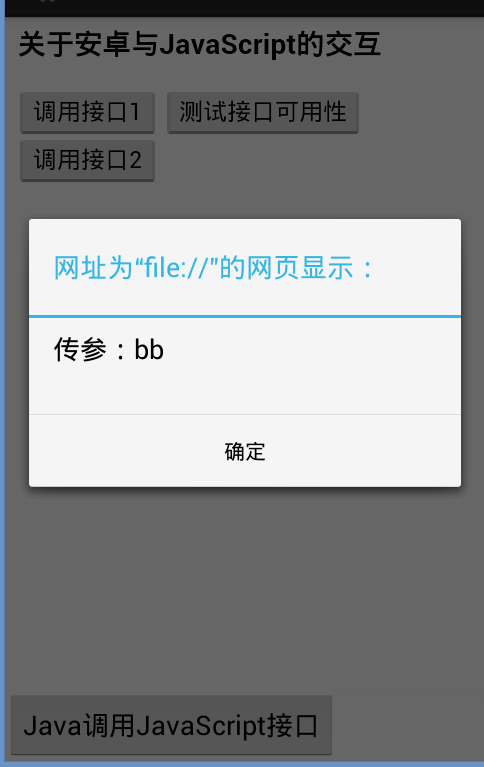 WebView 中介紹 JavaScript 與 Java 雙向調用的完整實踐
混合開發中經常需要網頁調用原生能力,比如拍照、選相冊、錄音。Android 的 WebView 基於 WebKit 內核,內建了 JS 與 Java 互調的接口,接入並不