

編輯:關於 Android 程式設計
VideoView 是 Android 里最省事的視頻播放方案,幾行代碼就能把本地文件或網絡流播起來。本文給出一個可直接運行的完整示例。
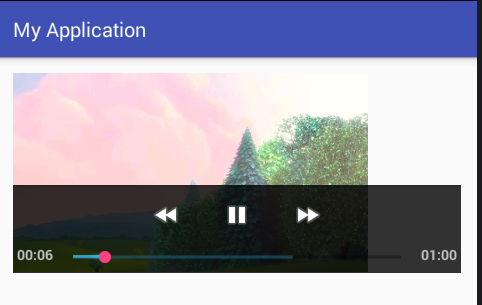
<?xml version="1.0" encoding="utf-8"?>
<RelativeLayout xmlns:android="https://schemas.android.com/apk/res/android"
    xmlns:tools="https://schemas.android.com/tools"
    android:layout_width="match_parent"
    android:layout_height="match_parent"
    android:paddingBottom="@dimen/activity_vertical_margin"
    android:paddingLeft="@dimen/activity_horizontal_margin"
    android:paddingRight="@dimen/activity_horizontal_margin"
    android:paddingTop="@dimen/activity_vertical_margin"
    tools:context="app.com.myapplication.LocalVideoActivity">

    <RelativeLayout
        android:layout_width="match_parent"
        android:layout_height="200dp">
        <VideoView
            android:id="@+id/videoView"
            android:layout_width="match_parent"
            android:layout_height="match_parent" />
    </RelativeLayout>
</RelativeLayout>
public class LocalVideoActivity extends AppCompatActivity {

    private VideoView videoView;

    @Override
    protected void onCreate(Bundle savedInstanceState) {
        super.onCreate(savedInstanceState);
        setContentView(R.layout.activity_local_video);

        // 本地視頻:SD 卡根目錄下的 fl1234.mp4
        String videoUrl1 = Environment.getExternalStorageDirectory().getPath()
                + "/fl1234.mp4";
        // 網絡視頻
        String videoUrl2 = Utils.videoUrl;

        Uri uri = Uri.parse(videoUrl2);
        videoView = (VideoView) this.findViewById(R.id.videoView);

        // 掛上播放控制器(播放/暫停/進度條)
        videoView.setMediaController(new MediaController(this));
        // 播放完成回調
        videoView.setOnCompletionListener(new MyPlayerOnCompletionListener());
        videoView.setVideoURI(uri);
        videoView.start();
    }

    class MyPlayerOnCompletionListener implements MediaPlayer.OnCompletionListener {
        @Override
        public void onCompletion(MediaPlayer mp) {
            Toast.makeText(LocalVideoActivity.this,
                    "播放完成了", Toast.LENGTH_SHORT).show();
        }
    }
}
常量定義:
public class Utils {
    public static final String videoUrl =
            "https://clips.vorwaerts-gmbh.de/big_buck_bunny.mp4";
}
示例里同時準備了兩個地址,實際使用時只需替換 Uri.parse() 的入參:把 videoUrl1 傳進去就是播放本地文件,傳 videoUrl2 就是播放網絡流。本地播放還需要申請 READ_EXTERNAL_STORAGE 權限(Android 6.0 及以上為動態權限,需運行時申請);網絡播放則需要 INTERNET 權限,並在 Android 9.0 之後配置 usesCleartextTraffic 或改用 https 地址。
生命週期處理。VideoView 不會自動隨 Activity 暫停。建議在 onPause() 里記錄當前進度並暫停,在 onResume() 里跳回該位置繼續,避免切換頁面後進度丟失。
錯誤處理。設置 setOnErrorListener 可以捕獲格式不支持、網絡中斷等問題,給用戶友好提示,而不是一片黑屏。
比例問題。VideoView 會拉伸畫面填充容器。若要保持原始比例,可以給容器設置合適的 layout_height,或改用 TextureView 自行控制顯示矩陣。
能力邊界。VideoView 不支持字幕、多音軌、鏡頭切換等進階能力。若產品對播放體驗有要求,建議直接接入 ExoPlayer(現為 Media3)或 IjkPlayer 這類成熟方案。
 Android 取得 SharedPreferences 實例的三種方式與差異
SharedPreferences 是 Android 上用來存放輕量鍵值組資料的元件。取得它的實例目前常見有三種途徑,三者看似相同,實際在檔名與權限上有明顯差別。 三種
 Android 下拉刷新與上拉加載:以 android-pulltorefresh 開源庫實作
為什麼需要它 App 呈現資訊時,不可能一次把全部資料拉回來。為了讓使用者能順手地「往下拉看更多、往下滑載入舊的」,動態分頁加載就成了標配。本文以開源專案 android
 OpenGL ES 多重紋理與程序紋理實作
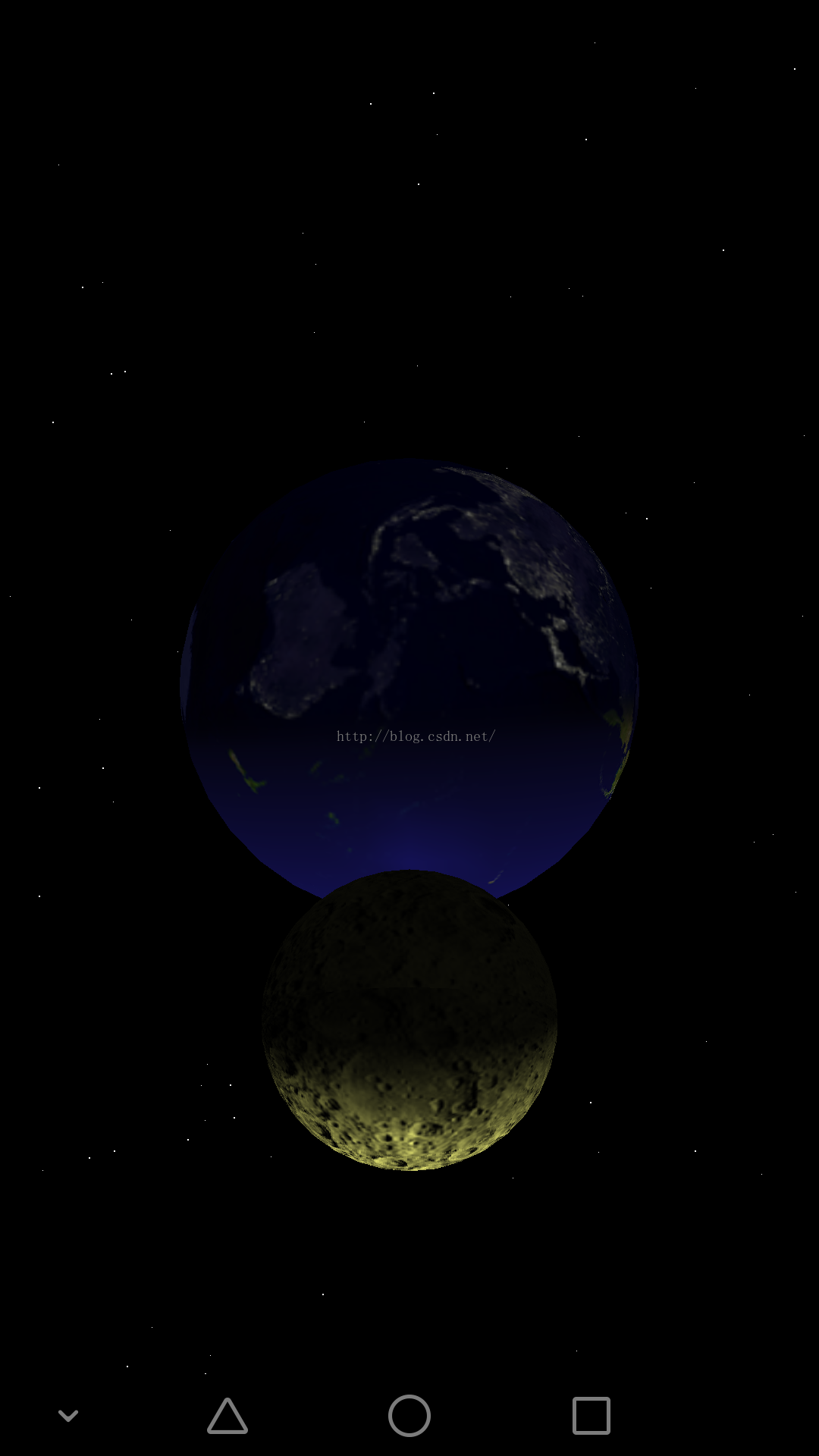
本範例展示如何使用 OpenGL ES 建立星空、地球與月球的 3D 場景,並透過多重紋理與程序紋理呈現更豐富的視覺效果。範例中包含矩陣管理、天球生成、地球晝夜紋理切換與
 Android 多樣化 StatusBar 實作:透明狀態欄與彩色狀態欄
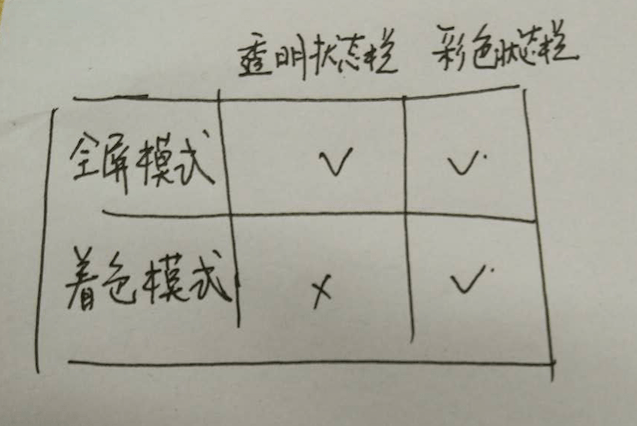
前言 本文以學習、研究與分享為主,歡迎轉載,但請在文章頁面明顯位置附上原文連結。願與志同道合的朋友一起成長。 上一篇沉浸式狀態欄時畫過一張圖,把狀態欄拆成兩個維度來看。相