

編輯:關於 Android 程式設計
這是一個很不錯的藍牙通信 demo,實現了消息的發送與接收,而且只用了兩個類就搞定了。下面先說說整體思路。
整個方案主要包含兩個類:主界面類和藍牙聊天服務類。
首先創建線程,本質上就是實例化 BluetoothChatService(藍牙聊天服務類),並把 Handler 傳進去,這樣後台線程就能操作 UI 界面了。在線程中不斷輪詢讀取藍牙消息;當主界面點擊發送按鈕時,調用 BluetoothChatService 的 write 方法發送數據,同時用 Handler 把發送內容回顯到界面;另一端客戶端也在不斷讀取藍牙消息,通過類似的 read 邏輯把收到的內容顯示到界面。如此一來,雙向通信就完成了。
主界面負責藍牙開關、搜索設備、設置房間名、發送消息等交互,並通過 Handler 接收來自服務層的狀態與消息:
import java.util.ArrayList; import java.util.Set; import android.app.Activity; import android.app.AlertDialog; import android.bluetooth.BluetoothAdapter; import android.bluetooth.BluetoothDevice; import android.content.BroadcastReceiver; import android.content.Context; import android.content.DialogInterface; import android.content.Intent; import android.content.IntentFilter; import android.os.Bundle; import android.os.Handler; import android.os.Message; import android.util.Log; import android.view.Menu; import android.view.MenuItem; import android.view.View; import android.view.View.OnClickListener; import android.view.Window; import android.widget.Button; import android.widget.EditText; import android.widget.TextView; import android.widget.Toast; public class BluetoothChat extends Activity { public static final int MESSAGE_STATE_CHANGE = 1; public static final int MESSAGE_READ = 2; public static final int MESSAGE_WRITE = 3; public static final int MESSAGE_DEVICE_NAME = 4; public static final int MESSAGE_TOAST = 5; public static final String DEVICE_NAME = "device_name"; public static final String TOAST = "toast"; private static final int REQUEST_CONNECT_DEVICE = 1; private static final int REQUEST_ENABLE_BT = 2; private TextView mTitle; private EditText text_chat; private EditText text_input; private Button but_On_Off; private Button but_search; private Button but_create; private Button mSendButton; private String mConnectedDeviceName; private StringBuffer mOutStringBuffer; private BluetoothAdapter mBluetoothAdapter = null; private BluetoothChatService mChatService = null; private ArrayList<String> mPairedDevicesList = new ArrayList<String>(); private ArrayList<String> mNewDevicesList = new ArrayList<String>(); private String[] strName; private String address; @Override public void onCreate(Bundle savedInstanceState) { super.onCreate(savedInstanceState); requestWindowFeature(Window.FEATURE_CUSTOM_TITLE); setContentView(R.layout.main); mTitle = (TextView) this.findViewById(R.id.text_title); text_chat = (EditText) this.findViewById(R.id.text_chat); text_input = (EditText) this.findViewById(R.id.text_input); but_On_Off = (Button) this.findViewById(R.id.but_off_on); but_search = (Button) this.findViewById(R.id.but_search_div); but_create = (Button) this.findViewById(R.id.but_cjlj); mSendButton = (Button) this.findViewById(R.id.but_fsxx); mBluetoothAdapter = BluetoothAdapter.getDefaultAdapter(); if (mBluetoothAdapter == null) { Toast.makeText(this, "沒有藍牙設備", Toast.LENGTH_LONG).show(); finish(); return; } if (mBluetoothAdapter.isEnabled()) { but_On_Off.setText("關閉藍牙"); } else { but_On_Off.setText("開啟藍牙"); } but_On_Off.setOnClickListener(new OnClickListener() { @Override public void onClick(View v) { if (!mBluetoothAdapter.isEnabled()) { mBluetoothAdapter.enable(); Toast.makeText(BluetoothChat.this, "藍牙已開啟", Toast.LENGTH_SHORT).show(); but_On_Off.setText("關閉藍牙"); } else { mBluetoothAdapter.disable(); Toast.makeText(BluetoothChat.this, "藍牙已關閉", Toast.LENGTH_SHORT).show(); but_On_Off.setText("開啟藍牙"); } } }); but_search.setOnClickListener(new OnClickListener() { @Override public void onClick(View v) { searchDevice(); } }); but_create.setOnClickListener(new OnClickListener() { @Override public void onClick(View v) { final EditText et = new EditText(BluetoothChat.this); et.setSingleLine(); et.setText(mBluetoothAdapter.getName()); new AlertDialog.Builder(BluetoothChat.this) .setTitle("請輸入房間名:") .setView(et) .setPositiveButton("確定", new DialogInterface.OnClickListener() { @Override public void onClick(DialogInterface dialog, int which) { String name = et.getText().toString().trim(); if (name.equals("")) { Toast.makeText(BluetoothChat.this, "請輸入房間名", Toast.LENGTH_SHORT).show(); return; } mBluetoothAdapter.setName(name); } }) .setNegativeButton("取消", new DialogInterface.OnClickListener() { @Override public void onClick(DialogInterface dialog, int which) { } }).create().show(); ensureDiscoverable(); } }); Set<BluetoothDevice> pairedDevices = mBluetoothAdapter.getBondedDevices(); if (pairedDevices.size() > 0) { for (BluetoothDevice device : pairedDevices) { mPairedDevicesList.add("已配對:" + device.getName() + "\n" + device.getAddress()); } } else { Toast.makeText(this, "沒有已配對的設備", Toast.LENGTH_SHORT).show(); } IntentFilter filter = new IntentFilter(BluetoothDevice.ACTION_FOUND); this.registerReceiver(mReceiver, filter); filter = new IntentFilter(BluetoothAdapter.ACTION_DISCOVERY_FINISHED); this.registerReceiver(mReceiver, filter); } @Override public void onStart() { super.onStart(); if (!mBluetoothAdapter.isEnabled()) { Intent enableIntent = new Intent(BluetoothAdapter.ACTION_REQUEST_ENABLE); startActivityForResult(enableIntent, REQUEST_ENABLE_BT); } else { if (mChatService == null) setupChat(); } } @Override public synchronized void onResume() { super.onResume(); if (mChatService != null) { if (mChatService.getState() == BluetoothChatService.STATE_NONE) { mChatService.start(); } } } private void setupChat() { mSendButton.setOnClickListener(new OnClickListener() { public void onClick(View v) { String message = text_input.getText().toString(); sendMessage(message); } }); mChatService = new BluetoothChatService(this, mHandler); mOutStringBuffer = new StringBuffer(""); } @Override public void onDestroy() { super.onDestroy(); if (mChatService != null) mChatService.stop(); if (mBluetoothAdapter != null) { mBluetoothAdapter.cancelDiscovery(); } this.unregisterReceiver(mReceiver); } private void ensureDiscoverable() { if (mBluetoothAdapter.getScanMode() != BluetoothAdapter.SCAN_MODE_CONNECTABLE_DISCOVERABLE) { Intent discoverableIntent = new Intent(BluetoothAdapter.ACTION_REQUEST_DISCOVERABLE); discoverableIntent.putExtra(BluetoothAdapter.EXTRA_DISCOVERABLE_DURATION, 300); startActivity(discoverableIntent); } } private void sendMessage(String message) { if (mChatService.getState() != BluetoothChatService.STATE_CONNECTED) { Toast.makeText(this, "沒有連接上", Toast.LENGTH_SHORT).show(); return; } if (message.length() > 0) { byte[] send = message.getBytes(); mChatService.write(send); mOutStringBuffer.setLength(0); text_input.setText(mOutStringBuffer); } } private final Handler mHandler = new Handler() { @Override public void handleMessage(Message msg) { switch (msg.what) { case MESSAGE_STATE_CHANGE: switch (msg.arg1) { case BluetoothChatService.STATE_CONNECTED: mTitle.setText("已經連接"); mTitle.append(mConnectedDeviceName); break; case BluetoothChatService.STATE_CONNECTING: mTitle.setText("正在連接中..."); break; case BluetoothChatService.STATE_LISTEN: case BluetoothChatService.STATE_NONE: mTitle.setText("未連接上"); break; } break; case MESSAGE_WRITE: byte[] writeBuf = (byte[]) msg.obj; String writeMessage = new String(writeBuf); text_chat.append("我:" + writeMessage + "\n"); break; case MESSAGE_READ: byte[] readBuf = (byte[]) msg.obj; String readMessage = new String(readBuf, 0, msg.arg1); text_chat.append(mConnectedDeviceName + ":" + readMessage + "\n"); break; case MESSAGE_DEVICE_NAME: mConnectedDeviceName = msg.getData().getString(DEVICE_NAME); Toast.makeText(getApplicationContext(), "連接到 " + mConnectedDeviceName, Toast.LENGTH_SHORT).show(); break; case MESSAGE_TOAST: Toast.makeText(getApplicationContext(), msg.getData().getString(TOAST), Toast.LENGTH_SHORT).show(); break; } } }; private void linkDevice() { if (mBluetoothAdapter.isDiscovering()) { mBluetoothAdapter.cancelDiscovery(); } int cou = mPairedDevicesList.size() + mNewDevicesList.size(); if (cou == 0) { Toast.makeText(BluetoothChat.this, "沒有搜索到可用的藍牙設備", Toast.LENGTH_SHORT).show(); return; } strName = new String[cou]; for (int i = 0; i < mPairedDevicesList.size(); i++) { strName[i] = mPairedDevicesList.get(i); } for (int i = mPairedDevicesList.size(); i < strName.length; i++) { strName[i] = mNewDevicesList.get(i - mPairedDevicesList.size()); } address = strName[0].substring(strName[0].length() - 17); new AlertDialog.Builder(BluetoothChat.this) .setTitle("搜索到的藍牙設備:") .setSingleChoiceItems(strName, 0, new DialogInterface.OnClickListener() { @Override public void onClick(DialogInterface dialog, int which) { address = strName[which].split("\\n")[1].trim(); } }) .setPositiveButton("連接", new DialogInterface.OnClickListener() { @Override public void onClick(DialogInterface dialog, int which) { if (address == null) { Toast.makeText(BluetoothChat.this, "請先連接外部藍牙設備", Toast.LENGTH_SHORT).show(); return; } BluetoothDevice device = mBluetoothAdapter.getRemoteDevice(address); mChatService.connect(device); } }) .setNegativeButton("取消", new DialogInterface.OnClickListener() { @Override public void onClick(DialogInterface dialog, int which) { } }).create().show(); } private void searchDevice() { mTitle.setText("正在努力搜索中..."); setProgressBarIndeterminateVisibility(true); if (mBluetoothAdapter.isDiscovering()) { mBluetoothAdapter.cancelDiscovery(); } mNewDevicesList.clear(); mBluetoothAdapter.startDiscovery(); } @Override public boolean onCreateOptionsMenu(Menu menu) { menu.add(0, 1, 0, "搜索設備"); menu.add(0, 2, 0, "可被發現"); return true; } private final BroadcastReceiver mReceiver = new BroadcastReceiver() { @Override public void onReceive(Context context, Intent intent) { String action = intent.getAction(); if (BluetoothDevice.ACTION_FOUND.equals(action)) { BluetoothDevice device = intent.getParcelableExtra(BluetoothDevice.EXTRA_DEVICE); if (device.getBondState() != BluetoothDevice.BOND_BONDED) { String s = "未配對: " + device.getName() + "\n" + device.getAddress(); if (!mNewDevicesList.contains(s)) mNewDevicesList.add(s); } } else if (BluetoothAdapter.ACTION_DISCOVERY_FINISHED.equals(action)) { setProgressBarIndeterminateVisibility(false); if (mNewDevicesList.size() == 0) { Toast.makeText(BluetoothChat.this, "沒有發現新設備", Toast.LENGTH_SHORT).show(); } mTitle.setText("未連接"); linkDevice(); } } }; @Override public boolean onOptionsItemSelected(MenuItem item) { switch (item.getItemId()) { case 1: searchDevice(); return true; case 2: ensureDiscoverable(); return true; } return false; } }
這個類承擔了建立與管理藍牙連接的所有工作,內部包含三個線程:一個用於監聽傳入連接(AcceptThread),一個用於主動連接設備(ConnectThread),還有一個在連接建立後負責數據收發(ConnectedThread):
package com.it2388.bluetooth; import java.io.IOException; import java.io.InputStream; import java.io.OutputStream; import java.util.UUID; import android.bluetooth.BluetoothAdapter; import android.bluetooth.BluetoothDevice; import android.bluetooth.BluetoothServerSocket; import android.bluetooth.BluetoothSocket; import android.content.Context; import android.os.Bundle; import android.os.Handler; import android.os.Message; import android.util.Log; public class BluetoothChatService { private static final String TAG = "BluetoothChatService"; private static final boolean D = true; private static final String NAME = "BluetoothChat"; private static final UUID MY_UUID = UUID.fromString("fa87c0d0-afac-11de-8a39-0800200c9a66"); private final BluetoothAdapter mAdapter; private final Handler mHandler; private AcceptThread mAcceptThread; private ConnectThread mConnectThread; private ConnectedThread mConnectedThread; private int mState; public static final int STATE_NONE = 0; public static final int STATE_LISTEN = 1; public static final int STATE_CONNECTING = 2; public static final int STATE_CONNECTED = 3; public BluetoothChatService(Context context, Handler handler) { mAdapter = BluetoothAdapter.getDefaultAdapter(); mState = STATE_NONE; mHandler = handler; } private synchronized void setState(int state) { mState = state; mHandler.obtainMessage(BluetoothChat.MESSAGE_STATE_CHANGE, state, -1).sendToTarget(); } public synchronized int getState() { return mState; } public synchronized void start() { if (mConnectThread != null) { mConnectThread.cancel(); mConnectThread = null; } if (mConnectedThread != null) { mConnectedThread.cancel(); mConnectedThread = null; } if (mAcceptThread == null) { mAcceptThread = new AcceptThread(); mAcceptThread.start(); } setState(STATE_LISTEN); } public synchronized void connect(BluetoothDevice device) { if (mState == STATE_CONNECTING) { if (mConnectThread != null) { mConnectThread.cancel(); mConnectThread = null; } } if (mConnectedThread != null) { mConnectedThread.cancel(); mConnectedThread = null; } mConnectThread = new ConnectThread(device); mConnectThread.start(); setState(STATE_CONNECTING); } public synchronized void connected(BluetoothSocket socket, BluetoothDevice device) { if (mConnectThread != null) { mConnectThread.cancel(); mConnectThread = null; } if (mConnectedThread != null) { mConnectedThread.cancel(); mConnectedThread = null; } if (mAcceptThread != null) { mAcceptThread.cancel(); mAcceptThread = null; } mConnectedThread = new ConnectedThread(socket); mConnectedThread.start(); Message msg = mHandler.obtainMessage(BluetoothChat.MESSAGE_DEVICE_NAME); Bundle bundle = new Bundle(); bundle.putString(BluetoothChat.DEVICE_NAME, device.getName()); msg.setData(bundle); mHandler.sendMessage(msg); setState(STATE_CONNECTED); } public synchronized void stop() { if (mConnectThread != null) { mConnectThread.cancel(); mConnectThread = null; } if (mConnectedThread != null) { mConnectedThread.cancel(); mConnectedThread = null; } if (mAcceptThread != null) { mAcceptThread.cancel(); mAcceptThread = null; } setState(STATE_NONE); } public void write(byte[] out) { ConnectedThread r; synchronized (this) { if (mState != STATE_CONNECTED) return; r = mConnectedThread; } r.write(out); } private void connectionFailed() { setState(STATE_LISTEN); Message msg = mHandler.obtainMessage(BluetoothChat.MESSAGE_TOAST); Bundle bundle = new Bundle(); bundle.putString(BluetoothChat.TOAST, "不能連接到設備"); msg.setData(bundle); mHandler.sendMessage(msg); } private void connectionLost() { setState(STATE_LISTEN); Message msg = mHandler.obtainMessage(BluetoothChat.MESSAGE_TOAST); Bundle bundle = new Bundle(); bundle.putString(BluetoothChat.TOAST, "設備連接中斷"); msg.setData(bundle); mHandler.sendMessage(msg); } private class AcceptThread extends Thread { private final BluetoothServerSocket mmServerSocket; public AcceptThread() { BluetoothServerSocket tmp = null; try { tmp = mAdapter.listenUsingRfcommWithServiceRecord(NAME, MY_UUID); } catch (IOException e) { Log.e("sxd", " ======== ufcomm exception =======", e); } mmServerSocket = tmp; } public void run() { setName("AcceptThread"); BluetoothSocket socket = null; while (mState != STATE_CONNECTED) { try { socket = mmServerSocket.accept(); } catch (IOException e) { Log.e("sxd", "---> accept socket failed <---", e); break; } if (socket != null) { synchronized (BluetoothChatService.this) { switch (mState) { case STATE_LISTEN: case STATE_CONNECTING: connected(socket, socket.getRemoteDevice()); break; case STATE_NONE: case STATE_CONNECTED: try { socket.close(); } catch (IOException e) { Log.e(TAG, "Could not close unwanted socket", e); } break; } } } } } public void cancel() { try { mmServerSocket.close(); } catch (IOException e) { Log.e(TAG, "close() of server failed", e); } } } private class ConnectThread extends Thread { private final BluetoothSocket mmSocket; private final BluetoothDevice mmDevice; public ConnectThread(BluetoothDevice device) { mmDevice = device; BluetoothSocket tmp = null; try { tmp = device.createRfcommSocketToServiceRecord(MY_UUID); } catch (IOException e) { Log.e(TAG, "create() failed", e); } mmSocket = tmp; } public void run() { setName("ConnectThread"); mAdapter.cancelDiscovery(); try { mmSocket.connect(); } catch (IOException e) { Log.e("sxd", "鏈接發生了異常", e); connectionFailed(); try { mmSocket.close(); } catch (IOException e2) { Log.e(TAG, "unable to close() socket during connection failure", e2); } BluetoothChatService.this.start(); return; } synchronized (BluetoothChatService.this) { mConnectThread = null; } connected(mmSocket, mmDevice); } public void cancel() { try { mmSocket.close(); } catch (IOException e) { Log.e(TAG, "close() of connect socket failed", e); } } } private class ConnectedThread extends Thread { private final BluetoothSocket mmSocket; private final InputStream mmInStream; private final OutputStream mmOutStream; public ConnectedThread(BluetoothSocket socket) { mmSocket = socket; InputStream tmpIn = null; OutputStream tmpOut = null; try { tmpIn = socket.getInputStream(); tmpOut = socket.getOutputStream(); } catch (IOException e) { Log.e(TAG, "temp sockets not created", e); } mmInStream = tmpIn; mmOutStream = tmpOut; } public void run() { byte[] buffer = new byte[1024]; int bytes; while (true) { try { bytes = mmInStream.read(buffer); mHandler.obtainMessage(BluetoothChat.MESSAGE_READ, bytes, -1, buffer).sendToTarget(); } catch (IOException e) { Log.e(TAG, "disconnected", e); connectionLost(); break; } } } public void write(byte[] buffer) { try { mmOutStream.write(buffer); mHandler.obtainMessage(BluetoothChat.MESSAGE_WRITE, -1, -1, buffer).sendToTarget(); } catch (IOException e) { Log.e(TAG, "Exception during write", e); } } public void cancel() { try { mmSocket.close(); } catch (IOException e) { Log.e(TAG, "close() of connect socket failed", e); } } } }
總結一下:主界面負責所有交互與 UI 刷新,而 BluetoothChatService 則專注於連接狀態管理與數據流控,兩者通過 Handler 進行消息通信,職責劃分清晰,是學習 Android 藍牙開發時非常值得借鑒的經典結構。
以上就是本文的全部內容,希望對大家的學習有所幫助,也希望大家多多支持本站。
 實戰 Android 記憶體優化(一):Volley 圖片快取洩漏排查
最近的工作中遇到了幾個記憶體優化的問題:其一,應用退出後,此應用的行程仍佔有不少記憶體得不到釋放,用工具強制 GC 也無法釋放;其二,應用進入某些頁面時瞬間請求配置的記憶
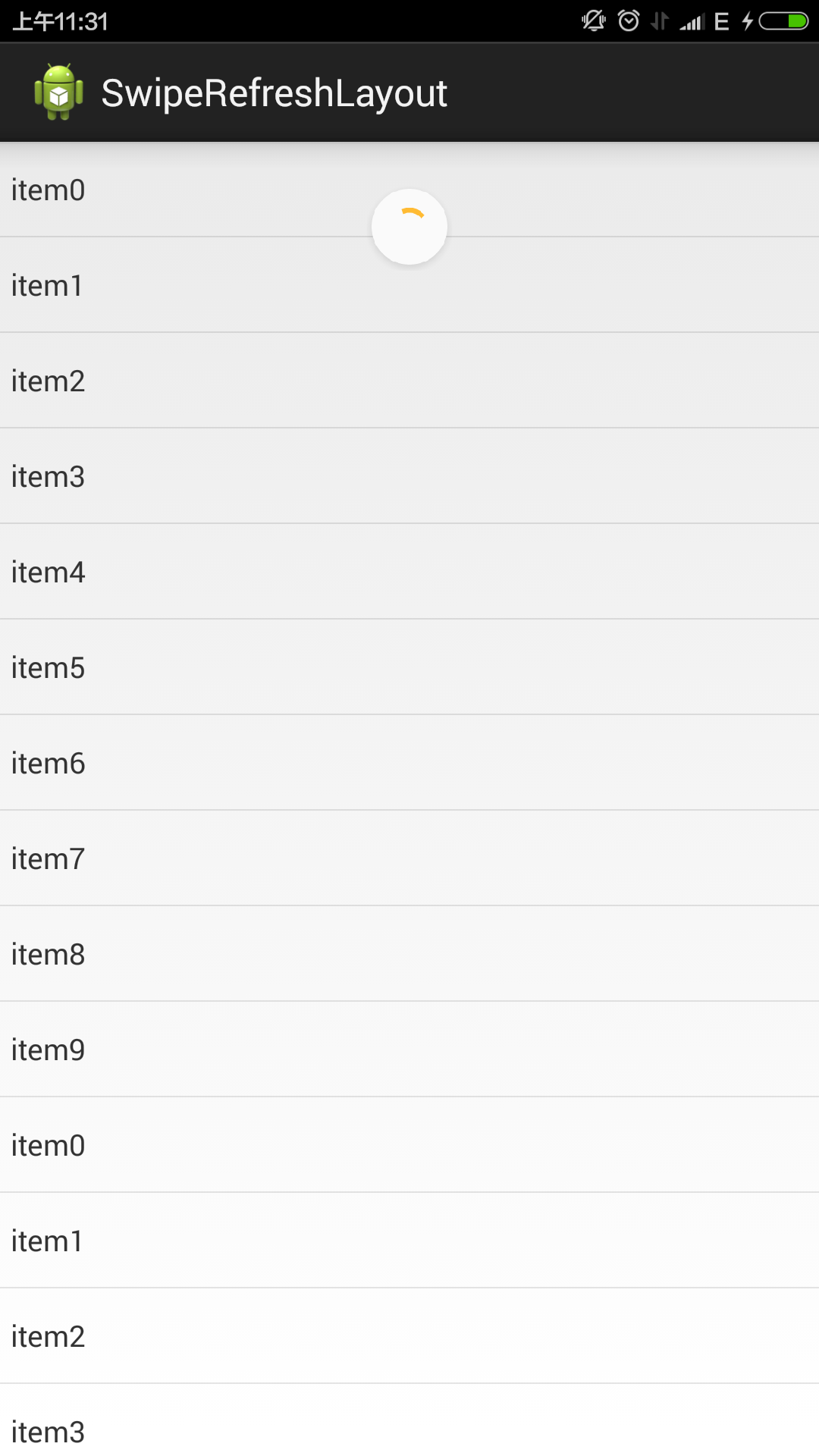 Android 下拉刷新與上拉加載:官方 SwipeRefreshLayout 與 PullToRefresh 兩案對比
本文分兩部分:先用官方 SwipeRefreshLayout 完成下拉刷新,再說明如何用 PullToRefresh 同時支援上拉加載與下拉刷新,並解決「上拉下拉要跑不同
 Android ViewFlipper 動畫圖片輪播實作
在 Android 應用中,圖片輪播是常見的展示方式。本文以 ViewFlipper 為核心,搭配 AnimationUtils 載入動畫資源,示範如何讓圖片在「上一張」
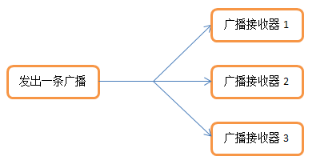 第5章 全局大喇叭:詳解 Android 廣播機制
1、廣播機制簡介 在 Android 中,每個應用都可以為自己感興趣的廣播進行註冊,從而只接收自己關心的內容。這些廣播可能來自系統,也可能來自其他應用。Android 提