

編輯:關於 Android 程式設計
非常駐的通知是可以被用戶手動清除的。如果能監聽到「通知被清除」這個事件,就能做一些補充處理,比如推送計數的重置。本文通過 setDeleteIntent 來實現這一監聽。
private final BroadcastReceiver mBroadcastReceiver = new BroadcastReceiver() { @Override public void onReceive(Context context, Intent intent) { if (intent == null || context == null) { return; } mNotificationManager.cancel(NOTIFICATION_ID_LIVE); String type = intent.getStringExtra(PUSH_TYPE); if (PUSH_TYPE_LINK.equals(type)) { //mNumLinkes = 0; } else if (PUSH_TYPE_LIVE.equals(type)) { //mNumLives = 0; } //這裡可以重新計數 } }; private void sendLiveNotification() { Intent intent = new Intent(NOTIFICATION_CLICK_ACTION); NotificationCompat.Builder mBuilder = new NotificationCompat.Builder(this); String title = "Push測試"; mBuilder.setContentTitle(title); mBuilder.setTicker(title); mBuilder.setContentText("https://233.tv/over140"); mBuilder.setLargeIcon(BitmapFactory.decodeResource(getResources(), R.mipmap.ic_launcher)); mBuilder.setSmallIcon(R.drawable.ic_action_cast); mBuilder.setDefaults(Notification.DEFAULT_ALL); mBuilder.setWhen(System.currentTimeMillis()); mBuilder.setContentIntent(PendingIntent.getBroadcast(this, NOTIFICATION_ID_LIVE, intent, 0)); mBuilder.setDeleteIntent(PendingIntent.getBroadcast(this, NOTIFICATION_ID_LIVE, new Intent(NOTIFICATION_DELETED_ACTION).putExtra(PUSH_TYPE, PUSH_TYPE_LIVE), 0)); mNotificationManager.notify(NOTIFICATION_ID_LIVE, mBuilder.build()); }
1. 最關鍵的是 setDeleteIntent,它在 API Level 11(Android 3.0)新增,正是用它來捕捉通知被移除的時機。
2. 注意不要把 setAutoCancel 設為 true,否則監聽器收不到回調。
3. 這裡統一了點擊通知與消除通知的處理邏輯。
4. 廣播要在推送前注冊好。
實際使用中還發現一個遺留問題:如果 Service 被系統 Kill 掉,點擊通知欄就會沒有反應。這塊仍需進一步考慮,比如把 BroadcastReceiver 改到 AndroidManifest 中靜態注冊,以應對進程被回收的情況。以上就是對 Notification 事件監聽的整理,希望能幫助到 Android 開發的朋友。
 Android 基礎系列(十):深入解讀內容提供者 ContentProvider
一、訪問私有資料庫 我們先建立一個專案,透過 SQLiteOpenHelper 建立一個名為 account 的資料庫,並在其中建立一張名為 info 的資料表。 pu
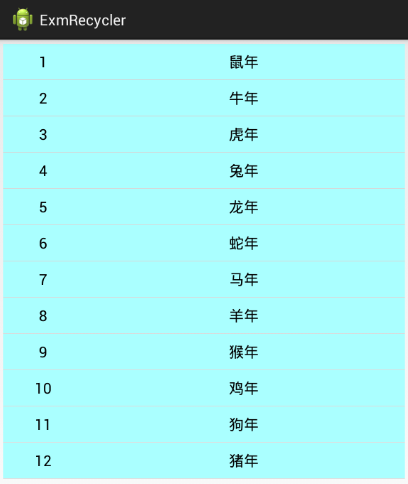 Android 開發筆記(一百二十二):循環器視圖 RecyclerView
RecyclerView 是 Android 在 support-v7 函式庫中推出的控制項,中文譯名為「循環器視圖」。它的功能相當強大,一套元件就能分別實現 ListV
 Android ViewPager 與 Fragment 結合使用
ViewPager 的基本結構ViewPager 常用來實作可左右滑動的頁面切換效果。若希望每一頁顯示不同內容,通常需要搭配 Adapter,並把每一頁設計成 Fragm
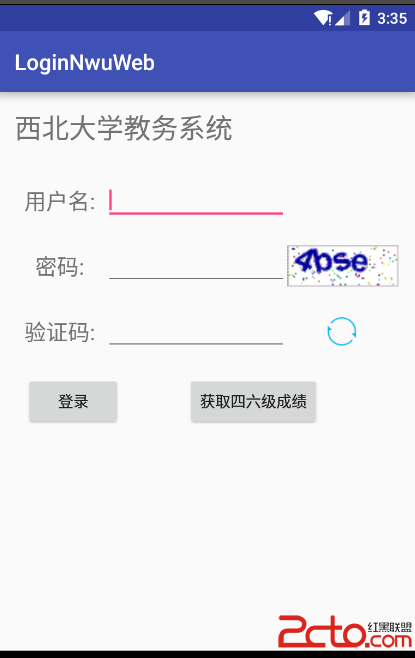 Android 登入客戶端實戰:驗證碼抓取、網頁資料解析與 HttpWatch 抓包
大家好,我是 M1ko。在這個處處都要連網的時代,一個完全沒有網路能力的 App 很難有長但它的生命週期,所以 Android 網路程式設計是每個開發者的必修課。我本身是