

編輯:關於 Android 程式設計
iPhone 的語音識別採用的是 Google 的技術,作為 Google 重點力推的移動系統,Android 自然把這項核心能力內建到了系統之中,並借助 Google 的雲端技術不斷強化。
因此,在 Android 上實現 Google Voice Recognition 變得格外輕鬆。
借助雲端技術,語音識別能夠準確解析用戶的語音輸入,支撐語音控制等多種場景。下面我們就利用 Google 提供的 API 來實現這一功能。
功能目標是:將用戶說出的語音識別成文字,並以列表形式展示出來。
* Copyright (C) 2008 The Android Open Source Project * * Licensed under the Apache License, Version 2.0 (the "License"); * you may not use this file except in compliance with the License. * You may obtain a copy of the License at * * <a href="https://www.apache.org/licenses/LICENSE-2.0" rel="nofollow" target="_blank">https://www.apache.org/licenses/LICENSE-2.0</a> * * Unless required by applicable law or agreed to in writing, software * distributed under the License is distributed on an "AS IS" BASIS, * WITHOUT WARRANTIES OR CONDITIONS OF ANY KIND, either express or implied. * See the License for the specific language governing permissions and * limitations under the License. */ package com.example.android.apis.app; import com.example.android.apis.R; import android.app.Activity; import android.content.Intent; import android.content.pm.PackageManager; import android.content.pm.ResolveInfo; import android.os.Bundle; import android.speech.RecognizerIntent; import android.view.View; import android.view.View.OnClickListener; import android.widget.ArrayAdapter; import android.widget.Button; import android.widget.ListView; import java.util.ArrayList; import java.util.List; /** * Sample code that invokes the speech recognition intent API. */ public class VoiceRecognition extends Activity implements OnClickListener { private static final int VOICE_RECOGNITION_REQUEST_CODE = 1234; private ListView mList; /** * Called with the activity is first created. */ @Override public void onCreate(Bundle savedInstanceState) { super.onCreate(savedInstanceState); // Inflate our UI from its XML layout description. setContentView(R.layout.voice_recognition); // Get display items for later interaction Button speakButton = (Button) findViewById(R.id.btn_speak); mList = (ListView) findViewById(R.id.list); // Check to see if a recognition activity is present PackageManager pm = getPackageManager(); List activities = pm.queryIntentActivities( new Intent(RecognizerIntent.ACTION_RECOGNIZE_SPEECH), 0); if (activities.size() != 0) { speakButton.setOnClickListener(this); } else { speakButton.setEnabled(false); speakButton.setText("Recognizer not present"); } } /** * Handle the click on the start recognition button. */ public void onClick(View v) { if (v.getId() == R.id.btn_speak) { startVoiceRecognitionActivity(); } } /** * Fire an intent to start the speech recognition activity. */ private void startVoiceRecognitionActivity() { Intent intent = new Intent(RecognizerIntent.ACTION_RECOGNIZE_SPEECH); intent.putExtra(RecognizerIntent.EXTRA_LANGUAGE_MODEL, RecognizerIntent.LANGUAGE_MODEL_FREE_FORM); intent.putExtra(RecognizerIntent.EXTRA_PROMPT, "Speech recognition demo"); startActivityForResult(intent, VOICE_RECOGNITION_REQUEST_CODE); } /** * Handle the results from the recognition activity. */ @Override protected void onActivityResult(int requestCode, int resultCode, Intent data) { if (requestCode == VOICE_RECOGNITION_REQUEST_CODE && resultCode == RESULT_OK) { // Fill the list view with the strings the recognizer thought it could have heard ArrayList matches = data.getStringArrayListExtra( RecognizerIntent.EXTRA_RESULTS); mList.setAdapter(new ArrayAdapter(this, android.R.layout.simple_list_item_1, matches)); } super.onActivityResult(requestCode, resultCode, data); } } 以上就是本文的全部內容,希望對大家的學習有所幫助。
 Android也有安全模式!不用雙清也能排查APP衝突
Android手機若因第三方應用相容性導致不穩,可進入安全模式排查。以華為榮耀6 Plus為例,開機出現Logo時長按音量下鍵,直到左下角顯示安全模式。 安全模式只載入系
 Android 自動化測試:Espresso 框架入門
單元測試與 UI 自動化測試能協助開發者在早期發現問題,減少人工回歸成本。Android 官方推薦的 Espresso 框架,提供語意化 API,適合驗證使用者操作與畫面
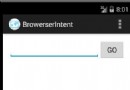 Android 百日程式 開篇章:用 Intent 打開網頁
看到有人挑戰「100 天寫 100 個網頁」,我也來用 100 天寫 100 個完整的 Android 程式。這些程式的基本要求有兩點: 1. 完整性——每個程式都必須獨
 靠譜助手怎麼輸入中文
在手機上打中文很簡單,但在靠譜助手這個跑在電腦上的安卓模擬器裡,直接用電腦鍵盤打字卻完全沒反應。原因是模擬器裡並沒有中文輸入法。以下以百度輸入法為例示範(實測相容性較好)