

編輯:關於 Android 程式設計
當 Activity 的內容超出螢幕顯示範圍時,就需要靠滾動條來瀏覽全部內容。若同時需要垂直與水平方向的滾動,可以透過 ScrollView 嵌套 HorizontalScrollView 來實現。
<ScrollView xmlns:android="https://schemas.android.com/apk/res/android" android:layout_width="match_parent" android:layout_height="match_parent" android:scrollbars="vertical" > <HorizontalScrollView android:layout_width="wrap_content" android:layout_height="wrap_content" > <LinearLayout android:orientation="vertical" android:layout_width="fill_parent" android:layout_height="fill_height" > </LinearLayout> </HorizontalScrollView> </ScrollView>
結構很單純:最外層是 ScrollView,其子標籤是 HorizontalScrollView,再把你要滾動的內容布局放進最內層即可。
要特別注意:ScrollView 與 HorizontalScrollView 底下都只能嵌入一個子標籤。若需要放多個元件,請先用一個容器(例如 LinearLayout)把它們包起來,再放進滾動檢視中,否則會編譯出錯。
掌握這個嵌套結構,就能輕鬆為 Activity 加上雙向滾動能力,讓超出螢幕的內容都能完整呈現。
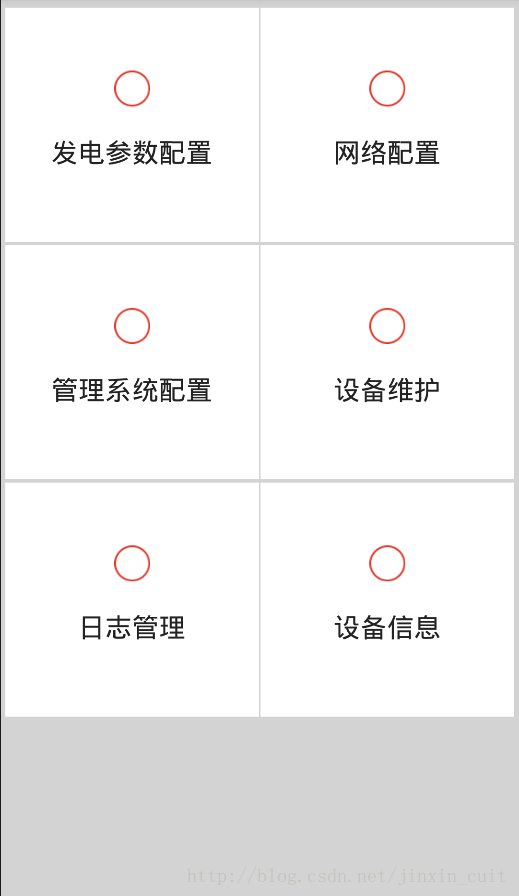 用原生 GridView 做一個九宮格功能頁
需求背景 新專案有個頁面要做成九宮格:每個 Item 上方一張圖片、下方一行文字說明,點擊後跳到對應的功能頁。與其去找第三方庫,不如直接用 Android 原生的 Gri
 Android Studio 2.2 正式版深度體驗:更快、更智慧、更貼心
早在 I/O 2016,Google 就放出了 Android Studio 2.2 的預覽版,揭示了多項改進。但為了不影響公司專案,我通常不碰預覽版——預覽版意味著不穩
 RecyclerView 滑動邊界檢測:打造可靠的頂部與底部判斷工具
從滑動監聽到邊界判斷 在 Android 開發中,RecyclerView 常用於長列表與動態資料展示。當我們需要實作「加載更多」、「回到頂部」、浮動按鈕的顯示與隱藏,或
 Android 自定義水波紋流量球進度條控制器的實現
本篇帶大家打造一個仿水波紋的流動球進度條控制器,這是 Android 裡相當主流又吸睛的特效,效果高級大氣。以下為完整實現思路與代碼,供大家參考。 先看效果圖: Cir