

編輯:關於 Android 程式設計
ImageSwitcher 是 ViewSwitcher 的子類,它實現的效果是在切換 ImageView 的同時帶上動畫。使用它需要兩個步驟:
1)為 ImageSwitcher 提供一個 ViewFactory,該 Factory 產生的 View 必須是 ImageView;
2)需要切換時,只需呼叫 setImageDrawable()、setImageResource() 或 setImageURL() 即可。
<LinearLayout xmlns:android="https://schemas.android.com/apk/res/android"
    xmlns:tools="https://schemas.android.com/tools"
    android:layout_width="match_parent"
    android:layout_height="match_parent"
    android:orientation="vertical"
    tools:context=".MainActivity" >

    <ImageSwitcher
        android:id="@+id/imageswitcher"
        android:layout_width="200dp"
        android:layout_height="200dp"
        android:layout_gravity="center_horizontal" />

    <RelativeLayout
        android:layout_width="match_parent"
        android:layout_height="match_parent"
        android:orientation="horizontal" >
        <Button
            android:id="@+id/back"
            android:layout_width="wrap_content"
            android:layout_height="wrap_content"
            android:layout_alignParentLeft="true"
            android:text="back" />
        <Button
            android:id="@+id/forward"
            android:layout_width="wrap_content"
            android:layout_height="wrap_content"
            android:layout_alignParentRight="true"
            android:text="forward" />
    </RelativeLayout>
</LinearLayout>
package com.example.android_imageswitcher1;

import android.app.Activity;
import android.os.Bundle;
import android.view.View;
import android.view.View.OnClickListener;
import android.widget.Button;
import android.widget.ImageSwitcher;
import android.widget.ImageView;
import android.widget.ViewSwitcher.ViewFactory;

public class MainActivity extends Activity implements ViewFactory, OnClickListener {

    ImageSwitcher mImageSwitcher = null;
    Button btn1, btn2;
    int index = 0;
    int[] resId = new int[9];

    @Override
    protected void onCreate(Bundle savedInstanceState) {
        super.onCreate(savedInstanceState);
        setContentView(R.layout.activity_main);

        mImageSwitcher = (ImageSwitcher) this.findViewById(R.id.imageswitcher);
        btn1 = (Button) this.findViewById(R.id.back);
        btn2 = (Button) this.findViewById(R.id.forward);
        btn1.setOnClickListener(this);
        btn2.setOnClickListener(this);

        mImageSwitcher.setFactory(this);
        mImageSwitcher.setInAnimation(this, android.R.anim.slide_in_left);
        mImageSwitcher.setOutAnimation(this, android.R.anim.slide_out_right);

        initResources();
        if (resId.length > 0) {
            mImageSwitcher.setImageResource(resId[0]);
        }
    }

    public void initResources() {
        resId[0] = R.drawable.adobe;
        resId[1] = R.drawable.android;
        resId[2] = R.drawable.circle;
        resId[3] = R.drawable.digg;
        resId[4] = R.drawable.flower;
        resId[5] = R.drawable.gmail;
        resId[6] = R.drawable.imdb;
        resId[7] = R.drawable.photo;
        resId[8] = R.drawable.point;
    }

    @Override
    public View makeView() {
        return new ImageView(MainActivity.this);
    }

    @Override
    public void onClick(View view) {
        int action = view.getId();
        switch (action) {
            case R.id.back:
                index--;
                if (index < 0) {
                    index = resId.length - 1;
                }
                mImageSwitcher.setImageResource(resId[index]);
                break;
            case R.id.forward:
                index++;
                if (index > resId.length - 1) {
                    index = 0;
                }
                mImageSwitcher.setImageResource(resId[index]);
                break;
            default:
                break;
        }
    }
}
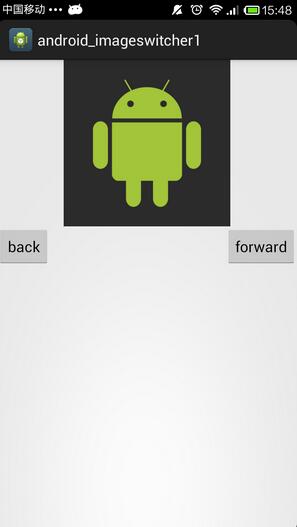
關鍵在於 setInAnimation 與 setOutAnimation 這兩行:分別指定進場與退場動畫,切換時就會有滑動般的過場效果,而索引邊界判斷則讓圖片可以首尾循環。
最終效果如下:
以上就是本文的全部內容,希望對大家學習 Android 軟體編程有所幫助。
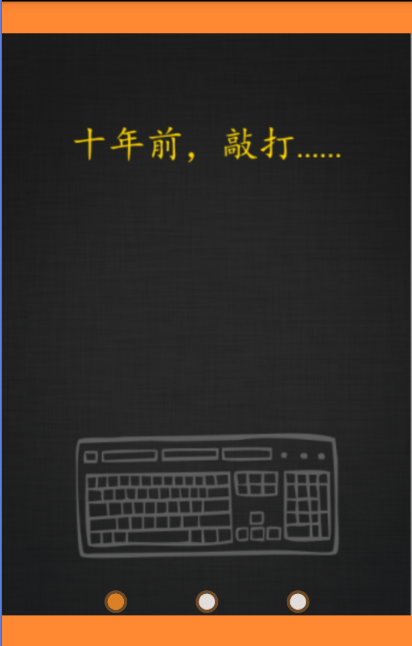 Android ViewPager 引導頁實作:圖片輪播、指示點與跳轉
首次啟動的引導頁能幫助使用者快速理解產品功能。以 ViewPager 搭配自訂 PagerAdapter,可以實現可滑動的引導流程,並加上指示點與最後一頁的跳轉按鈕。
 自製音樂播放器筆記(七):進度條拖動、循環模式與專輯封面倒影
一、成果預覽 二、功能拆解與思路 前幾篇被讀者點評「只貼程式碼沒什麼用」,這次先把思路講清楚。這一系列是把影片課程轉成筆記,再加上自己補充的功能,程式碼該給還是得給,
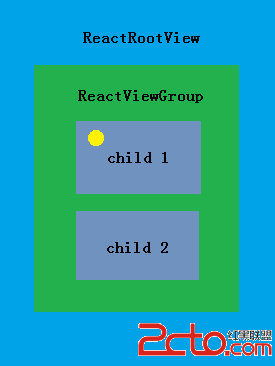 React Native Android 篇:Touch 事件源碼原理與五種按壓狀態效果實作
Native 相比 Hybrid 或 H5 最大的優勢,就在於流暢且複雜的互動效果,觸摸事件正是其中的核心,包含點擊(Click)、長按(LongClick)與手勢(Ge
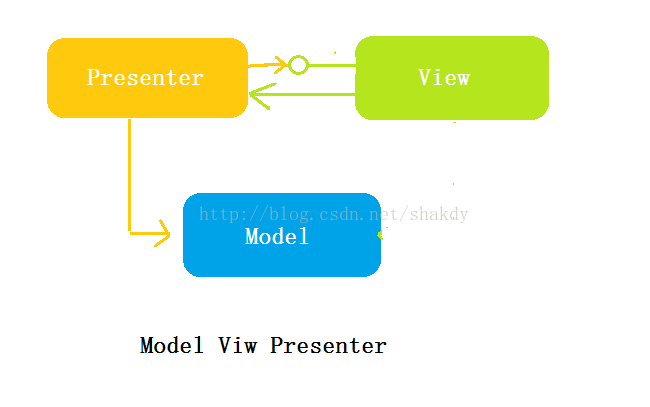 Android 架構筆記:從 MVC 到 MVP 的轉向與實作
本文主線:先想清楚「怎麼選架構、為什麼要學 MVP」,再透過 MVC 與 MVP 的對比理解概念,最後用一個登入的實作把 MVP 跑一遍。 提問:我們到底在選什麼? 為什