

編輯:關於 Android 程式設計
作為 Android 學習的入門實作,本文將帶大家用 Android Studio 建立一個簡單的專案:透過兩個按鈕分別顯示目前的日期與時間。
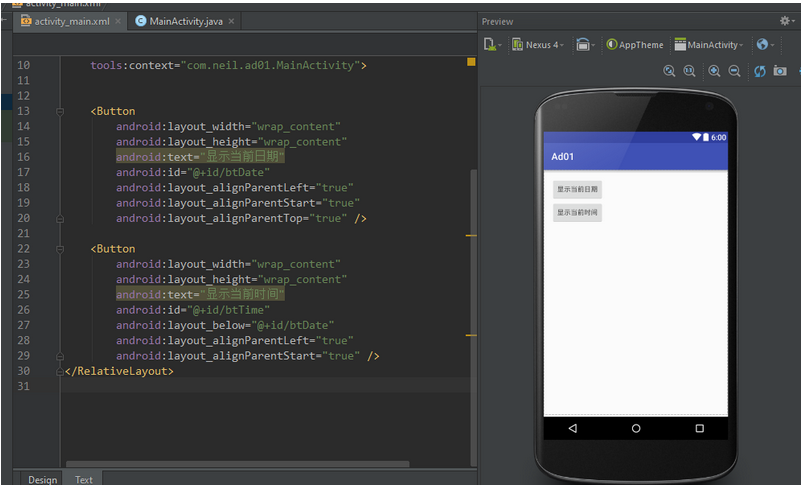
首先新建專案並選擇空白模板,然後拖入兩個 Button,將它們的 id 分別命名為 btDate(顯示日期)與 btTime(顯示時間)。布局 XML 代碼如下:
<?xml version="." encoding="utf-"?> <RelativeLayout xmlns:android="https://schemas.android.com/apk/res/android" xmlns:tools="https://schemas.android.com/tools" android:layout_width="match_parent" android:layout_height="match_parent" android:paddingBottom="@dimen/activity_vertical_margin" android:paddingLeft="@dimen/activity_horizontal_margin" android:paddingRight="@dimen/activity_horizontal_margin" android:paddingTop="@dimen/activity_vertical_margin" tools:context="com.neil.ad.MainActivity"> <Button android:layout_width="wrap_content" android:layout_height="wrap_content" android:text="顯示當前日期" android:id="@+id/btDate" android:layout_alignParentLeft="true" android:layout_alignParentStart="true" android:layout_alignParentTop="true" /> <Button android:layout_width="wrap_content" android:layout_height="wrap_content" android:text="顯示當前時間" android:id="@+id/btTime" android:layout_below="@+id/btDate" android:layout_alignParentLeft="true" android:layout_alignParentStart="true" /> </RelativeLayout>
效果如下圖所示:
一個標準的 Android 視窗類需要繼承 android.app.Activity,並至少實作 onCreate 方法來初始化視窗。接著完成邏輯代碼:
package com.neil.ad; import android.app.Activity; import android.app.AlertDialog; import android.content.Intent; import android.os.Bundle; import android.view.View; import android.widget.Button; import java.text.SimpleDateFormat; import java.util.Date; public class MainActivity extends Activity implements View.OnClickListener { private void showDialog(String title,String msg) { AlertDialog.Builder builder=new AlertDialog.Builder(this); //設置對話框的圖標 builder.setIcon(android.R.drawable.ic_dialog_info); //設置對話框的標題 builder.setTitle(title); //設置對話框的信息 builder.setMessage(msg); //設置對話框的按鈕 builder.setPositiveButton("確定",null); //顯示對話框 builder.create().show(); Intent intent; } //初始化窗口 @Override protected void onCreate(Bundle savedInstanceState) { super.onCreate(savedInstanceState); //裝載了View(剛才編寫的XML文件) setContentView(R.layout.activity_main); //獲得兩個按鈕對象的實例 Button btDate=(Button)findViewById(R.id.btDate); Button btTime=(Button)findViewById(R.id.btTime); //為兩個按鈕添加單擊事件的監聽(實現了OnClickListener接口的對象) btDate.setOnClickListener(this); btTime.setOnClickListener(this); } //兩個按鈕共用一個單擊事件,通過按鈕的id區分單擊了哪個按鈕 @Override public void onClick(View v) { switch (v.getId()) { case R.id.btDate: { SimpleDateFormat sdf = new SimpleDateFormat("yyyy-MM-dd"); //顯示當前日期 showDialog("當前日期", sdf.format(new Date())); break; } case R.id.btTime: { SimpleDateFormat sdf = new SimpleDateFormat("HH:mm:ss"); //顯示當前日期 showDialog("當前時間", sdf.format(new Date())); break; } } } }
重點筆記:
1,AlertDialog 可用於顯示對話框。
2,若多個控制項共用同一個事件方法,必須在布局中為每個控制項指定不重複的 android:id 屬性,才能在 onClick 中透過 v.getId() 區分是哪個控制項被點擊。
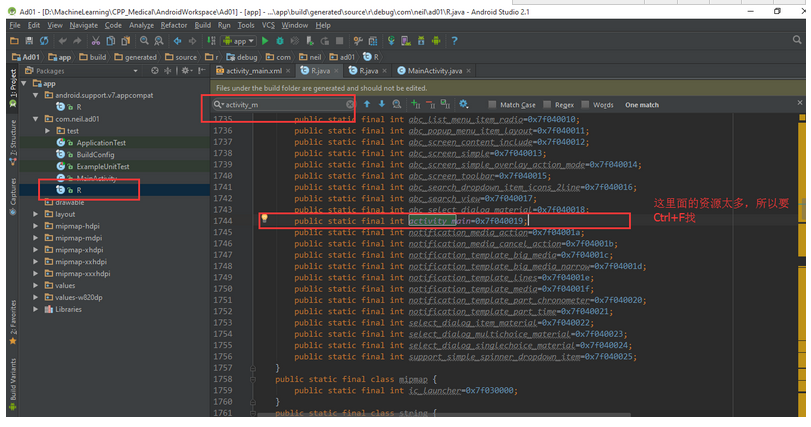
3,res 資源目錄中的每一個資源檔,都會在 gen 目錄下的 R 類中生成一個 int 型變量用於標識。因此在 onCreate 中可以透過 R.layout.activity_main 引用布局檔。
4,若要使用單擊事件,必須實作 OnClickListener 接口,其 onClick 方法即為單擊事件的回呼方法。
此外,Android 應用中的任何視窗類都必須在 AndroidManifest.xml 中定義,否則無法使用。清單檔代碼如下:
<?xml version="1.0" encoding="utf-8"?> <manifest xmlns:android="https://schemas.android.com/apk/res/android" package="com.neil.ad01"> <application android:allowBackup="true" android:icon="@mipmap/ic_launcher" android:label="@string/app_name" android:supportsRtl="true" android:theme="@style/AppTheme"> <activity android:name=".MainActivity" android:label="@string/title_activity_main"> <intent-filter> <action android:name="android.intent.action.MAIN" /> <category android:name="android.intent.category.LAUNCHER" /> </intent-filter> </activity> </application> </manifest>
還可以在 string.xml 中修改 android:label 的值,內容如下:
<resources> <string name="app_name">顯示日期時間</string> <string name="title_activity_main">顯示日期時間</string> </resources>
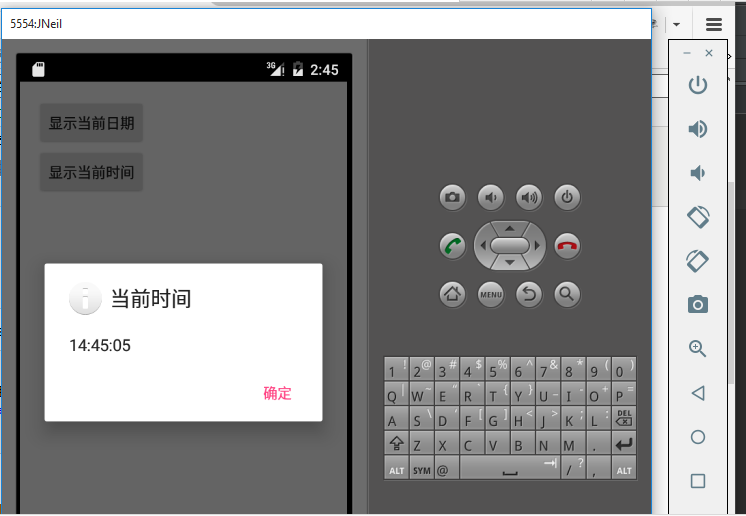
至此代碼部分全部完成,點擊運行按鈕,即可在模擬器中生成 app。
關於模擬器,Android Studio 自帶的模擬器需要處理 Windows 的 Hyper-V 虛擬機與 HAXM 加速器設定,安裝第三方模擬器又常遇到識別問題,確實讓人頭疼。所幸跨平台開發工具越來越成熟,無論是基於 C++ 還是 VC++ 的 Android 開發方案都不斷推陳出新,各大平台之間的協同也日益強大,值得期待更多突破。
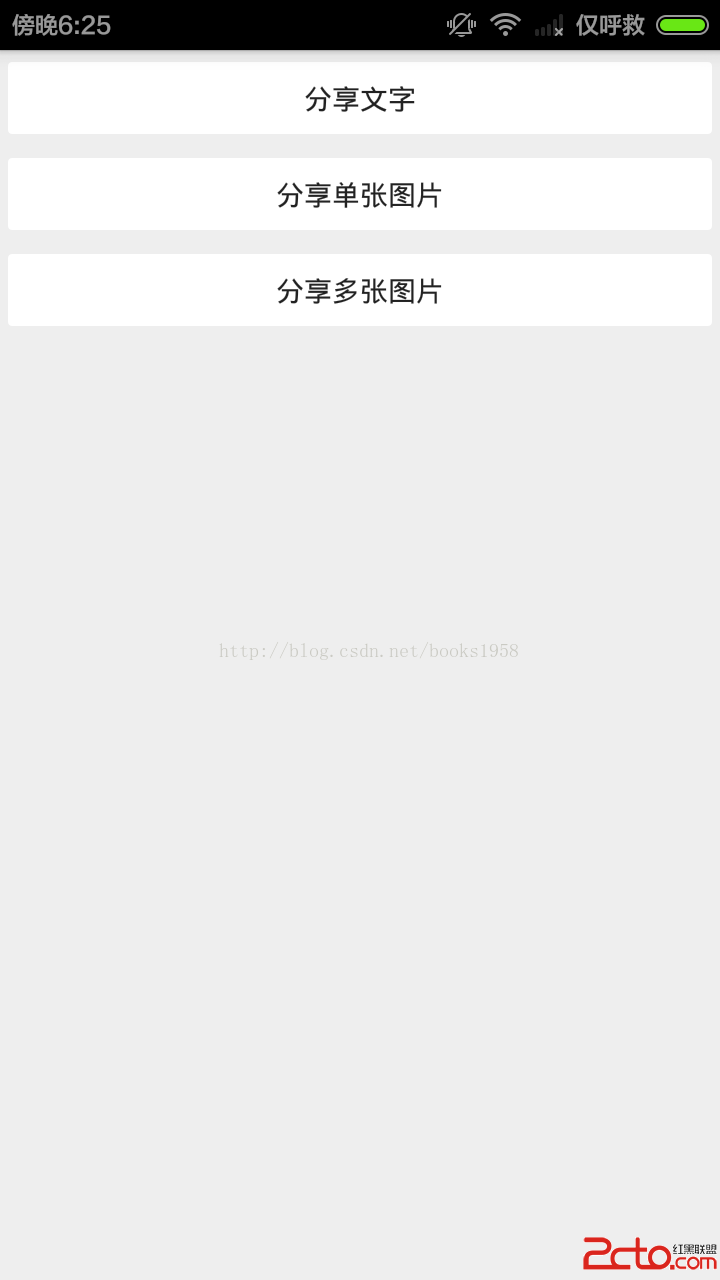 Android 調用系統分享:文字、單圖與多圖三種場景
分享功能不必自己實現,Android 內建的 ACTION_SEND 就能把內容拋給微信、郵件、藍牙等所有已安裝的目標應用。核心只有三件事:設置 action、塞入數據、
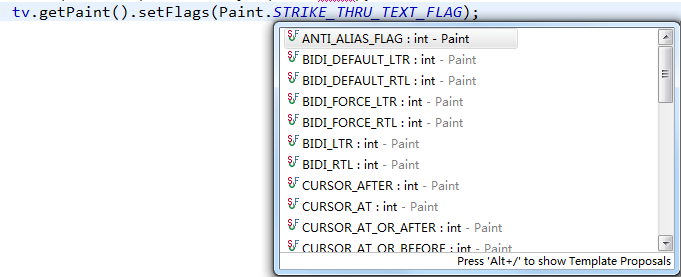 Android為TextView添加刪除線的簡便實現
在做商城項目時遇到這樣一個需求:同一個產品下有兩個價格,一個是市場價,一個是銷售價,這時需要給市場價加上刪除線。 剛遇到這個問題時,我在網上翻了半天資料,看到最多的方案是
 Android 中涉及的經典設計模式
組合模式 Android 對組合模式的應用可謂隨處可見,最典型的就是 View 和 ViewGroup 類的使用。在 Android UI 設計中,幾乎所有的 widge
 Android 學習筆記(四):Activity 全景解析——生命週期、通信、啟動模式與系統調用
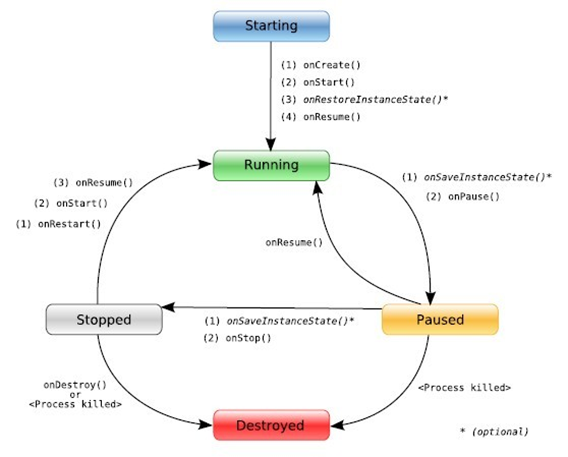
一、Activity 是什麼 Activity 是 Android 四大組件之一,用於承載 View、提供用戶交互入口。它本身並不繪製界面,而是創建一個窗口,在其上進行繪