

編輯:關於 Android 程式設計
本文透過一個實例,介紹如何使用 BroadcastReceiver 實現「手機開機後自動顯示指定畫面」的功能。
使用 BroadcastReceiver 需要繼承該類並重寫 onReceive(Context context, Intent intent) 方法,在這個方法中加入想要執行的邏輯。下面的例子在開機後自動顯示一個包含圖片與問候語的畫面。
首先,主 Activity 負責顯示圖片與文字:
import android.app.Activity; import android.os.Bundle; import android.widget.ImageView; import android.widget.TextView; public class A01Activity extends Activity { private TextView tv; private ImageView iv; /** Called when the activity is first created. */ @Override public void onCreate(Bundle savedInstanceState) { super.onCreate(savedInstanceState); setContentView(R.layout.main); tv=(TextView)findViewById(R.id.tv); tv.setText("歡迎光臨168855"); iv=(ImageView)findViewById(R.id.iv); iv.setBackgroundResource(R.drawable.a); } }
接著在同一個 package 中寫一個繼承 BroadcastReceiver 的類,在開機廣播到達時啟動上述 Activity:
import android.content.BroadcastReceiver; import android.content.Context; import android.content.Intent; public class A01_01 extends BroadcastReceiver{ @Override public void onReceive(Context arg0, Intent arg1) { // TODO Auto-generated method stub Intent i=new Intent(arg0,A01Activity.class); i.setFlags(Intent.FLAG_ACTIVITY_NEW_TASK); arg0.startActivity(i); } }
為了捕捉系統開機所發送的廣播,必須在 AndroidManifest.xml 的 <application> 中設置 <receiver> 標記,並把它的 intent-filter 指定為 android.intent.action.BOOT_COMPLETED:
<?xml version="1.0" encoding="utf-8"?> <manifest xmlns:android="https://schemas.android.com/apk/res/android" package="com.my.a01" android:versionCode="1" android:versionName="1.0" > <uses-sdk android:minSdkVersion="10" /> <application android:icon="@drawable/ic_launcher" android:label="@string/app_name" > <activity android:name=".A01Activity" android:label="@string/app_name" > <intent-filter> <action android:name="android.intent.action.MAIN" /> <category android:name="android.intent.category.LAUNCHER" /> </intent-filter> </activity> <receiver android:name="A01_01"> <intent-filter> <action android:name="android.intent.action.BOOT_COMPLETED"></action> <category android:name="android.intent.category.HOME"></category> </intent-filter> </receiver> </application> </manifest>
透過監聽 BOOT_COMPLETED 這個系統開機完成廣播,就能在每次開機後自動跳出指定畫面。希望本文所述對你的 Android 開發有所幫助。
 Android 學習筆記(23):AdapterView 的子類們——列表與網格容器全解
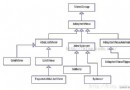
AdapterView 是 Android 中「數據驅動型容器」的抽象基類。它的子類 ListView、GridView、Spinner、Gallery、AdapterV
 ListView 進階筆記(二):三大優化與常見疑難的破解
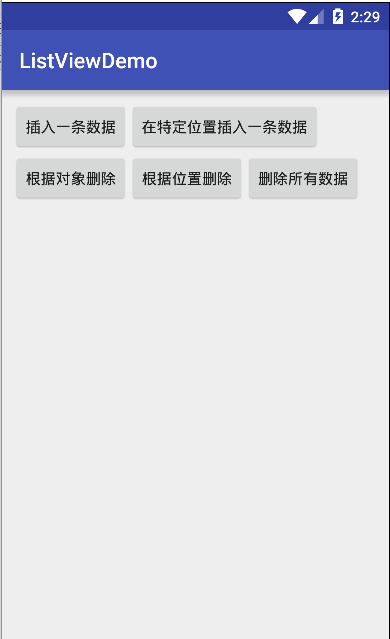
上一篇我們介紹了幾種常見 Adapter 的簡單實作與 ListView 的基本用法,這一篇則聚焦在優化手法,以及實作中經常遇到的幾個問題。 優化一:複用 convert
 Eclipse 啟動就報「Failed to create the Java Virtual Machine」?兩個關鍵設定改掉就好
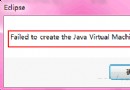
剛開始接觸 Android 開發、正忙著架設環境的時候,很多人下載了最新版的 Eclipse,卻在雙擊啟動的那一刻被一張錯誤視窗擋住:Failed to create t
 Android 仿微信聯絡人字母排序效果實作
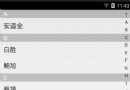
效果說明聯絡人列表常見字母索引功能,使用者可以透過右側字母列快速跳到對應姓氏或名稱。這種效果在通訊錄、好友列表與音樂應用中都很常見。本文以類似微信聯絡人的字母索引為例,說