

編輯:關於 Android 程式設計
自從 Google 在 v23.2 支援庫中把 AppCompat 全面改用 Vector 圖示後,AAR 包直接瘦身約 9%、將近 70KB,而這份好處會自動惠及所有相容版本。Vector 就是 SVG 在 Android 上的原生形式:自適應任何解析度、檔案極小,還能拿來做動畫。本文示範如何用它畫出一段會「自己長出來」的心形線。
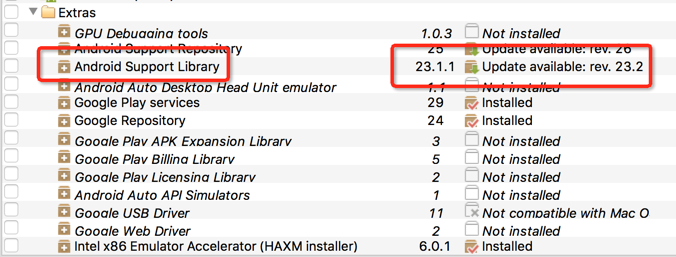
先確認 SDK Manager 中的支援庫已更新到含 Vector 支援的版本。

整個動畫由三個部分組成:Vector 圖像本身、描述繪圖過程的路徑動畫,以及把兩者綁在一起的 Animated-Vector。
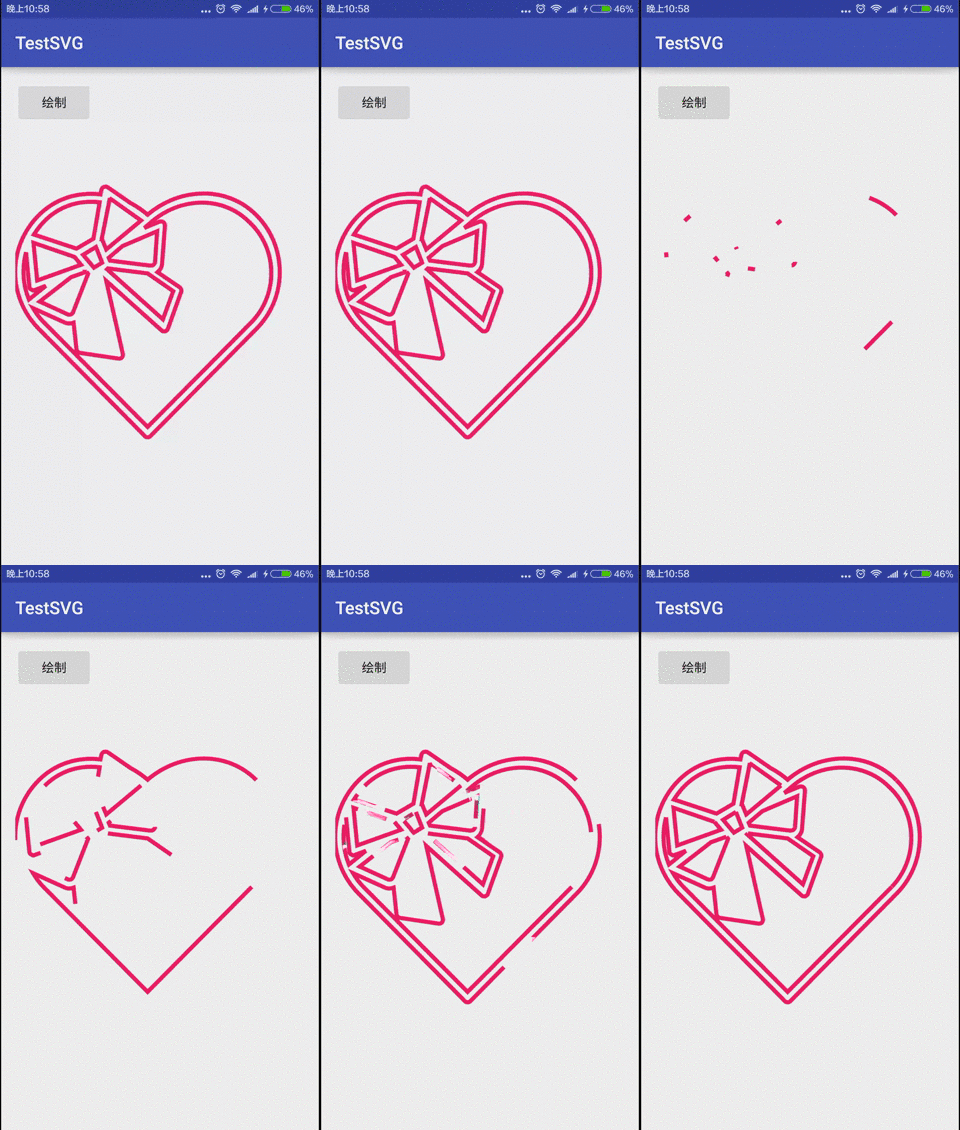
最終效果如下:
把 SVG 轉成 Vector 資源,可以用 Android Studio 2.0 以上的 Vector Asset 精靈,也可以使用線上轉換工具。關鍵是圖形必須以 path 形式描述,才能被後續動畫控制。心形拆成左右兩半,各自命名為 heart1 與 heart2:
<vector xmlns:android="https://schemas.android.com/apk/res/android"
    android:width="256dp"
    android:height="256dp"
    android:viewportHeight="70"
    android:viewportWidth="70">
    <path android:name="heart1" android:pathData="..." android:strokeColor="#E91E63" android:strokeWidth="1"/>
    <path android:name="heart2" android:pathData="..." android:strokeColor="#E91E63" android:strokeWidth="1"/>
</vector>
路徑動畫其實就是一個普通的屬性動畫,重點在 trimPathEnd 這個屬性。它決定路徑被繪製的比例,取值 0 到 1,0 表示完全不畫、1 表示畫完:
<?xml version="1.0" encoding="utf-8"?>
<objectAnimator xmlns:android="https://schemas.android.com/apk/res/android"
    android:duration="6000"
    android:propertyName="trimPathEnd"
    android:valueFrom="0"
    android:valueTo="1"
    android:valueType="floatType"/>
duration 是毫秒數,這裡的 6000 代表六秒畫完,數值越小線條跑得越快。
這一步只是宣告:哪一個 path 要套用哪一段動畫。
<animated-vector xmlns:android="https://schemas.android.com/apk/res/android"
    android:drawable="@drawable/v_heard">
    <target android:name="heart1" android:animation="@animator/heart_animator"/>
    <target android:name="heart2" android:animation="@animator/heart_animator"/>
    ...
</animated-vector>
AnimatedVectorDrawable 需要 Android 5.0(API 21)以上,因此務必做版本判斷:
// 僅支援 5.0 以上版本
private void animateImage() {
    if (Build.VERSION.SDK_INT >= Build.VERSION_CODES.LOLLIPOP) {
        AnimatedVectorDrawable mAnimatedVectorDrawable =
            (AnimatedVectorDrawable) ContextCompat.getDrawable(getApplication(), R.drawable.v_heard_animation);
        mIvImageView.setImageDrawable(mAnimatedVectorDrawable);
        if (mAnimatedVectorDrawable != null) {
            mAnimatedVectorDrawable.start();
        }
    }
}
start() 就是啟動的開關,呼叫後 trimPathEnd 會從 0 遞增到 1,線條便依序浮現。
同樣一段動畫, GIF 需要逐幀存成點陣圖,檔案動輒數百 KB 且無法任意縮放;Vector 動畫只是一份 XML 幾何描述,體積通常在 1KB 上下,任何解析度都清晰銳利,還能隨時改顏色、改速度。若需要更複雜的路徑變形,可以搭配官方支援庫的 AnimatedVectorDrawableCompat 做相容處理,也能參考社群開放的 SVG 資源庫找現成圖形。
 Android 開發入門教學——應用程式結構全面解析
建立好第一個專案之後,接下來最該搞清楚的就是:這個專案裡的每一個檔案與目錄,各自負責什麼。本文以 HelloWorld 為例,逐一拆解。 一、建立 HelloWorld
 Android MediaPlayer 的生命週期與狀態轉換全解析
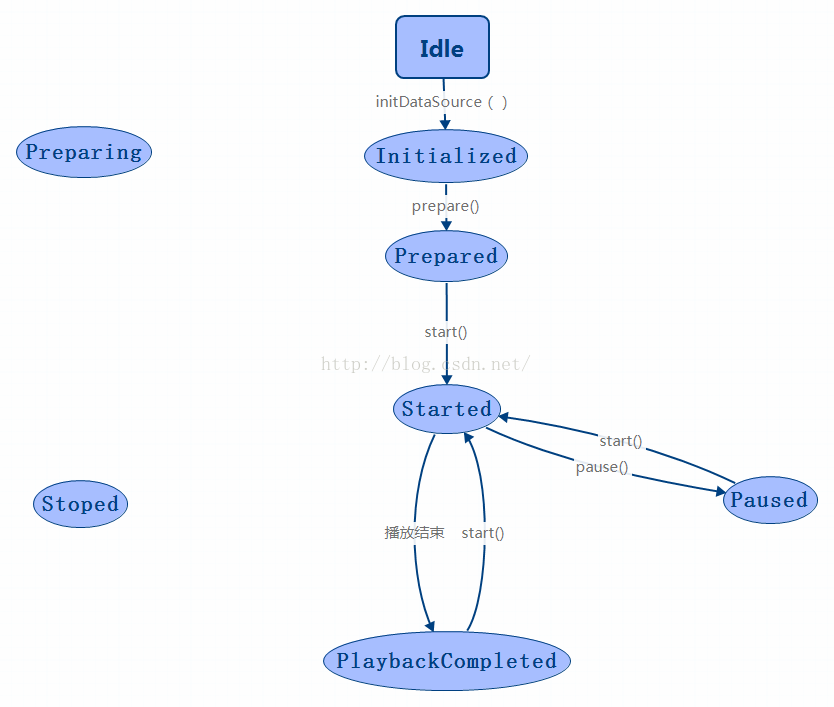
MediaPlayer 的狀態轉換圖,其實就是它的生命週期圖。把這張圖吃透,寫出來的播放程式才會考慮得夠周全、夠有健壯性。 下面用幾張圖,一步步把整個生命週期演一遍: 圖
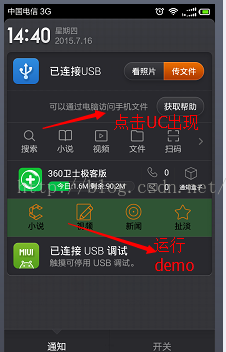 Android 自訂常駐通知列:仿 UC 與 360 手機衛士效果
許多應用會在通知列展示常駐訊息,並提供多個可點擊的快捷入口。本文以仿 UC 與 360 手機衛士的常駐通知列為例,說明如何以 RemoteViews 建立自訂通知畫面。
 Android 實戰:用 ListView 構建支持單選與多選的投票項目
引言在 Android App 開發中,我們時常會遇到提供一個選項列表讓用戶勾選的需求。以投票類應用為例:系統給出若干主題,每個主題下掛著若干選項,用戶對這些選項進行選擇